What is the best LCAP for an enterprise? The best fit is the platform that meets your application’s data, access, deployment and operating requirements at an acceptable total cost. For internal apps over existing business data, include ToolJet in the shortlist; for other application categories, use the comparison below to identify candidates. This guide compares ten platforms and the evidence to request before procurement, rather than declaring a universal winner.
If you are still choosing the application category, begin with our low-code platform directory. Use the enterprise vendor comparison to narrow the shortlist, then use this guide to turn that shortlist into comparable quotes. A feature list alone does not tell you which edition, add-ons or operating responsibilities the contract includes.
Start with three decisions: what application you need, who will build and operate it, and where its data and AI processing may run. Then ask vendors to quote the same scope.
What is an enterprise low-code application platform (LCAP)?
What the category covers
An enterprise low-code application platform combines visual or model-driven development with application services, integrations and lifecycle controls. Gartner maintains an enterprise LCAP market category; this article is ToolJet’s procurement guide, not a reproduction of Gartner’s vendor rankings.
The enterprise distinction is operational: can the selected product edition support your identity system, access rules, releases, monitoring and recovery requirements? A visual editor alone does not answer those questions.
For example, an employee request portal needs more than forms. Evaluate employee and manager permissions, attachments, approval history, mobile browser behavior and connections to the underlying employee records.
What still needs engineering review
A low-code development platform can reduce repetitive interface and integration work. Your team still needs to review business logic, data permissions and failure behavior, whether an app begins with a visual editor, AI generation or custom code.
Treat time and cost savings as pilot outcomes to measure. Include integration setup, security review, testing, training, hosting and ongoing maintenance in the comparison.
For a visual and quick explanation of low-code application development, you can also watch this video:
10 Enterprise Low-Code Application Platforms to Evaluate

Before requesting proposals, write down the application portfolio, the expected users and the data systems each application must reach. State whether the builder, application runtime, AI gateway and model endpoint need to run in your infrastructure; these are separate deployment questions.
The products below cover different application categories. Ask candidates to quote the application you actually need, rather than treating every enterprise low-code platform as interchangeable.
Internal application candidates
- ToolJet: AI-assisted internal app development with a visual builder and plan-specific governance.
- Retool: Internal application development; compare user licensing and the proposed deployment edition.
- Appsmith: Developer-focused internal tools; compare Community and paid governance capabilities.
- DronaHQ: Internal apps and operational interfaces; validate integrations and enterprise entitlements.
- UI Bakery: Internal apps and interfaces; check runtime, export and deployment requirements.
Process, business application and database candidates
- Appian and Kissflow: Include in evaluations centered on business processes and approval workflows.
- Mendix and Microsoft Power Apps: Evaluate for business application portfolios and fit with your existing development environment.
- Caspio: Evaluate for database-backed applications, including capacity and access requirements.
For enterprise procurement, evaluate governance, scalability and integration capabilities against your own requirements. Inclusion in this editorial shortlist does not imply recognition or endorsement by Gartner.
Also, read “Gartner forecast on low code development technologies in 2026“.
Why can you count on our low-code platform reviews?
This guide is published by ToolJet and presents an editorial shortlist of low-code platforms. It is not an independent benchmark of application performance, security or return on investment.
As developers, we know how critical and often challenging it is to make the right choice when selecting a platform.
The comparison criteria here are quote completeness, documented entitlements and allocation of operating responsibilities. They are not scores for uptime or build speed. For developer-specific maintainability and runtime questions, use the developer platform assessment.
Attach the same scenario to each request: current and planned builder/end-user counts; applications and environments; required integrations; AI and automation usage; hosting boundary; security controls; and support coverage. Request a pilot proposal, a first rollout proposal and an expansion proposal using the same currency and billing period.
Quick recap:
| Platform | Application fit | Enterprise evaluation | Pricing source | Website |
|---|---|---|---|---|
| Appian | Process-centric enterprise applications | Process ownership and orchestration | Official pricing | Appian |
| ToolJet | Governed internal apps over existing data | Cloud versus Self-hosted controls and AI boundaries | Official pricing | ToolJet |
| Retool | Developer-built internal applications | Builder/end-user roles and deployment edition | Official pricing | Retool |
| Appsmith | Developer-focused internal tools | Community versus paid governance | Official pricing | Appsmith |
| Mendix | Model-driven business applications | Application portfolio and hosting | Official pricing | Mendix |
| Caspio | Database-backed applications | Capacity and regulated workload agreements | Official pricing | Caspio |
| Kissflow | Business workflows and applications | User scope and enterprise rollout | Official pricing | Kissflow |
| Power Apps | Applications in a Microsoft environment | Production licensing and connector entitlements | Official pricing | Power Apps |
| DronaHQ | Internal apps and operational workflows | Seats, usage and self-hosted plan | Official pricing | DronaHQ |
| UI Bakery | Internal apps and AI-generated interfaces | Code export and self-hosted edition | Official pricing | UI Bakery |
The ten detailed profiles below match the comparison table. Use their evaluation focus and official pricing links to request a proposal for your workload. Product inclusion is not a tested ranking of performance, security or business value.
Additional platforms outside the ten detailed profiles
| Platform | Headquarters | Deployment evaluation |
|---|---|---|
| m-Power | Oak Brook, Illinois, U.S.A | Confirm generated application dependencies and supported infrastructure |
| Superblocks | New York, New York, U.S.A | AWS Cloud-Prem or hybrid data-plane architecture |
| Xano | Los Angeles, California, U.S.A | Confirm backend capacity and private deployment options |
| Creatio | Boston, Massachusetts, U.S.A | Confirm deployment, governance and application licensing |
| Nintex | Bellevue, Washington, USA. | Confirm product-specific workflow and hosting requirements |
Detailed Profiles of the 10 Application Platforms

1. Appian
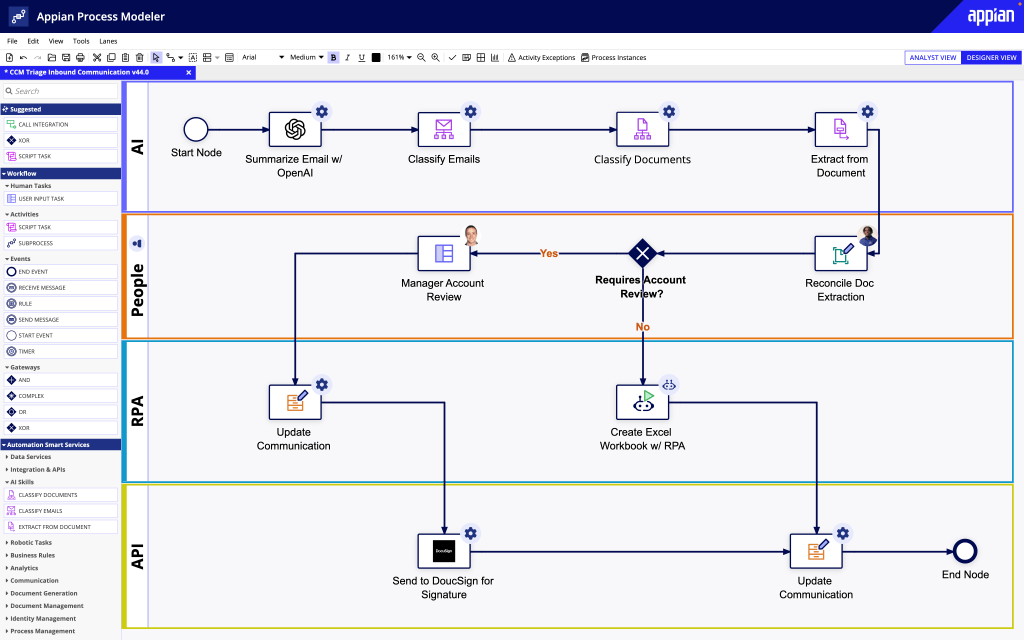
Appian is a leading platform for process automation, known for its capabilities in low-code application development and process mining. It enables organizations to design, automate, and optimize their business processes efficiently.
Benefits:
- Both pro and citizen developers can use the platform
- Provides process mining, that is, users can identify process inefficiencies and improve business outcomes
- Supports generative AI in app development workflows
Best suited for:
- Financial Services
- Insurance
- Public Sector
- Life Sciences
- Manufacturing
Evaluation focus: Validate process ownership, exception handling and integration recovery in a representative workflow.
Pricing: Review current plans. Confirm application scope, user licensing and deployment in the quote.
Address: 7950 Jones Branch Dr. McLean, VA 22102
Phone: 1 703 442 8844
Email: info@appian.com
2. ToolJet
ToolJet combines AI app generation, a visual builder and JavaScript/Python logic for internal applications over existing data. Its Community Edition is open source; commercial governance and deployment controls depend on the selected plan. Workflows and the agent builder are available on Self-hosted, rather than ToolJet Cloud.

Benefits:
- Build and edit apps with AI and a visual builder
- Use pre-built components and custom application logic
- Connect 100+ applications, databases and APIs
- Team includes SSO, audit logs and Git sync; customer-hosted AI gateway and fully air-gapped operation are Self-hosted Enterprise add-ons. Enterprise BYOK is available on both ToolJet Cloud and Self-hosted deployments
Best suited for:
- IT
- Financial Services
- Healthcare
- Telecom
- Retail
- Education
Evaluation focus: Validate least-privilege access, release controls and AI data flows for the selected Cloud or Self-hosted plan.
Pricing: ToolJet offers a Free plan. Cloud Basic starts at $23 per builder per month when billed annually; Cloud Pro is $79 and Team is $199 on the same billing basis. Self-hosted offers Free, Team and Enterprise plans. Compare end-user limits, governance and add-ons in the current feature tables.
Contact hello@tooljet.com for custom pricing.
Headquarters: San Francisco, USA
3. Retool
Retool is a popular platform for quickly building internal tools. It offers a fully integrated development environment for designing, coding, debugging, reviewing, and deploying applications everything in one place. It also allows users to connect various data sources to create custom apps.

Benefits:
- Seamlessly connects with several databases to create custom workflows
- Companies can track platform usage through audit logs and usage analytics, helping them to upscale or downscale licenses accordingly
- Offers cloud-based, scalable solutions for enterprise apps
Best suited for:
- E-commerce
- Education
- BFSI
- SaaS
- Media
Evaluation focus: Validate developer and end-user roles, release permissions and the selected deployment edition.
Pricing: Review current plans. Compare builder and end-user licensing, workflow/AI usage and the selected deployment edition.
4. Appsmith
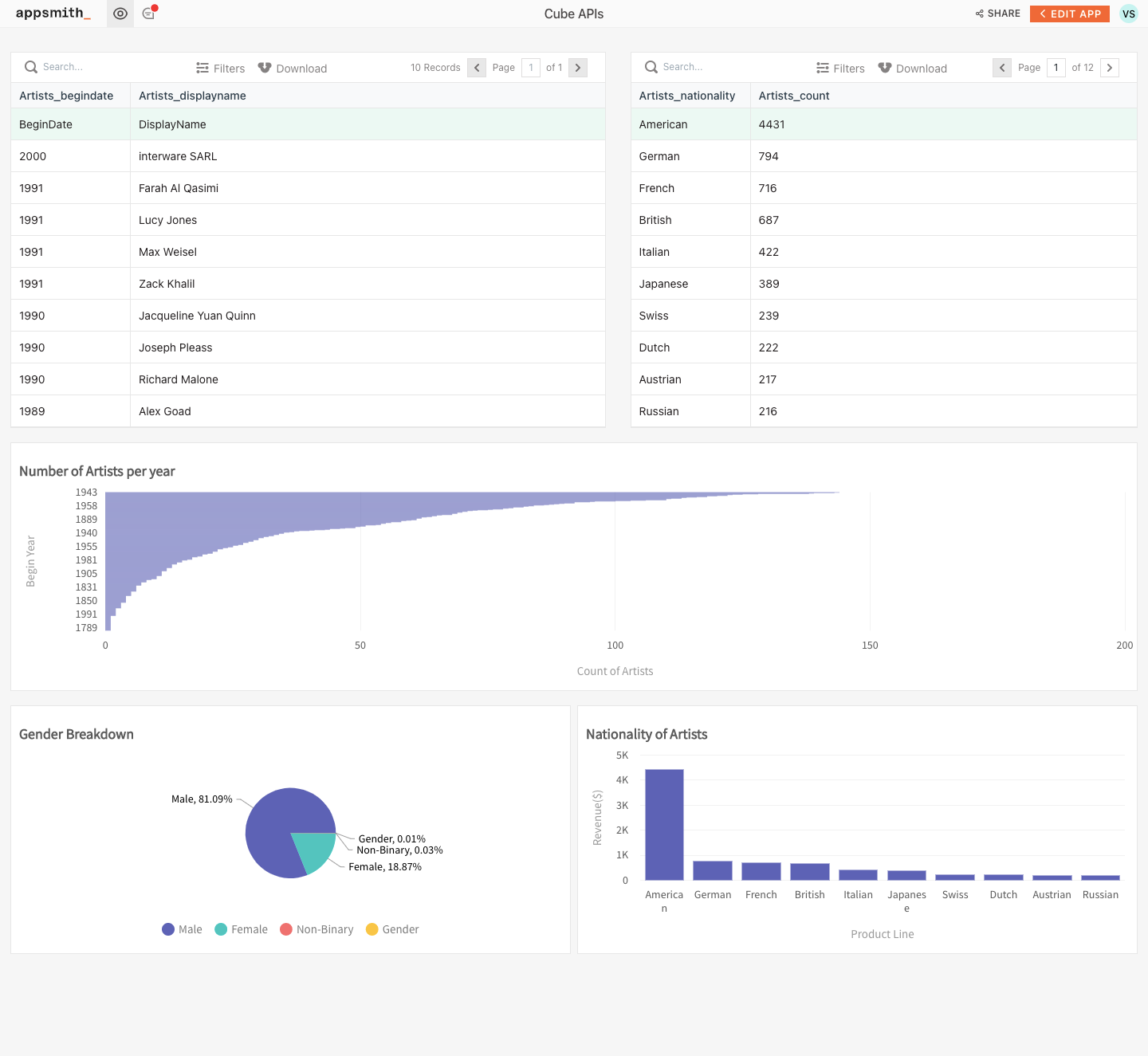
Appsmith is an open source low-code app development platform offering a range of services to build sales, marketing, operational, and engineering tools. It lets users build custom applications such as dashboards, admin panels, and customer support tools with ease.
Benefits:
- Provides a visual builder for internal applications
- Connects databases and APIs; verify the operations and authentication required by your systems
- Combines widgets with JavaScript customization
Best suited for:
- Customer Support
- IT
- Enterprises
Evaluation focus: Validate data-source permissions and which governance controls require a paid plan.
Pricing: Review current plans. Compare the open-source Community Edition with paid governance, user licensing and enterprise add-ons.
5. Mendix
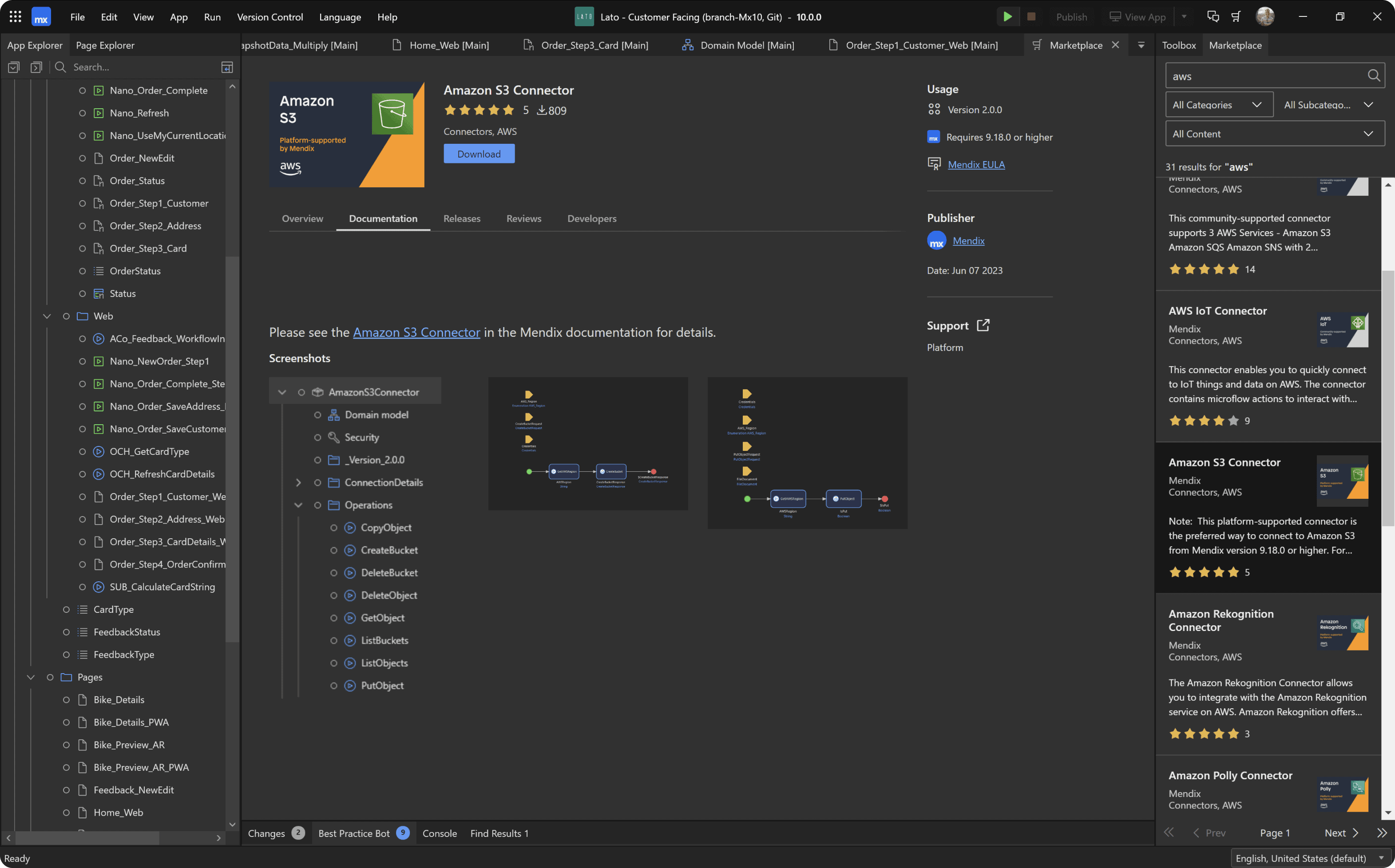
Mendix offers a visual model-driven IDE with reusable components and full-stack capabilities to speed up app development and automate routine jobs. It simplifies the development process for both professional developers and business users.
Benefits:
- Allows developers to build multi-channel web and mobile apps from a single model
- Automatically detects anti-patterns and recommends ways to resolve those issues
- Supports REST, SQL, OData, SOAP, and other protocols for integrations
Best suited for:
- BFSI
- Retail
- Manufacturing
Evaluation focus: Validate application portfolio, deployment dependencies and runtime capacity.
Pricing: Review current plans. Compare single-application and portfolio licensing, user scope and hosting costs.
Address: 22 Boston Wharf Rd, Boston, MA 02210
Phone: +1 (857) 263-8200
6. Caspio
Caspio is the low-code development platform for building online database apps, such as reports, forms, charts, calendars, tasks, and more. Known for its point-and-click interface, Caspio allows users to build multi-user apps, workflows, and dashboards efficiently and cost-effectively.

Benefits:
- Supports visual application development
- For regulated data, confirm the service edition, assurance scope, required agreements and the controls your organization must configure
Best suited for:
- Healthcare
- Education
- Energy and utilities
- Not for profits
Evaluation focus: Validate database capacity, access controls and agreements for any regulated data.
Pricing: Review current plans. Confirm database capacity, application publishing limits and requirements for regulated workloads.
Phone: +1 (650) 691-0900
7. Kissflow
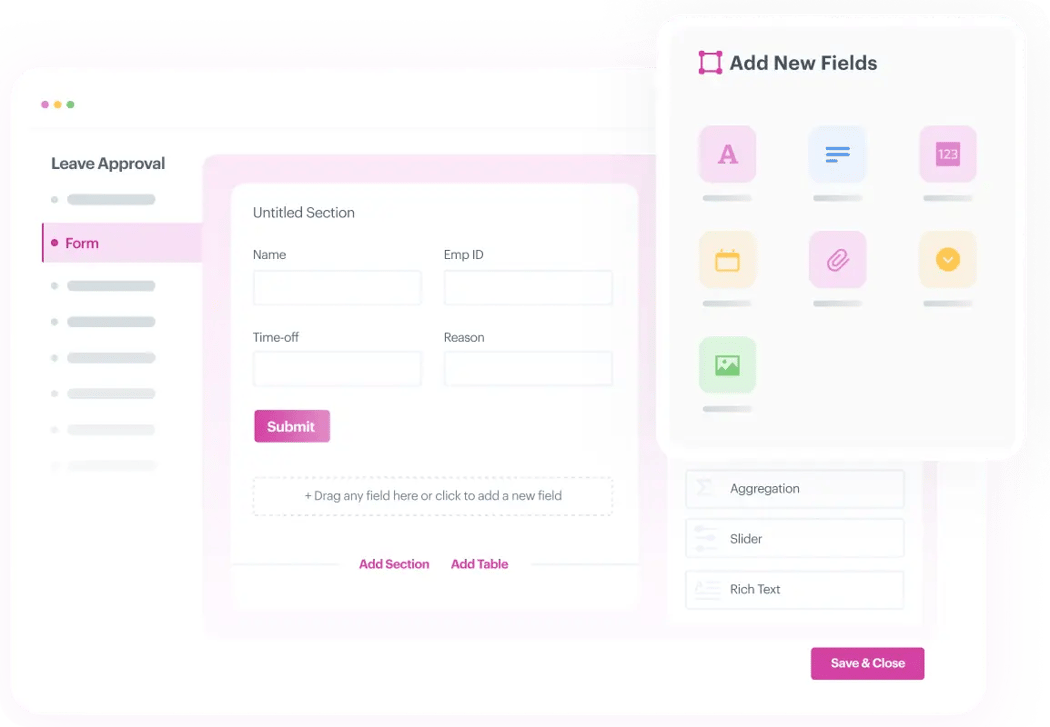
Kissflow is a low-code app development platform for employee portals, operational dashboards and business workflows. Evaluate its application and workflow capabilities against the process being replaced.
Benefits:
- Provides a wide range of pre-built templates
- Supports role-based access to users
- Provides extensive integrations with ERP, CRM, and other core utility platforms
Best suited for:
- Banking
- Insurance
- Oil & Gas
- Manufacturing
Evaluation focus: Validate approval ownership, exception handling and licensed user scope.
Pricing: Review current plans. Confirm included users, application scope and the enterprise quote.
8. Power Apps
Power Apps by Microsoft is an AI-powered platform for app development that lets developers start building from tables, sketch, or their own code. It offers a suite of apps, services, and connectors, along with a data platform, enabling users to build feature-rich applications without extensive coding knowledge.

Benefits:
- Use Microsoft’s app-building tools to work with business data
- Evaluate templates and connectors against the tenant policies and licensing required for production
Best suited for:
- Finance
- Sales and marketing
- HR
- Operations
- Frontline workers
Evaluation focus: Validate tenant policies, connector permissions and production licensing.
Pricing: Review current plans. Distinguish development access from production licensing, connector entitlements and capacity charges.
9. DronaHQ
DronaHQ offers tools for building internal applications, interfaces and workflows. Evaluate its components, connectors and deployment options using the operations your application needs, rather than choosing by component count alone.

Benefits:
- Allows developers to write and edit JavaScript and import JS libraries to extend UI components
- Supports version history and connector logs to debug apps
- Allows granular permissions (RBAC), SSO, and audit logs for building secure apps
Best suited for:
- Finance
- HR
- Retail
- Manufacturing
- Marketing
Evaluation focus: Validate granular access, audit requirements and deployment options.
Pricing: Review current plans. Confirm seat or usage charges and the plan needed for your hosting and governance requirements.
10. UI Bakery
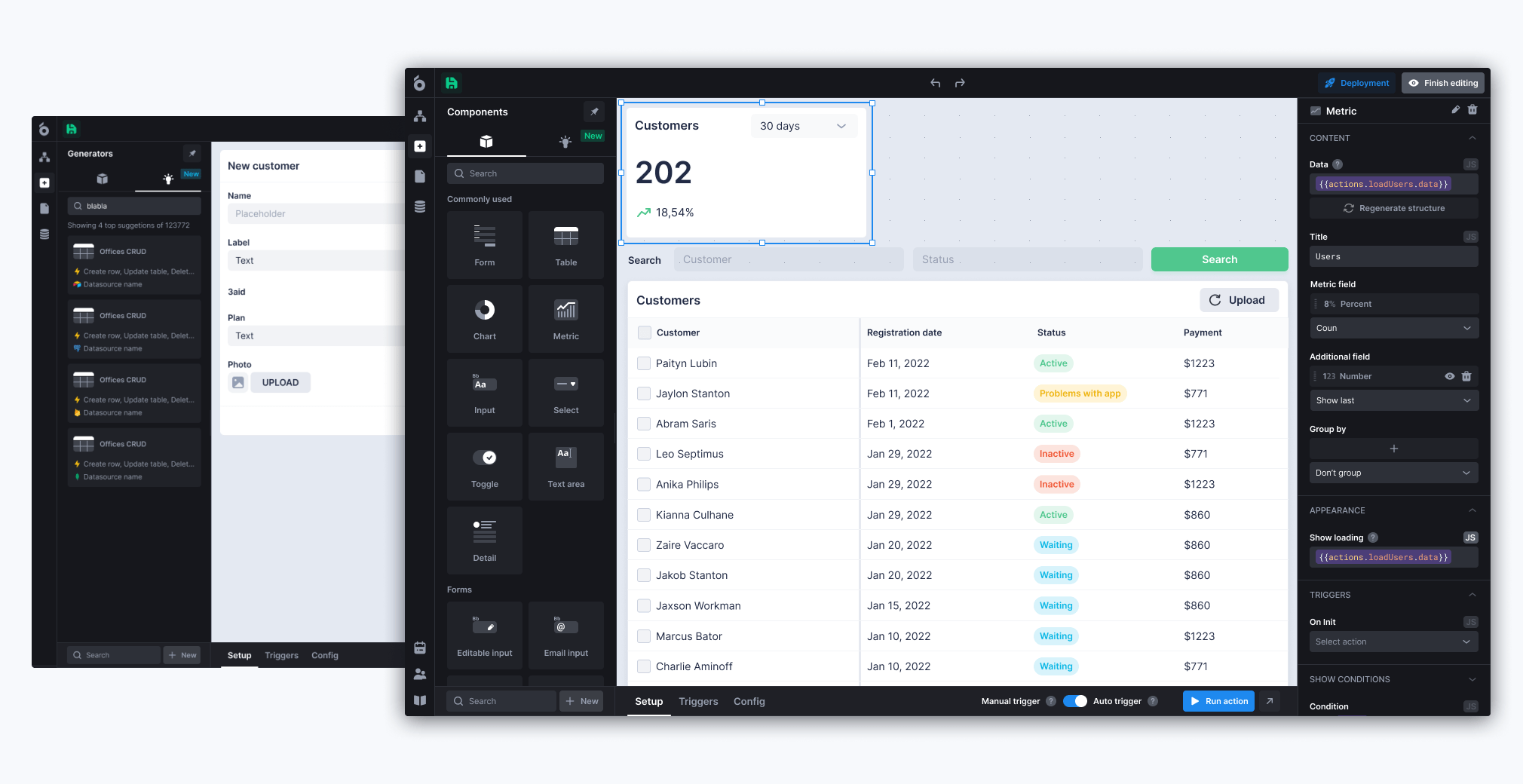
UI Bakery provides tools for building internal applications and interfaces. Test a representative screen, data query and release process, then confirm the proposed plan’s hosting, access and export capabilities.
Benefits:
- Supports Git Integration and branching logic
- Allows adding conditions, intervals, and using state variables
- Can customize positioning and display for desktop and mobile
Best suited for:
- Healthcare
- SaaS
- E-commerce
- Government
Evaluation focus: Validate exported application dependencies, governance and self-hosted requirements.
Pricing: Review current plans. Compare developer/end-user licensing, AI usage, code export and self-hosted entitlements.
Difference between low-code vs no-code
Understanding the distinction between low-code and no-code platforms is crucial for making informed platform decisions:
Low-code application development platforms:
- Development approach: Visual configuration with supported custom code or extensions
- Customization: Verify the available languages, components and runtime boundaries
- Complexity: Test the actual business rules and integrations rather than relying on the category label
- Builders: Developers and technically supported business teams, depending on the product
- Integration: Check connector operations, authentication, networking and limits
- Example uses: Internal applications, portals and extensions to existing systems
No-code platforms:
- Development approach: Configuration intended to avoid user-written code for supported tasks
- Interface: Visual editors, templates and other guided building tools
- Customization: Test requirements that fall outside the built-in components or logic
- Builders: Business users or developers, depending on the application and product
- Integration: Connector and API capabilities vary; no-code does not automatically mean basic integrations
- Example uses: Forms, workflows, applications and websites within the selected product’s scope
Key takeaway: Choose by the application requirements and extension needs. Low-code and no-code labels do not establish security, scalability or the level of engineering support an application will require.
Difference between low-code vs high-code (traditional development)
Traditional high-code development:
- Development time: Depends on application scope, integrations and release requirements
- Resource requirements: Teams own frontend, backend and infrastructure implementation
- Maintenance: Teams maintain the application code and dependencies
- Cost: Include implementation, infrastructure, testing and long-term maintenance
- Flexibility: Direct control over implementation and architecture
Low-code application development:
- Development speed: Reusable components can reduce repetitive implementation work
- Resource efficiency: Developers still need to review integrations, permissions and business logic
- Maintenance: Platform updates do not remove responsibility for application testing
- Cost-effectiveness: Compare licenses, hosting, usage and maintenance over the intended lifetime
- Governance: Verify the selected plan provides the controls required by your organization
Business impact: Measure a pilot against your current process. Record implementation time, review effort, operating costs and adoption; these observations are more useful than a universal cost-saving or delivery multiplier.
When Low-Code Can Be a Suitable Choice
The shift toward low code application development platforms is driven by several critical business factors:
1. Developer shortage crisis
Development backlogs can make routine internal applications difficult to prioritize. Low-code can reduce repetitive implementation work, while developers retain responsibility for data access, testing and deployment.
2. Digital transformation acceleration
Use a pilot to test whether reusable components shorten delivery for the process you want to digitize. Include the work needed to integrate existing systems and obtain security and operational approval.
3. Business agility requirements
Modern businesses require applications that can adapt quickly to changing market conditions. Enterprise low-code application platforms provide the flexibility to modify applications in response to evolving business needs.
4. Cost optimization
Low-code can change the balance of implementation effort and licensing cost. Estimate total cost across builders, end users, platform usage, hosting, governance add-ons and support before committing.
When should you use low-code, and what can you build with low-code?
Low code application development platforms excel in specific scenarios and application types:
1. Internal business applications:
- Employee onboarding portals
- Inventory management systems
- Project tracking dashboards
- HR workflow automation
- Financial reporting tools
Also, read: “Top 10 internal tools you should know in 2026.”
2. Customer-facing applications:
- Client portals and self-service applications
- Appointment scheduling systems
- Customer feedback platforms
- Service request management
Also, read: “From static reports to real-time business dashboards: Top 10 examples“.
3. Data-driven applications:
- Real-time analytics dashboards
- Reporting and visualization tools
- Data integration and synchronization apps
- Business intelligence platforms
4. Process automation:
- Approval workflows
- Document management systems
- Compliance tracking applications
- Quality assurance processes
Industry applications: Healthcare organizations use enterprise low-code application platforms for patient management systems, while manufacturing companies build supply chain optimization tools.
Why adopt low-code platforms?
1. Competitive advantage
Reusable components and integrations can help teams respond to changing processes. The improvement depends on the application and should be measured against the team’s existing delivery process.
2. Innovation enablement
Business users can contribute requirements, forms and workflows within approved permissions and review processes. Define who may publish changes and which tasks require engineering support.
3. Scalability
Test expected concurrency, data volume and integration load in the proposed architecture. Confirm the cost and operational ownership of scaling before expanding a departmental app across the organization.
4. Risk mitigation
Access controls, audit evidence and release governance can reduce specific risks when configured and tested. Confirm the selected plan and deployment meet your organization’s requirements.
5. Future-proofing
Choose a platform with a supported upgrade path, export options and operational ownership that fit your long-term application portfolio. Do not assume any platform removes future migration or maintenance work.
What are the benefits of low-code application development?
Operational benefits:
- Speed: Reuse components and integrations instead of recreating them
- Cost efficiency: Measure implementation savings alongside licensing and operating costs
- Resource optimization: Reserve developer effort for application logic, integrations and review
- Maintenance simplification: Use supported platform updates while retaining application regression tests
Technical benefits:
- Integration capabilities: Validate connectors and permissions against the systems you use
- Security: Evaluate the available access, identity and audit controls for the selected plan
- Scalability: Load-test the expected concurrency and workload
- Version control: Confirm release, rollback and environment features before procurement
Business benefits:
- Time-to-market: Measure delivery and review time for your application
- Innovation: Let business users contribute within approved permissions and review processes
- Compliance: Review platform assurances, agreements and your own application responsibilities
- ROI: Calculate benefits and costs from your pilot; no return is guaranteed
Core features of low-code application platforms
1. Visual development environment
Drag-and-drop interfaces and pre-built components let users design applications without writing extensive code.
2. Reusable components & templates
Ready-to-use modules, templates, and widgets reduce repetitive work and ensure consistency across apps.
3. Integration capabilities
Evaluate integrations using real authentication, read/write operations, network boundaries and failure cases. A listed connector does not guarantee every operation your app needs.
4. Workflow automation
Check how the selected platform handles scheduling, approvals, retries and failed executions. Workflow functionality, execution capacity and hosting availability can depend on the product and plan.
5. Scalability & extensibility
Applications can grow with business needs, and developers can extend functionality with custom code when required.
6. Cross-platform deployment
Confirm which web and mobile runtimes the platform supports, and test the interfaces your users need. Cross-platform portability varies by vendor and application architecture.
7. Collaboration tools
Verify builder roles, review permissions, version control and release promotion for the proposed edition. Collaboration features vary, and simultaneous editing should be tested if it is required.
8. Security & governance
Evaluate role-based access, audit trails and release controls against your requirements. Compliance depends on the selected service, deployment, agreements and how the application is configured.
9. Analytics & monitoring
Confirm how your operations team can inspect application errors, usage and integration failures. Ask which logs and metrics are included, how long they are retained and whether they can be exported.
Procurement evidence before you choose a low-code platform
Use the profiles above to select candidates. The next step is an evidence-backed proposal: a named product edition, itemized entitlements, clear usage assumptions, and an owner for the work left to your team. The enterprise-readiness checklist covers the broader adoption assessment; the questions below focus on procurement decisions.
1. Ease of use
Have your actual builders and reviewers use the proposed edition during the pilot. Ask the vendor to identify training, certification, migration assistance and implementation services included in the quote. Record which tasks require specialist support and who pays for that support after the initial rollout.
2. Integration capabilities
List each required database, API and identity provider, including its read/write operations and authentication method. Ask whether connector access, custom/private integrations, network access, API quotas or support require a higher edition or separate fee. A connector in a catalog is not evidence that every required operation is included.
3. Scalability & performance
Attach the expected workload and your acceptance criteria. Request the supported architecture, included capacity and who operates scaling, monitoring and recovery. Use the operational reliability guide to design a restore and release pilot; do not treat a vendor’s platform SLA as proof that your application meets its own recovery needs.
4. Customization & extensibility
Request the format of exported application definitions or code, supported runtime dependencies, access after contract termination and any migration assistance. Confirm the license for Community code, paid features and extensions separately. Self-hosting and source access do not establish that an app can run independently of the original platform.
5. Collaboration features
Map required controls to named plans: SSO, SCIM, custom groups, audit retention/export, environment isolation, release permissions and Git-based promotion. Ask how developer, staging and production deployments are counted and whether additional instances or lifecycle features change the quote.
6. Security & compliance
Request the assurance reports and agreements that apply to the exact service, region and subprocessors in the proposal. Document what AI may read, which gateway/model endpoints receive it, retention, key ownership and isolation requirements. For ToolJet, customer-hosted AI gateway and fully air-gapped operation have Self-hosted Enterprise add-on requirements. Enterprise BYOK is available on both ToolJet Cloud and Self-hosted deployments; an external model endpoint still receives its requests.
7. Total cost of ownership
Build an itemized cost model for the same period: platform license, builders, end users, apps/environments, AI and automation consumption, premium connectors, storage, hosting, backups, implementation, support and internal operations. Ask for minimum commitments, usage overages, annual versus monthly terms, renewal conditions and exit costs. Include an expansion scenario so an inexpensive pilot does not hide the cost of a larger rollout.
8. Support & community
Name the owner of each incident category: platform runtime, customer infrastructure, database, identity provider, external APIs and AI services. Request support hours, escalation paths and contractual response commitments. Check exclusions and customer responsibilities; a support response time is not a promise to restore your application within that time.
Conclusion
Select the proposal that meets the required scope and has a credible operating model. Keep the quote assumptions, feature entitlements, pilot results and unresolved exceptions together so procurement, security and engineering approve the same deployment.
ToolJet combines AI-assisted app generation, a visual builder and integrations for internal tools. Team includes SSO, audit logs and Git sync. For private AI processing, customer-hosted AI gateway is a Self-hosted Enterprise add-on. Enterprise BYOK is available on both ToolJet Cloud and Self-hosted deployments; review the security architecture and selected plan before handling sensitive data.
Bring that scope to the vendor discussion. For ToolJet, specify Cloud or Self-hosted, the required user allowances, governance and any private-AI or isolation add-ons. Review the current plan tables alongside the commercial proposal.