The way we build and interact with software has changed dramatically. Web application development is no longer just the domain of large engineering teams. With the right tools, anyone with an idea can now create dynamic, scalable web apps.
Whether you’re aiming to streamline internal operations, launch a customer-facing platform, or prototype a SaaS product, web apps offer the flexibility and reach needed in a fast-moving digital economy. What once required months of backend setup and frontend polishing can now be built in days using modern low-code platforms and visual development tools.
This guide breaks down the web app development process, from shaping your idea and choosing the right tech stack to designing, building, and deploying a fully functional web application. If you’re looking to develop web applications without the traditional complexity, you’re in the right place.
What is web application development?
Web application development refers to the process of creating software applications that run directly in web browsers, enabling users to interact with them over the internet without needing to install anything on their devices.
Unlike traditional static websites, which primarily display information, web applications are dynamic. They can handle logic, data processing, and real-time user input seamlessly.
Think of popular tools like Google Docs, Notion, or Trello. While they look like websites, these platforms function as fully featured software, allowing users to edit documents, manage projects, or collaborate with teams, all within a browser.
Behind the scenes, web application development combines front-end technologies such as HTML, CSS, and JavaScript with backend frameworks like Node.js, Django, or Ruby on Rails. This blend of technologies makes developing a web application both a technical challenge and a creative opportunity.
Depending on your goals, web application design and development may focus on:
- Crafting an intuitive and responsive user interface (UI) to enhance usability
- Building custom workflows and business logic tailored to specific operations
- Implementing robust security measures to protect user data and transactions
Whether you aim to build an internal tool for your team or a public-facing platform for customers, there is a vast world of web application examples for beginners to draw inspiration from and learn best practices.
Web application vs. website: What’s the difference?
While the terms “website” and “web application” are often used interchangeably, they serve very different purposes in the world of software and digital products.
Websites: Primarily informational
A website is typically static or semi-dynamic. Its main job is to present information, think marketing sites, blogs, news portals, or company homepages. Users browse and consume content, but they rarely interact beyond clicking links or submitting a contact form.
Web applications: Built for interaction
A web application, on the other hand, is built for user interaction and functionality. Users can log in, manipulate data, perform actions, and see real-time changes. This makes web apps ideal for things like project management tools, customer portals, dashboards, or internal workflows.
| Feature | Website | Web Application |
| Purpose | Share information | Enable user interaction |
| User Login | Usually not required | Often required |
| Content | Mostly static | Dynamic and personalized |
| Technology Stack | HTML, CSS, maybe some JavaScript | Frontend + Backend + Database |
| Examples | Company website, blog | Trello, Google Docs, ToolJet |
If you’re exploring website and application development, it’s important to understand which of the two you need, or whether a combination makes the most sense for your business.
Modern tools like ToolJet blur these lines by allowing teams to build website applications and internal tools without starting from scratch. Whether you’re managing customers, data, or operations, web and application development has never been more approachable.
Also read, “Best Notion templates to run and scale your business in 2026“.
The web application development process: Step-by-step
Bringing a web app idea to life involves more than just writing code. From concept to deployment, the web application development process combines planning, design, development, and testing, ensuring your app is both usable and scalable.
Here’s a simplified breakdown of the key stages involved in developing a web application:
1. Define the problem you’re solving
Before you write a single line of code (or use a low-code platform), identify your app’s core purpose. What user pain point are you addressing? Is it a tool for internal automation, a customer-facing portal, or a data dashboard?
Clarity at this stage helps guide design, tech stack choices, and user flow later on.
2. Map out features and user flows
Sketch the core features your app will include. Common elements in business web application development include:
- User authentication
- CRUD operations (create, read, update, delete)
- Search and filter functions
- Role-based access
- Integrations with third-party tools or databases
Tools like Whimsical, Figma, or even pen-and-paper work well for mapping out initial user flows.
3. Choose the right tech stack (or Platform)
Traditional development involves selecting a frontend framework (like React or Vue), backend (Node.js, Django), database (PostgreSQL, MongoDB), and hosting. But platforms like ToolJet let you skip boilerplate work and go straight to developing web apps visually, which is especially helpful for startups and internal teams.
If you’re looking for speed without sacrificing flexibility, low-code tools are a great choice.
4. Design the user interface
Good UI/UX is critical, especially for interactive web applications. Your app should be:
- Easy to navigate
- Consistent in style
- Responsive across devices
Low-code platforms often come with pre-built components that streamline the web application design and development phase.
5. Build the frontend and backend
At this stage, development starts. For traditional developers, this means connecting frontend components with APIs, building server-side logic, and writing database queries.
For no-code/low-code users, this might involve dragging components, connecting data sources, and setting up workflows with logic blocks.
6. Test your application
Before going live, test both functionality and usability. This includes:
- Unit and integration tests
- User acceptance testing (UAT)
- Performance checks
- Security validations
Testing ensures that your app performs as expected across browsers and devices.
7. Deploy the app
Once tested, it’s time to ship. You can deploy on platforms like:
- Traditional route: AWS, DigitalOcean, Vercel
- Low-code route: ToolJet Cloud or Docker-based self-hosting
Modern tools make web based development much faster by abstracting server setup and CI/CD workflows.
8. Monitor and improve
Launch is just the beginning. Track usage, gather feedback, and iterate quickly. Most teams add analytics, error monitoring, and user feedback tools post-launch to evolve their app.
Whether you’re building your first MVP or scaling an internal system, this web app development process will help you move from idea to production with clarity and control.
Also read, “Top 10 internal tool builders of 2026“.
Choosing the right tools for web application development
The tools and technologies you choose can significantly impact your development speed, scalability, and long-term maintenance. Whether you’re building a lightweight internal tool or a full-fledged SaaS product, it’s important to strike the right balance between customization, performance, and ease of use.
Here are a few common paths to consider:
1. Traditional tech stack
If you have a development team in place, the classic route involves selecting:
- Frontend: React, Vue.js, or Angular
- Backend: Node.js, Django, Ruby on Rails
- Database: PostgreSQL, MySQL, or MongoDB
- Hosting: AWS, GCP, DigitalOcean
This stack gives you complete control but requires significant time and technical expertise, making it ideal for custom web app development projects with specific architectural needs.
2. Low-code & No-code platforms
Modern platforms like ToolJet allow you to develop web applications faster using visual interfaces, pre-built components, and drag-and-drop builders. These tools handle much of the heavy lifting behind the scenes:
- Database connections
- API integrations
- Role-based access controls
- In-app logic, with Workflows for automation on Self-hosted ToolJet deployments
Low-code platforms are great if you want to create a web application without getting bogged down by infrastructure or boilerplate code. They’re particularly effective for internal tools, admin dashboards, and MVPs.
3. Hybrid approach
You can also mix and match. For example, build your core business logic using traditional code, then use a platform like ToolJet to quickly ship the frontend or internal UI. This hybrid method works well for teams that want rapid iteration without giving up on flexibility.
4. Pre-built software and frameworks
If you’re wondering how to develop web application features like user authentication or real-time updates, using pre-built tools like Firebase or Supabase can save time. These platforms provide backend-as-a-service (BaaS), letting you focus more on the user experience and logic rather than server configuration.
Ultimately, the software for web application development you choose depends on your team’s expertise, the complexity of your use case, and how quickly you need to launch. If speed, flexibility, and scalability are priorities, low-code tools like ToolJet can help you get to production without compromise.
Also read, “Build vs buy internal tools in 2026: The smart business playbook“.
How to deploy a web application: Hosting & launch options
Once your web app is tested and ready, the next step is deployment, getting it online so users can access and interact with it. Deployment might sound like a complex DevOps task, but modern tools have made it much simpler, especially if you’re using a low-code or hybrid development approach.
Let’s explore a few common deployment options:
1. Cloud hosting platforms (Great for all skill levels)
Cloud services like Vercel, Netlify, Render, and Heroku offer managed deployment options. Check the features and configuration requirements of your selected service and plan, including:
- Server provisioning
- SSL certificate setup
- CDN distribution, where included or separately configured; for example, Heroku’s front-end deployment guide explains adding a CDN
- Git-based deployment
If you’re learning how to build web application projects quickly, these services offer the easiest path, especially for frontend-heavy apps or MVPs.
2. Containerized deployment with Docker
For teams building custom web based application development projects, Docker packages applications and their dependencies into container images. A multi-container application can run its frontend, backend and database as separate services, coordinated with Docker Compose. Configure persistent storage for database data. Once containerized, you can deploy to:
- AWS ECS or EKS
- Google Kubernetes Engine
- DigitalOcean Droplets
- Self-hosted servers
Low-code platforms like ToolJet also offer Docker-based self-hosting, giving teams more control while keeping deployment simple.
3. ToolJet cloud or Self-hosted
If you’re using ToolJet, you can either deploy on ToolJet Cloud (fully managed, zero setup) or self-host it using Docker. This lets you:
- Set up private environments for internal use
- Maintain data privacy and compliance
- Scale as your app grows
Whether you’re launching a customer portal or an internal dashboard, this flexibility makes web based development more secure and customizable.
4. Considerations before launch
Before going live, make sure you:
- Set up proper authentication and user access controls
- Add environment variables and API keys securely
- Monitor performance and uptime using tools like Sentry or LogRocket
- Backup your data regularly
If you’re wondering how to deploy a web application without diving deep into server configurations or CI/CD pipelines, low-code tools and modern cloud platforms make it easier than ever to get from prototype to production in record time.
Types of web applications: Finding the right fit for your needs
Web applications come in many shapes and sizes, each tailored to different business goals and user needs. Understanding the main types can help you better plan your project and choose the right development approach.
Here are some common categories:
1. Single Page Applications (SPAs)
SPAs load a single HTML page and dynamically update content as users interact. This provides a smooth, app-like experience similar to desktop software. Popular examples include Gmail and Trello.
SPAs are great for interactive web applications where a fast, seamless user experience matters.
2. Multi-Page Applications (MPAs)
Multi-page applications load a new document when navigating between pages, while interactions within a page can still use JavaScript. MPAs work well for content-heavy sites such as blogs, e-commerce stores and news portals. Rendering strategy and JavaScript costs affect performance; an SPA is not automatically faster.
If your focus is more on content presentation, an MPA might be the right choice.
3. Progressive Web Apps (PWAs)
PWAs combine the best of web and mobile apps. They can work offline, send push notifications, and be installed on users’ devices without going through app stores.
This is a smart option for businesses wanting mobile-like engagement without building native apps.
4. Enterprise Web Applications
These are complex, often custom-built solutions designed to improve business processes, such as CRM systems, ERP dashboards, or employee management tools.
If you’re into business web application development, enterprise apps usually require tight integration with other systems and robust security.
5. Portal Web Applications
Portals aggregate information or services in one place. For example, customer support portals, learning management systems, or supplier networks.
They often feature role-based access and personalized content.
6. E-commerce web applications
Designed for online shopping, these apps manage product listings, inventory, payments, and customer accounts.
Examples include Shopify stores or custom-built online marketplaces.
Choosing the right type for your project
Not sure where to start? Look at your users’ needs and how they’ll interact with your app.
Many modern platforms, including ToolJet, allow you to build custom web app development projects that blend features from multiple types, giving you flexibility without the complexity.
Best practices for successful web application development
Building a web application is one thing. Building a great, reliable, and scalable app is another. Whether you’re a beginner or scaling your existing apps, following some key best practices can save time, reduce bugs, and improve user satisfaction.
Here are some essential tips to keep in mind when building a web application:
1. Prioritize User Experience (UX)
A clean, intuitive interface is critical. Focus on:
- Simple navigation
- Clear calls to action
- Responsive design for mobile and desktop
- Fast loading times
Great web application design and development put users first, making it easier for them to achieve their goals.
2. Plan for scalability
Your app should be able to handle growth, more users, more data, and more features. This means:
- Using modular code or components
- Choosing scalable databases and hosting
- Designing APIs thoughtfully
Planning scalability upfront saves costly rewrites later.
3. Implement strong security measures
Security is vital, especially for apps handling sensitive data. Ensure you:
- Use HTTPS everywhere
- Implement robust authentication and authorization
- Validate untrusted input and use parameterized queries for database access
- Regularly update dependencies
Security best practices should be baked into your web app development process from day one.
4. Test thoroughly and often
Don’t wait until the end to test. Use:
- Automated unit and integration tests
- Manual user testing and feedback sessions
- Performance and load testing
Frequent testing helps catch issues early and improves stability.
5. Use version control
Track changes and collaborate effectively by using tools like Git. This is especially important if your team grows or you plan multiple development iterations.
6. Leverage reusable components
Whether you’re coding or using a low-code platform like ToolJet, reusable components speed up development and maintain design consistency.
7. Monitor and optimize post-launch
Once your app is live, monitor performance, usage, and errors. Use analytics and logging to make informed decisions for future improvements.
Following these best practices will help ensure your development of web applications is efficient, secure, and delivers a great experience to users.
Real-world web application development examples
Seeing real-world examples can provide inspiration and clarity on what’s possible when you embark on web application development. Whether you’re building from scratch or customizing existing platforms, here are some common applications that demonstrate the range and power of web apps today:
1. Customer Relationship Management (CRM) systems
CRMs like Salesforce or HubSpot help businesses manage customer interactions, track sales pipelines, and automate marketing. These are classic examples of custom web app development focused on improving business workflows.
2. Project management tools
Apps like Trello, Asana, and Jira organize tasks, teams, and timelines. Their interactive interfaces and real-time updates make them popular interactive web applications.
3. E-Commerce platforms
Shopify and WooCommerce power millions of online stores, handling product catalogs, payments, and order management. Building an e-commerce web app involves integrating payment gateways, inventory systems, and customer accounts.
4. Learning Management Systems (LMS)
Platforms such as Moodle or Coursera allow educators to create courses, track student progress, and facilitate online learning, blending content delivery with interactive features.
5. Internal business dashboards
Many companies build custom dashboards to visualize data, monitor KPIs, and automate internal processes. These internal tools are often the quickest wins for businesses adopting web and application development.
6. Booking and reservation Systems
Apps that manage appointments, hotel bookings, or event registrations rely on calendar integrations, user authentication, and payment processing.
5 examples of web applications
There are countless web apps around us, but some stand out as excellent examples of intuitive design, powerful functionality, and user-centric features. Here are five well-known web applications and what makes them successful:
1. Google Docs

Google Docs is a powerful word processor that runs entirely in your browser. It allows users to create, edit, and collaborate on documents in real time. Its autosave functionality, clean UI, and multi-user editing capabilities showcase the potential of modern web application development.
2. Notion

Notion combines note-taking, task management, and database organization in a single workspace. As a flexible and modular web application, it empowers users to customize layouts and workflows without writing code. Its growing popularity among startups and creators is a testament to its UX-first design.
3. Trello
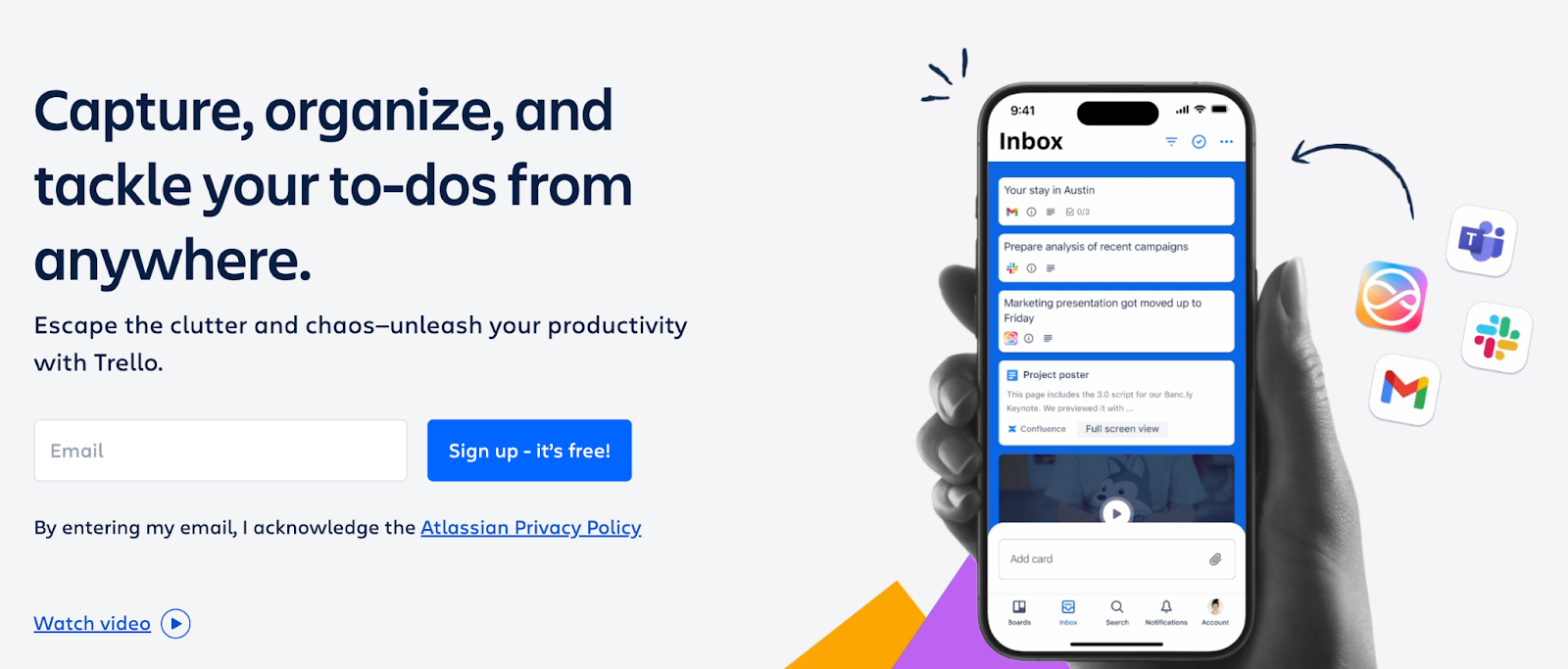
Trello is a Kanban-style project management tool that helps teams visualize tasks and workflows. With its drag-and-drop interface, real-time collaboration, and plugin integrations, Trello is a great example of an interactive web application designed for simplicity and clarity.
4. Spotify Web Player
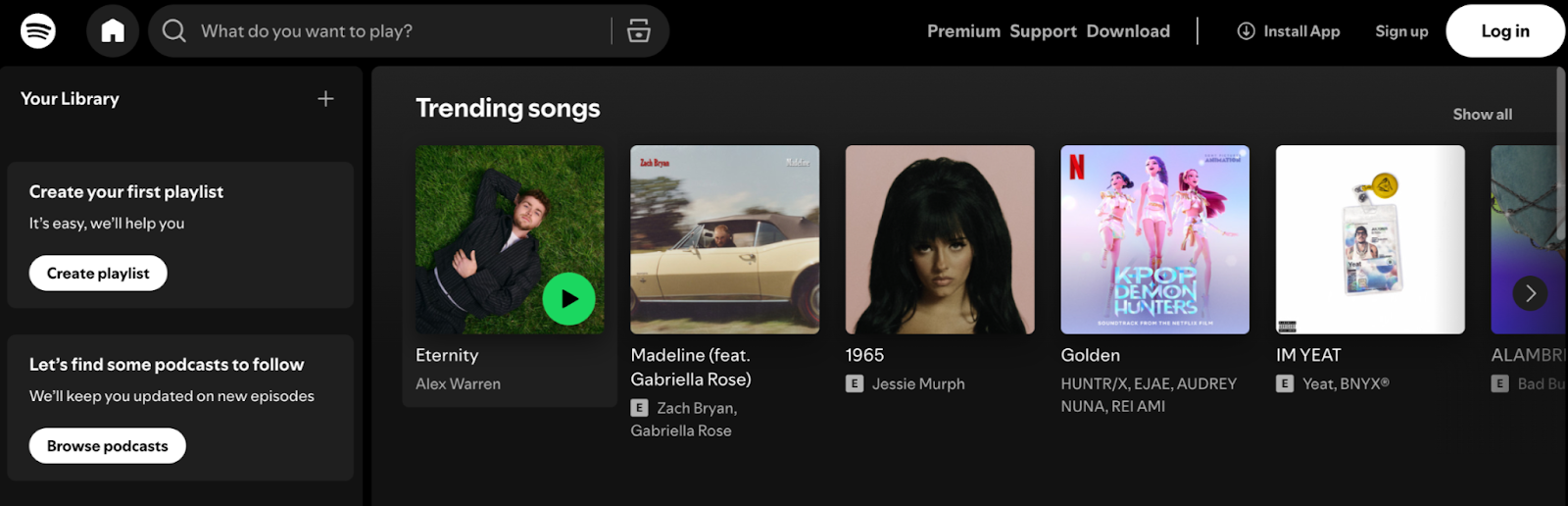
Spotify’s browser-based music player lets users stream music, manage playlists, and discover new artists, all from the web. It demonstrates how even performance-heavy apps like audio streaming can be delivered seamlessly using web technologies.
5. ToolJet
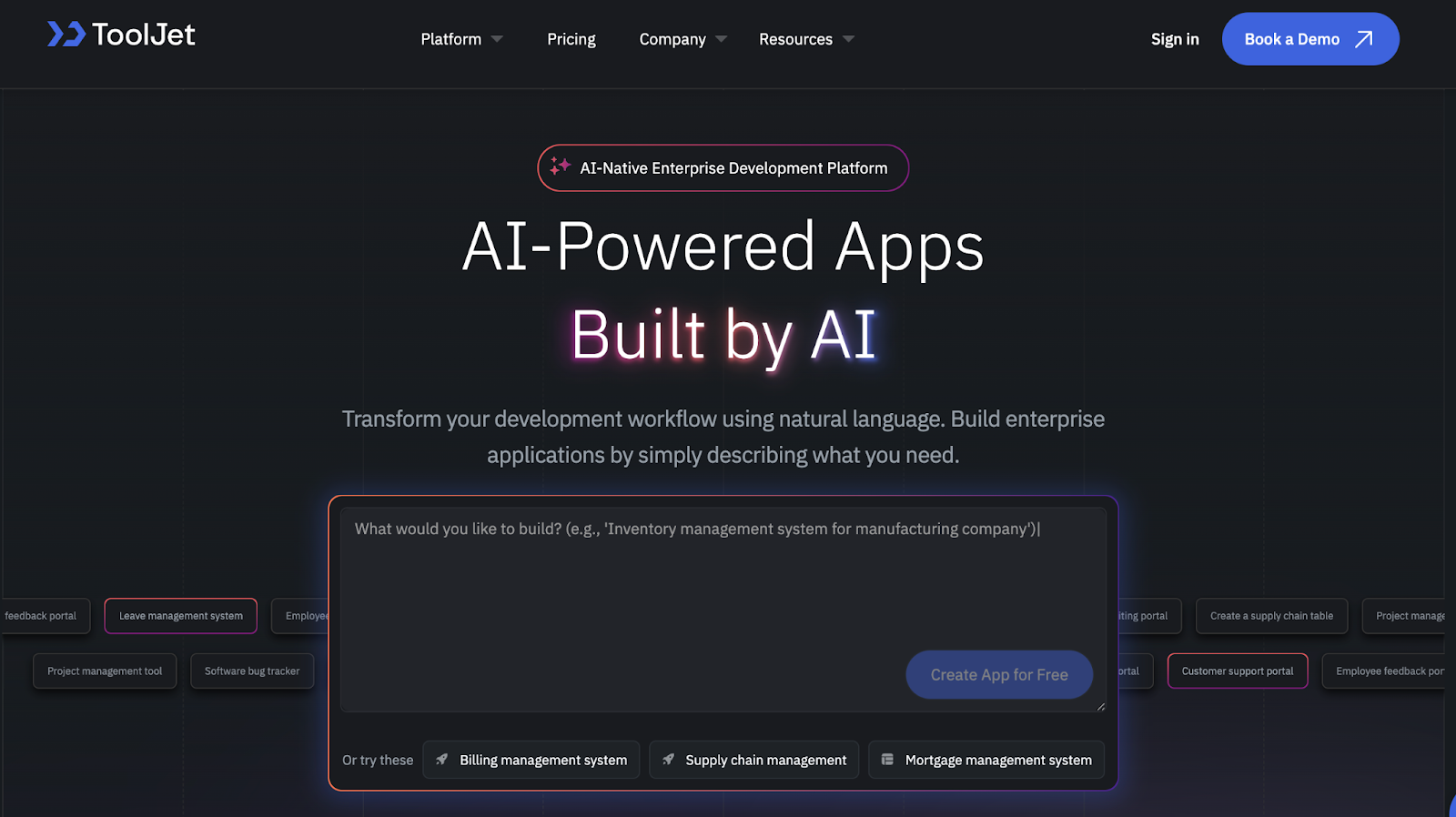
ToolJet itself is a great example of a web application. It enables teams to develop web applications rapidly using a drag-and-drop interface and connect them to databases, APIs, and services. Whether you’re building an admin dashboard or an internal business tool, ToolJet makes it easy to launch production-ready apps without extensive coding.
These examples reflect just how versatile web applications can be from document editing and team collaboration to media streaming and custom internal tools. They prove that with the right design and tech stack, web apps can rival native desktop software in both power and experience.
Common challenges in web application development
While building a web application opens up countless possibilities, the journey is not without hurdles. Knowing common challenges upfront can help you plan better and avoid costly mistakes as you develop your app.
1. Managing complexity
As your app grows, so does its complexity. Adding features, integrations, and users requires careful architecture and code organization to maintain performance and stability.
2. Balancing speed and quality
There’s always pressure to launch fast. But rushing development can lead to technical debt, bugs, and a poor user experience. Finding the right balance is key to sustainable growth.
3. Security concerns
Web apps are frequent targets for cyberattacks. Implementing robust security, from data encryption to access controls, is crucial from day one.
4. Cross-browser and device compatibility
Ensuring your app works seamlessly across different browsers and devices requires thorough testing and sometimes additional development effort.
5. Scalability and performance
Designing your app to handle growing user bases without slowdowns or crashes is a major challenge, especially if you start with minimal resources.
6. Integration with existing systems
Many business apps need to connect with third-party APIs, legacy databases, or other software. Integrations can be complex and time-consuming.
Modern low-code platforms like ToolJet help mitigate many of these challenges by abstracting infrastructure, providing built-in security features, and enabling rapid iteration, all without sacrificing control or customization.
Understanding these common pitfalls will prepare you to navigate your web application development journey more confidently and efficiently.
Build web applications faster with ToolJet
Whether you’re building internal dashboards, admin panels, or full-featured customer-facing tools, ToolJet makes web application development faster and easier.
As an open-source low-code platform, ToolJet allows you to:
- Connect supported data sources, including databases and APIs, with the required configuration and access permissions
- Generate an app draft with ToolJet AI and refine its UI, queries and bindings in the builder
- Write custom JavaScript when needed
- Wire app actions and use Self-hosted Workflows for multi-step automation
- Deploy securely on the cloud or self-host using Docker
Instead of reinventing the wheel, teams use ToolJet to develop web applications without the complexity of setting up full-stack architectures from scratch. From early-stage startups to enterprise teams, ToolJet empowers anyone to quickly turn an idea into a fully functional web app.
Final thoughts
Web applications are everywhere, from productivity tools to internal ops systems. While building one used to require a full team of developers, modern platforms like ToolJet simplify the process dramatically.
By understanding the fundamentals, following best practices, and choosing the right tools, anyone can go from concept to launch with confidence.
If you’re ready to start your web application development journey or need to build internal tools faster, try ToolJet: no setup, bloat, just powerful results.
 Table of contents