UI Bakery is a capable low-code platform, but it’s not the right fit for every team. Whether you’ve hit the ceiling on customization, felt the pinch of its per-user pricing, or simply needed a platform that scales with your engineering ambitions, you’re not alone.
This editorial shortlist compares nine UI Bakery alternatives by application type, customization, integration access, deployment and licensing. It is published by ToolJet and is not an independent performance or cost benchmark.
For data-connected internal apps with Community source access and Self-hosted options, ToolJet is worth evaluating. UI Bakery itself also supports self-hosting and advertises React code export, so compare the actual deployment and ownership requirements before switching.
Why teams evaluate UI Bakery alternatives
Before diving into alternatives, it’s worth being honest about why teams start looking in the first place:
1. Licensing fit. Compare developers, end users, workflow/AI usage, governance and deployment using the current UI Bakery product and pricing information. A small-team example is not a universal cost estimate.
2. Customization requirements. Test the specific UI Bakery builder and custom component/API workflow with your app. Validate state/events and integration needs rather than assuming every custom component is limited to an iframe.
3. Application ownership. UI Bakery advertises React code export and full-platform self-hosting. Test the export and its runtime dependencies, and compare them with your desired maintenance and migration path.
4. Integration coverage. UI Bakery advertises 45+ databases/APIs and services; ToolJet markets 100+ integrations. Counts are defined differently, so test required operations, authentication and custom APIs rather than using totals as proof of fit.
5. Application distribution. UI Bakery documents customer portals as well as internal tools. Check external-user authentication, licensing, hosting and permissions for the application you need.
How We Evaluated These Alternatives
Use these six criteria for your own pilot; the order below is a use-case shortlist rather than a measured overall ranking.
| Criterion | Why It Matters |
|---|---|
| Ease of use | Can non-developers contribute without bottlenecking engineers? |
| Customization | Can you go beyond templates when product requirements demand it? |
| Integrations | Does it connect to your actual stack, databases, APIs, SaaS tools? |
| Deployment flexibility | Cloud-only, or can you self-host on your own infrastructure? |
| AI capabilities | Is AI baked into the builder, or bolted on as an afterthought? |
| Pricing transparency | Can you predict your bill six months from now? |
The 9 Best UI Bakery Alternatives in 2026
| Platform | Primary fit | Licensing to compare | Deployment | Platform source |
|---|---|---|---|---|
| ToolJet | Data-connected internal apps with deployment control | Free evaluation; paid plans/add-ons | Cloud / Self-hosted | Community platform |
| Superblocks | Enterprise with code-first teams | Quote by deployment and scope | Cloud / Hybrid / AWS Cloud-Prem | ❌ |
| Retool | Wide template library | Check builder/end-user/usage pricing | Cloud / Self-hosted; check edition | ❌ |
| Appsmith | OSS purists | Community vs commercial edition | Cloud / Self-hosted | Community platform |
| Bubble | No-code web apps & SaaS MVPs | Usage and application plans | Check web/mobile runtime offering | ❌ |
| WeWeb | Frontend-only, backend-agnostic | Builder/hosting/export terms | Frontend apps; check export/hosting | ❌ |
| Adalo | Mobile apps, no-code | Publishing/app plans | Native mobile / web; check publishing | ❌ |
| Glide | Spreadsheet → app conversion | User/update/app allowances | Hosted apps; check distribution | ❌ |
| Backendless | Technical teams needing backend control | Backend usage and deployment terms | Cloud / on-premise; check offering | ❌ |
1. ToolJet – Best for Enterprise Code-First Teams
Open-source. AI-native. Fully self-hostable. Free to start.
ToolJet is a leading open‑source, self‑hostable low‑code builder for both small teams and large enterprises. It combines a visual application builder with AI‑powered automation for tasks like schema generation and API integration.
ToolJet publishes its Community platform and integration code under their licenses. Advanced governance and deployment options depend on the commercial plan. Platform source access and portable application code are different capabilities; validate an app’s dependencies and migration work.
ToolJet supports a hybrid development model where citizen developers and engineers collaborate seamlessly, rapidly prototyping UIs, refining logic with JavaScript, and automating database workflows.
ToolJet supports data-connected internal apps with visual editing, JavaScript/Python logic and AI building. Workflows / Agent Builder are Self-hosted-only; review the current Cloud and Self-hosted plans for feature boundaries.
Start with a free commercial evaluation or review the Community platform license. Commercial governance, AI usage and deployment add-ons have separate terms; operating a Self-hosted instance also has infrastructure and maintenance costs.

Why ToolJet Is Better Than UI Bakery?
Truly open-source – inspect, fork, extend
ToolJet’s Community platform and integration code are available for inspection and extension under their licenses. Licensed enterprise capabilities have separate terms. Source availability does not remove runtime dependencies or the work needed to migrate an app.
AI-native development – not just a chatbot
ToolJet supports AI app, query and schema generation, visual refinement and custom logic. Review generated queries, writes and permissions before release. Workflows / Agent Builder have separate Self-hosted availability.
Integration coverage for your actual stack
ToolJet connects natively to PostgreSQL, MySQL, MongoDB, Redis, Elasticsearch, Firestore, BigQuery, Snowflake, DynamoDB, REST APIs, GraphQL, Google Sheets, Stripe, Slack, OpenAI, HuggingFace, Airtable, Firebase, S3, and more. If your stack is in this list, ToolJet is ready on day one.
JavaScript everywhere
Every action, every query, every component event, you can drop into JavaScript at any point. There’s no ceiling where the visual builder ends and you’re stuck. You can write multi-line transformation functions, chain queries, handle errors programmatically, and reference component state across your entire app.
Self-host for free
ToolJet offers Community source access and commercial Self-hosted plans. UI Bakery also offers self-hosting. To keep AI processing internal, ToolJet requires the appropriate Self-hosted Enterprise gateway add-on and a supported internal model endpoint; an external model provider still receives requests. Review ToolJet security architecture.
Workflow automation with branching logic
ToolJet Workflows / Agent Builder support Self-hosted automation. Compare required triggers, branching, retries, human approvals and run logs in the intended edition; app building and process orchestration are different requirements.
Granular RBAC with custom roles
ToolJet offers predefined roles and licensed governance capabilities. Team includes custom groups, SSO and audit logs; Enterprise adds further provisioning and lifecycle controls. Review the exact plan instead of treating granular governance as universally included in Community.
Collaborative editing
ToolJet includes version control and collaboration capabilities, with licensed Git sync and governance options. Test the editing/review workflow your team requires rather than assuming Figma-style simultaneous editing or comments are available in every edition.
Embeddable apps
Embedding requires checking authentication, access permissions and the plan’s capabilities. Review the documented setup for your application; an iframe does not by itself establish SSO passthrough or unrestricted distribution.

ToolJet’s Component Library
ToolJet provides a component library for tables, forms, charts, layout and media, plus custom React components. Use the component documentation to confirm the specific widget and event behavior you need.
- Data display: Table (with pagination, sorting, search, inline editing), Charts (line, bar, pie, area via Echarts), Statistics, Calendar
- Forms: Text Input, Number Input, Date Picker, Dropdown, Multi-Select, Toggle, Radio Button, Checkbox, Rich Text Editor, File Picker
- Layout: Tabs, Modal, Drawer, Collapsible, Container, List View
- Actions: Button, Button Group, Icon, Link
- Media: Image, PDF viewer, iFrame, Map (using Mapbox or Google Maps)
- Navigation: Timeline, Stepper, Kanban board, Tree view
Each component exposes event handlers, making it straightforward to chain interactions across your entire app.
ToolJet Pricing
- Cloud Free provides an evaluation tier; Community source licensing is distinct from commercial Free plans.
- Cloud Pro includes up to 50 end users; Team includes up to 100 and Enterprise includes unlimited end users.
- Team includes SSO, audit logs and Git sync. Private AI and air-gapped operation have Self-hosted Enterprise add-on requirements.
- Review current Cloud and Self-hosted plans for prices, billing intervals, AI usage and deployment-specific limits.
The decision: Compare the edition that includes your required controls. Free/Community access does not imply that every paid UI Bakery capability has a free ToolJet equivalent.
Who ToolJet Is For?
- Engineering teams who want full control without the overhead of building from scratch
- Startups and scale-ups that need powerful internal tooling without enterprise-level spend
- Security-conscious organizations that require self-hosting and code auditability
- Teams already using open-source who want a vendor that shares those values
- AI-forward builders who want intelligence integrated into the development workflow, not layered on top
2. Superblocks – Best for Template-Heavy Internal Tools
Superblocks is a strong choice for developer-heavy teams that want the flexibility of writing real code inside a managed platform. It supports JavaScript, Python, and SQL across the full stack, lets you import custom React components, and integrates with Git and CI/CD pipelines.

Where Superblocks shines:
- Full-code extensibility with a visual builder as the entry point
- Clark AI generates complete application scaffolds from natural language
- Enterprise governance: RBAC, audit logs, SSO, and integrations with Datadog and Splunk
- Real-time streaming support for Kafka and Kinesis, rare in this category
Where it falls short vs. ToolJet:
- The platform is proprietary; evaluate application export and runtime dependencies.
- Full-platform Cloud-Prem runs in the customer’s AWS environment, managed by Superblocks; Hybrid has a different cloud boundary.
- Compare the current deployment quote, user mix, AI usage and support with ToolJet’s operating model.
Pricing and deployment: Use the official Superblocks site for current commercial terms and deployment documentation for Cloud, Hybrid and AWS Cloud-Prem.
If your requirement extends beyond internal interfaces to broader enterprise forms/processes, compare that workload separately from this UI Bakery alternatives shortlist.
3. Retool – Best for Template-Heavy Internal Tools
Retool provides visual/component-based internal-app building and native-mobile tooling. Evaluate the current classic/new builder, component behavior and data-source requirements in a pilot rather than ranking platforms by undated template/component counts.
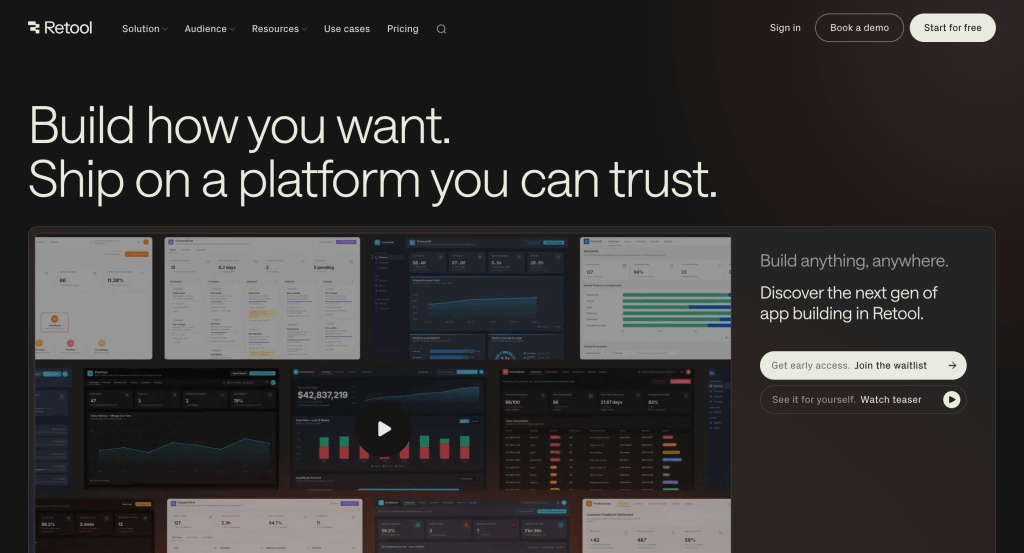
Where Retool shines:
- UI components and templates for internal-app building
- Evaluate Retool Mobile for native distribution
- Check current app/runtime, governance and support requirements
Where it falls short vs. ToolJet:
- Compare the current classic/new builder and the workflow your app requires.
- Check builder/end-user pricing, AI usage and the actual governance tier.
- Validate deployment, audit/source access and export rights; proprietary licensing does not establish absence of security review.
Pricing: Check Retool pricing for the selected builder, user mix, workflows, AI and deployment. Avoid carrying forward an old entry-price comparison.
4. Appsmith – Best Open-Source Self-Hosted Alternative
Appsmith is ToolJet’s closest open-source peer. It has a solid GitHub presence, a large community, and native connections to the most common databases and APIs.

Where Appsmith shines:
- Published Appsmith Community platform code; commercial governance has separate terms
- Database/API connections for internal apps
- Git integration; check the intended edition
- Cloud and supported Self-hosted deployment options
Where it falls short vs. ToolJet:
- Check Community versus commercial permissions and audit capabilities.
- Evaluate the required workflow/AI features in the current product.
- Test complex apps with realistic queries, records and permissions rather than assuming a performance deficit.
Pricing: Review Appsmith pricing and the selected Community/commercial edition for users, governance and support.
For evaluation criteria used in analyst coverage, see our Gartner low-code platforms explainer. This article does not claim that Gartner ranked ToolJet as the best choice.
5. Bubble – Best for No-Code Web App and SaaS Development
Bubble is the go-to when you need to build a full product – not just an internal tool. It combines a visual front-end editor with a built-in database and server-side logic engine, making it one of the few true full-stack no-code platforms.

Where Bubble shines:
- Build entire SaaS products, marketplaces, and customer portals without code
- Massive plugin ecosystem for extending functionality
- Built-in authentication, database, file storage, and API connector
- Established since 2012 with a deep ecosystem of tutorials, experts, and templates
Where it falls short vs. ToolJet:
- Compare Workload Unit usage with the expected application behavior.
- Validate web/native-mobile builder capabilities separately.
- Check backend, plugin, security and migration dependencies.
Pricing: Check Bubble official pricing/product information for current application/runtime usage and web/mobile scope. Compare the billing interval and edition you intend to use.
6. WeWeb – Best for Frontend Designers Who Own Their Backend
WeWeb is a visual front-end builder with a headless architecture, you connect it to any backend you choose (Supabase, Xano, Airtable, REST APIs). This gives designers and front-end-focused teams extraordinary visual freedom.

Where WeWeb shines:
- Pixel-level design control without writing CSS from scratch
- Backend-agnostic – connect to Supabase, Xano, Airtable, or any REST API
- Clean, modern editor that feels closer to Webflow than a traditional no-code tool
- Good for external-facing apps that need to look polished
Where it falls short vs. ToolJet:
- Plan for the backend and its authentication/data services.
- Test the required admin/internal workflow rather than assuming it is unsupported.
- Distinguish self-hosting/exported applications from self-hosting the builder.
- Check the current hosting, export and workspace license terms.
Pricing: Check WeWeb official pricing/product information for current builder seats, application hosting, code export and backend costs. Compare the billing interval and edition you intend to use.
7. Adalo – Best for Native Mobile App Publishing
Adalo is the platform of choice when your primary deliverable is a native iOS or Android app. Its AI-assisted Magic Start feature generates complete app foundations from a text description, and it publishes directly to both app stores.

Where Adalo shines:
- Native mobile publishing is the primary use case to evaluate.
- Check the current database and usage allowances.
- Validate AI-generated apps and the publishing workflow.
Where it falls short vs. ToolJet:
- Not suited for complex internal tools requiring database queries or API orchestration
- No self-hosting option
- Limited integration depth – best used with Zapier for complex workflows
- Web apps are secondary to the mobile-first experience
Pricing: Check Adalo official pricing/product information for current publishing, apps, storage and usage. Compare the billing interval and edition you intend to use.
Discover key low-code adoption statistics and enterprise growth trends for 2026.
8. Glide – Best for Turning Spreadsheets Into Apps
Glide’s entire value proposition is elegantly simple: take your data in Google Sheets, Airtable, or Excel, and turn it into a functional web or mobile app in minutes. If your team lives in spreadsheets, Glide removes every barrier between your data and a usable interface.

Data-connected app building from spreadsheets and supported services
Check responsive layouts and authentication for the target users
Evaluate the required automation and permission features
- Fastest path from spreadsheet data to working app
- Excellent for teams who already manage data in Google Sheets
- Mobile-responsive by default with no extra configuration
- Good enough for simple approval flows and data entry tools
Where it falls short vs. ToolJet:
- Check app distribution/native publishing requirements
- Model user, row, update and integration allowances by plan
- Glide supports APIs and workflows; pilot the custom logic and data operations your app requires
Pricing: Check Glide official pricing/product information for current apps, users, updates and integrations. Compare the billing interval and edition you intend to use.
9. Backendless – Best for Technical Teams Needing Backend Control
Backendless is a backend-as-a-service platform with a visual front-end builder layered on top. It gives technical teams precise control over data models, server-side logic, and API design while still offering a visual interface for front-end assembly.

Where Backendless shines:
- Backend logic, data models and custom API design
- Evaluate the current storage/usage and developer requirements
- Check the exact on-premise product and contract
Where it falls short vs. ToolJet:
- Technical skills are needed for backend architecture and operations.
- Test the specific UI/customization workflow.
- Obtain a deployment quote with the required capacity, support and license scope.
Pricing: Check Backendless official pricing/product information for current backend capacity, hosting/on-premise license and support. Compare the billing interval and edition you intend to use.
Compare the top Bubble alternatives and choose the best no-code platform for building scalable web apps in 2026.
Feature-by-Feature Comparison: ToolJet vs. The Field
| Requirement | ToolJet | UI Bakery | Retool | Appsmith | Bubble |
|---|---|---|---|---|---|
| Platform source | Community source; licensed enterprise features | Proprietary platform | Proprietary platform | Community source; licensed features | Proprietary platform |
| Deployment | Cloud / Self-hosted | Cloud / Self-hosted | Cloud / Self-hosted; check edition | Cloud / Self-hosted | Check hosting/runtime offering |
| AI-assisted building | App/query/schema generation | AI app building with code access | Check selected builder and model options | Check current AI features | Check current AI features |
| Integration fit | 100+ catalog; test required operations | 45+ advertised; test required operations | Check required connectors/APIs | Check required connectors/APIs | Check APIs/plugins and backend |
| Automation | Workflows / Agent Builder: Self-hosted-only | Check workflow edition/usage | Check Workflows and usage | Check current automation offering | Check backend workflows/usage |
| Custom logic | JavaScript / Python and custom components | Check builder/runtime APIs | Check app/workflow/runtime scope | JavaScript and supported extensions | Check plugin/runtime scope |
| Governance | Team/Enterprise scope; verify deployment | Check license for roles/SSO/audit | Check selected tier and deployment | Check Community/commercial scope | Check privacy and enterprise controls |
| Git and release controls | Version control; licensed Git sync | Check current Git/release offering | Check edition and app type | Check edition and Git capabilities | Check version/deployment offering |
| Native-mobile publishing | Not a native-mobile publishing platform | Check app distribution requirements | Evaluate Retool Mobile | Check app distribution requirements | Check current mobile builder |
| Application ownership | App definitions depend on ToolJet runtime | Advertises React code export; validate dependencies | Check app export/runtime dependencies | App definitions depend on runtime | Check export/runtime dependencies |
| Free versus paid | Community/Free distinct; commercial limits apply | Check current evaluation terms | Check current evaluation terms | Community/commercial distinct | Check current evaluation terms |
How to Choose the Right Platform
The right choice comes down to four questions:
1. Does your team need to self-host? ToolJet and Appsmith publish Community platforms. UI Bakery, Retool and other proprietary vendors also offer deployment options. Compare the full builder/runtime/AI boundary, operating responsibilities, license and add-ons rather than treating open source as the only way to self-host. Use the enterprise platform comparison when deployment and governance determine the shortlist.
2. How technical is your team?
- Heavy engineering team that writes code daily – ToolJet or Superblocks
- Mixed technical/non-technical team – ToolJet
- Fully non-technical – ToolJet, Adalo, Glide, or Bubble
3. Are you building internal tools or external products?
- Internal tools, dashboards, admin panels – ToolJet, Superblocks
- External SaaS, customer-facing apps – Bubble, WeWeb
- Mobile apps for app stores – Adalo, GoodBarber
4. What’s your budget model?
- Separate builders, end users, applications, AI usage, hosting, add-ons and operations. ToolJet’s commercial plans have user allowances; Enterprise includes unlimited end users. Evaluate current quotes instead of assuming an unlimited free production license. The enterprise licensing and procurement guide explains how to compare equivalent scope.
When ToolJet belongs on your shortlist
These requirements can make ToolJet relevant for a UI Bakery evaluation:
1. Community source and infrastructure control. Review the published platform/integration code and Self-hosted options. Your team still operates services, upgrades, backups and recovery; licensed enterprise features have separate terms. For the practical exit test, see the developer comparison of runtimes and application ownership.
2. AI generation with visual refinement. Evaluate generated queries, data bindings and UI against a representative task. Measure the edits and review needed for a safe release; this article does not establish a universal delivery-speed improvement.
3. Governance and user growth. Compare Cloud/Self-hosted user allowances and the Team/Enterprise controls you need. Enterprise includes unlimited end users, while commercial Free and other plans have limits. Community source access is not a blanket commercial entitlement.
The Bottom Line
UI Bakery supports AI app building, React code export and self-hosting. Evaluate alternatives when its actual editing workflow, integration operations, license or deployment terms do not fit your requirements, rather than relying on the old categorical limitations in this article.
ToolJet is a candidate for data-connected internal apps with Community source access, visual/custom logic and deployment control. Compare the licensed tier and private AI boundary against the requirements of your app.
Other options fit different workloads: Superblocks for its enterprise development/operating model, Appsmith for developer-oriented Community tooling, Bubble/WeWeb for external application workflows, and Adalo for native-mobile publishing. A pilot should determine suitability.
Start with one app, confirm its data access and release controls, then compare the full rollout cost. Use the internal-tool delivery guide to plan validation and rollout. Review current Cloud and Self-hosted plans and the ToolJet security architecture before selecting a production plan.
Have a specific use case not covered here? Drop it in the comments, our team reviews every question.