


Key Takeaways:
- Choose a low-code platform by application type, deployment requirements and the skills of the team that will operate it.
- ToolJet is a candidate for AI-built internal applications over existing databases and APIs. Advanced governance and private AI options depend on the licensed plan and add-ons.
- Open-source platform code, self-hosting and portable application code are different capabilities. Test the migration path rather than assuming source availability removes every dependency.
- Compare equivalent builder/end-user counts, applications, AI usage, support and infrastructure costs. A per-builder price is not directly comparable with a per-app or per-end-user price.
- Self-hosting provides infrastructure control; compliance also depends on configuration, contracts, access controls and operating procedures.
Choosing a low-code platform starts with the application you need to build: an internal operations tool, a customer-facing service, a mobile app or a long-running business process. This directory covers 25 options and the requirements that can put each on your shortlist.
This is an editorial comparison published by ToolJet, not an independent speed, uptime or cost benchmark. Use the linked vendor sites to check the current edition and run a pilot with your own requirements before purchasing.
Use this directory to choose an application category and shortlist relevant platforms. If you already have an engineering shortlist, the developer comparison looks more closely at app artifacts, extension, runtime dependencies and migration.
- Match the platform to the application and integration requirements.
- Check which deployment includes the builder, runtime, AI gateway and inference endpoint.
- Compare the complete rollout cost using equivalent scope.
- Validate access, writes, recovery and export/migration in a pilot.
Quick comparison table
The table separates the use case from the licensing question. Published prices can vary by region, billing interval, edition, usage and contract; check the linked vendor’s current terms.
| Platform | Who it is for | Licensing to compare | Primary fit |
|---|---|---|---|
| ToolJet | Mid-Large enterprises building AI-powered low code applications, full-stack apps, dashboards, internal apps or tools | Free evaluation; paid builder plans; Enterprise quote | AI app generation, open-source Community platform and Cloud/Self-hosted options |
| Superblocks | Highly regulated enterprises | Deployment-specific quote and user mix | Governance-first approach for compliance-heavy industries |
| Mendix | Large enterprises needing full-stack apps | Application, user and deployment scope | Model-driven architecture with agile workflows |
| OutSystems | IT departments scaling enterprise apps | Edition, application capacity and deployment quote | Performance optimization at scale |
| Microsoft Power Apps | Organizations running on Microsoft stack | User licenses, connectors and automation | Deep Office 365 and Azure connectivity |
| Appian | Process-heavy business operations | User/process scope and deployment quote | BPM engine purpose-built for automation |
| Salesforce Lightning | Companies extending Salesforce CRM | Platform seats and Salesforce dependencies | Built directly into Salesforce ecosystem |
| Zoho Creator | Small businesses needing custom apps | App/user allowances and integration limits | Cost-effective for basic requirements |
| Appsmith | Dev teams wanting open source | Community vs paid governance/user licensing | Developer-focused open source platform |
| Budibase | Teams needing bundled database | Workspace, creators/users and usage allowances | Integrated database simplifies setup |
| Retool | Teams building mobile and web tools | Builders/end users, workflows and AI usage | Massive integration library |
| UI Bakery | Organizations requiring on-prem | Developers/end users and deployment terms | Fast UI builder with deployment flexibility |
| Quickbase | Business teams focused on reporting | Seats, pipelines and platform minimums | Reporting-first platform with workflow tools |
| Lovable | Startups validating ideas quickly | AI credits, hosting and runtime dependencies | AI code generation with GitHub integration |
| Kissflow | Business users automating approvals | Workflow/app scope and contract minimums | Non-technical friendly process builder |
| ServiceNow App Engine | IT teams extending ServiceNow | Platform dependencies and App Engine entitlement | Native ITSM platform integration |
| Pega | Banks and insurers with complex processes | Cases, users, channels and service terms | Heavy-duty case management |
| Nintex | Document-driven processes | Workflow/document scope and execution allowance | Specialized in forms and routing |
| Softr | Teams turning spreadsheets into portals | Apps, users, data and access controls | Transforms Airtable/Sheets rapidly |
| Creatio | CRM users needing automation | Platform and CRM/module licenses | Combined CRM and low-code platform |
| Airtable | Teams comfortable with spreadsheets | Seats, records, automation and AI usage | Familiar spreadsheet interface |
| ClickUp | Project managers adding automation | Seats, add-ons and automation allowance | Project management with workflow features |
| Glide | Non-technical users building mobile apps | Apps, users, updates and integrations | Simple spreadsheet-to-app conversion |
| Parabola | Operations teams automating data | Workflow capacity, runs and data limits | Visual data transformation flows |
| Base44 | Makers building quick prototypes | AI credits, hosting and service limits | Natural language to working app |
1. ToolJet
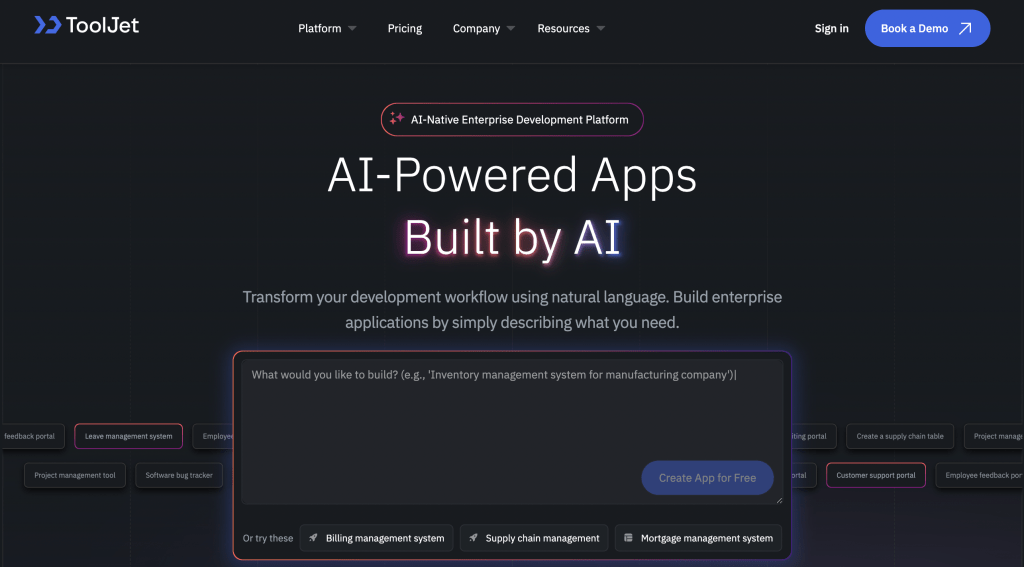
What it does: ToolJet combines AI app generation, a visual editor and JavaScript/Python logic for data-connected internal applications. Its Community platform is open source; commercial governance and deployment capabilities depend on the plan. End-user allowances vary by tier.
Who should use it: Teams building operations consoles, dashboards and internal apps over existing databases and APIs, particularly when self-hosting and control over AI processing are requirements.
Key features
AI app generation: Describe an application, then review and refine its UI, data model, queries and logic. Test generated writes and permissions before deploying. AI capabilities evolve across vendors; this directory does not establish a comparative build-speed ranking.
100+ integrations: ToolJet connects to databases, APIs and SaaS services, including PostgreSQL, MySQL, MongoDB, REST and GraphQL. Check the integration catalog and the guide for the operations/authentication your app requires.
ToolJet Database: Use the built-in PostgreSQL database with visual/AI-assisted table creation. With Self-hosted deployment, your organization operates the instance and database services; managed Cloud has a different operating model.
Self-hosting: Deploy the platform using Docker or Kubernetes on supported infrastructure. Your team operates the instance, databases, upgrades and recovery. Customer-hosted AI gateway and fully air-gapped operation are Self-hosted Enterprise add-ons. Enterprise BYOK is available on both ToolJet Cloud and Self-hosted deployments; local inference also requires a supported internal model endpoint.
Open-source Community platform: Inspect and extend the published community code and integration code under their licenses. Licensed enterprise capabilities have separate terms. Moving an application to another platform still requires rebuilding and validating its queries, components and permissions.
Governance by plan: Team includes SSO, audit logs and Git sync; Enterprise adds further lifecycle and provisioning controls. Review the current Cloud and Self-hosted plans and ToolJet security architecture for the exact deployment and add-ons. These controls do not by themselves certify a customer application as compliant.
Pros
- AI generation and visual editing for data-connected internal apps
- Open-source Community platform and integration code
- Cloud and Self-hosted deployment options
- Self-hosted Workflows / Agent Builder for scheduled or event-driven jobs
- JavaScript and Python logic, with governance capabilities depending on the plan
Cons
- Self-hosting means you’re on the hook for infrastructure and updates
- AI works best when you know how to prompt it effectively (takes some practice)
Pricing
Cloud Free: 2 builders, up to 50 end users, 10 apps and 100 recurring AI credits.
Cloud Basic and Pro have different builder and feature allowances; Team includes up to 100 end users and Enterprise includes unlimited end users.
Self-hosted offers Free, Team and Enterprise plans. Workflows / Agent Builder and private/custom connectors are Self-hosted-only.
Use the current Cloud and Self-hosted plans for current prices, billing intervals, AI allowances and add-ons.
Bottom line
ToolJet is worth evaluating when the requirement is an internal application over existing data with AI-assisted building and deployment control. Community source availability and commercial governance address different needs; include both in the evaluation.
Run a pilot that includes an integration, a write action and multiple permission levels. Compare the licensed edition and operating cost against your shortlist rather than assuming one entry price includes every control.
If you want to ship internal tools faster without mortgaging your budget or losing control, schedule a demo.
2. Superblocks

What it does: Superblocks is basically the “enterprise governance first, everything else second” platform. They target big companies that need IT to control everything while still letting business teams build stuff.
Who should use it: Huge regulated companies – banks, healthcare, government – where compliance drives every tech decision and the CFO doesn’t blink at software budgets.
Key features
- Clark provides AI-assisted app building; check the current release and model/deployment options.
- Governance capabilities include identity, permissions and audit controls, subject to the edition.
- Cloud runs in Superblocks infrastructure; Hybrid retains a customer-side data plane with cloud services.
- Cloud-Prem deploys the full platform and Clark inference into the customer’s AWS environment, managed by Superblocks.
- Review the official deployment overview and the contract for operating responsibilities.
Pros
- Enterprise app building and governance capabilities
- Cloud, Hybrid and AWS Cloud-Prem deployment models
- Database/API integrations and developer extensibility
Cons
- Full-platform Cloud-Prem is documented for AWS; Hybrid is a different architecture.
- Validate which services your organization operates and which the vendor manages.
- Review proprietary-platform dependencies and the app migration path.
- Obtain a quote for the deployment, users, AI usage and support you need.
Pricing
Pricing: Check the Superblocks official site for current terms covering deployment, builders/end users, AI and support. Compare the billing interval, edition and expected usage before calculating rollout cost.
Superblocks vs ToolJet
ToolJet and Superblocks can both meet enterprise internal-app requirements with different deployment and licensing models. ToolJet offers an open-source Community platform and customer-operated Self-hosted options; Superblocks documents vendor-managed full-platform Cloud-Prem on AWS. Compare the actual control scope, AI boundary and contract, not an assumed universal savings percentage.
3. Mendix

What it does: Mendix provides model-driven development for building large-scale enterprise applications. You work with visual models that define data structures, logic, and UI simultaneously.
Who should use it: Organizations evaluating model-driven web/mobile apps with platform-specific lifecycle, deployment and development requirements.
Key features
- Model-driven application development with Studio Pro
- Deployment options across cloud and private infrastructure, subject to the chosen offering
- Application lifecycle and collaboration tooling
- Marketplace modules and extensions
- AI-assisted development capabilities; check the current product documentation
Pros
- Analysts consistently rank it highly for enterprise use
- Comprehensive deployment options cover most scenarios
- Strong offline mobile app support
- Mature platform with established best practices
Cons
- Model-driven development requires platform-specific skills.
- Compare application/user/runtime capacity and infrastructure costs.
- Check custom UI, extension and migration requirements.
Pricing
Check Mendix pricing for application, user and deployment scope. Do not compare a per-app quote directly with a per-builder price.
Mendix vs ToolJet
Mendix addresses broader model-driven application requirements; ToolJet focuses on data-connected internal apps. Compare a pilot with equivalent users, application scope, governance, hosting and support. Per-app and per-builder prices are not directly equivalent.
4. OutSystems

What it does: OutSystems specializes in building customer-facing and internal applications at enterprise scale with focus on performance and DevOps integration.
Who should use it: IT departments modernizing dozens of legacy systems or building high-traffic applications where vendor support and enterprise SLAs matter more than cost.
Key features
- Full-stack visual development in single IDE
- Built-in performance monitoring and optimization
- Forge marketplace with reusable components
- One-click deployment with impact analysis
- Auto-scaling on OutSystems cloud
Pros
- 20+ years of platform maturity
- Strong performance optimization tools
- Extensive developer community
- Custom code extension when needed
Cons
- Confirm the selected OutSystems runtime and lifecycle offering.
- Plan for platform-specific development skills and migration work.
- Obtain a quote for application capacity, deployment and support.
Pricing
Use OutSystems pricing and a quote for the chosen offering. Include application capacity, infrastructure and support in the comparison.
OutSystems vs ToolJet
Evaluate OutSystems for broader enterprise application requirements and ToolJet for internal interfaces over existing data. Community source availability does not make ToolJet apps portable to another runtime, and container deployment does not prove equivalent scaling. Test the target workload and migration path.
5. Microsoft Power Apps
What it does: Microsoft Power Apps lets Microsoft-centric organizations build business applications that integrate tightly with Office 365, Dynamics, and Azure services.
Who should use it: Microsoft-based teams evaluating Power Apps with their current identity and data services. Some Microsoft 365 licenses provide limited app rights; premium connectors, Dataverse and broader usage can require separate licensing.
Key features
- Canvas apps for free-form design
- Model-driven apps that auto-generate from data
- Power Fx formula language similar to Excel
- Deep integration with Microsoft services
- Power Automate and Power BI connectivity
Pros
- Fits Microsoft identity/data services
- Evaluate canvas/model-driven apps against the workload
- Check included versus standalone licensing rights
Cons
- Validate layouts, data sources and custom logic
- Check premium connectors, Dataverse and automation licensing
- Distinguish internal Power Apps workloads from external portal offerings
Pricing
Pricing: Check the Microsoft Power Apps official site for current terms covering user licenses, premium connectors, Dataverse and automation. Compare the billing interval, edition and expected usage before calculating rollout cost.
Microsoft Power Apps vs ToolJet
If you’re locked into Microsoft, Power Apps might make sense. But ToolJet connects to Microsoft services while also integrating with everything else. You get more flexibility without being forced into a single ecosystem.
6. Appian
What it does: Appian specializes in process-centric applications combining workflow automation, case management, and business process management (BPM) into one platform.
Who should use it: Insurance companies, government agencies, and enterprises with document-heavy processes requiring sophisticated workflow orchestration.
Key features
- Visual process modeler with swimlanes and decision gateways
- Unified data layer aggregating multiple sources
- Dynamic case management for complex scenarios
- Built-in RPA for legacy system automation
- Multi-deployment options (cloud, on-prem, hybrid)
Pros
- Process monitoring dashboard provides complete visibility
- Strong in regulated industries with compliance needs
- Flexible deployment meets strict requirements
Cons
- Requires Appian-specific training
- Expensive custom pricing
- Functional UI lacks modern design flexibility
- Heavy vendor lock-in
Pricing
Pricing: Check the Appian official site for current terms covering process/application scope, users and deployment. Compare the billing interval, edition and expected usage before calculating rollout cost.
Appian vs ToolJet
Appian emphasizes process orchestration and case management; ToolJet is a candidate for internal applications and Self-hosted workflows. Reproducing a long-running case process is different from replacing a dashboard. Compare requirements and rollout costs with equivalent scope.
7. Salesforce Lightning Platform
What it does: Salesforce Lightning extends Salesforce CRM with custom objects, apps, and automations built directly into the Salesforce environment.
Who should use it: Organizations already running Salesforce where custom apps need tight CRM integration.
Key features
- Custom objects function as database tables with Salesforce features built-in
- Visual schema builder shows relationships graphically
- Lightning App Builder for page layouts
- Flow Builder for visual process automation
- AppExchange ecosystem with thousands of components
Pros
- Seamless CRM data integration
- Salesforce admins can build without coding
- Sophisticated permission model
- Massive ecosystem of pre-built solutions
Cons
- Steep learning curve with unique Salesforce concepts
- Apex code and SOQL are proprietary languages
- Deep vendor lock-in makes migration extremely difficult
- Best suited for internal CRM-adjacent apps, not general tools
Pricing
Pricing: Check the Salesforce official site for current terms covering platform seats, object/API allowances and CRM dependencies. Compare the billing interval, edition and expected usage before calculating rollout cost.
Salesforce vs ToolJet
Salesforce platform apps fit workloads that depend on Salesforce objects, permissions and workflows. ToolJet can provide a separate internal interface over connected data. Check API entitlements, identity and integration access for the exact Salesforce edition.
8. Zoho Creator
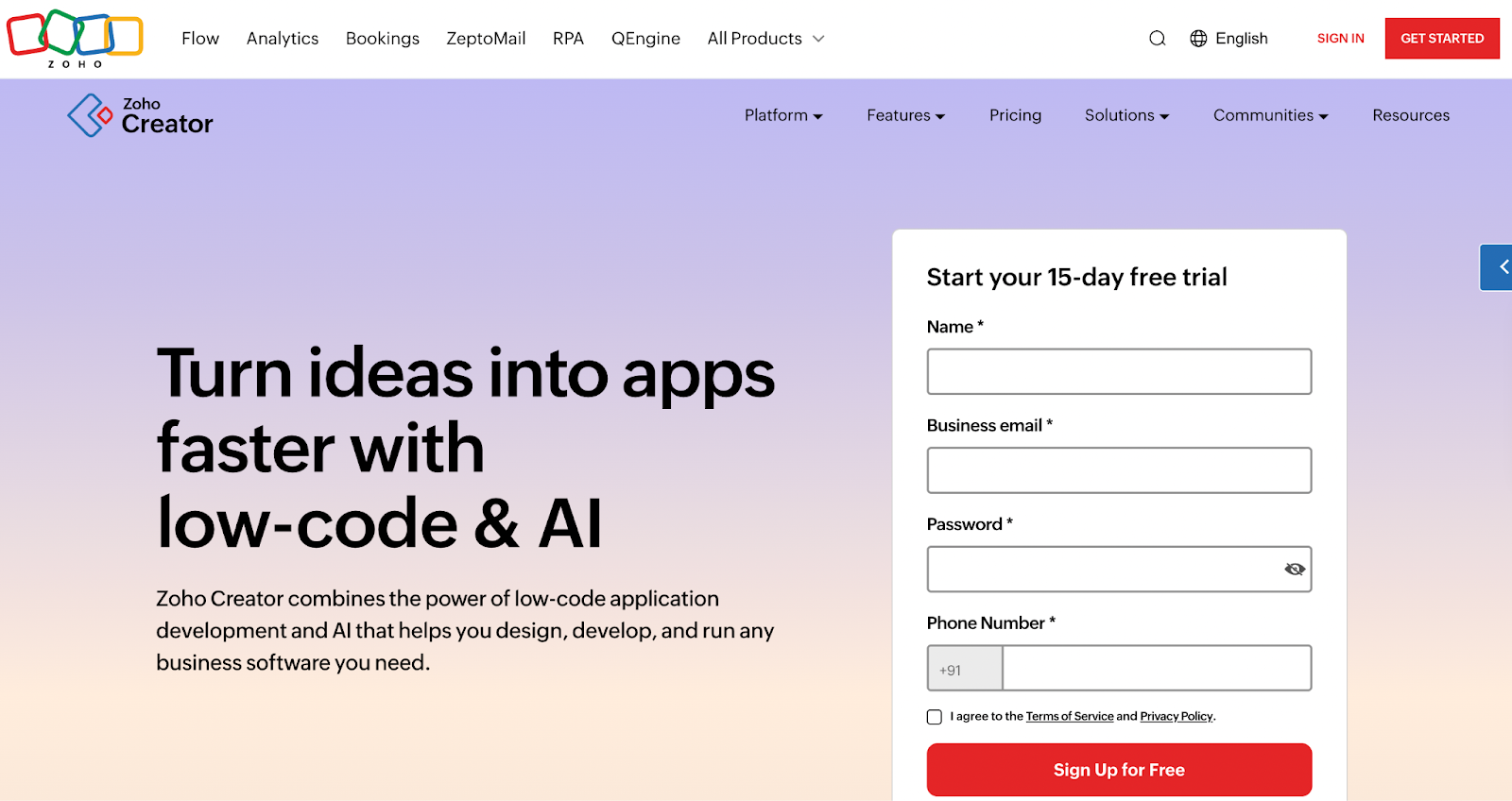
What it does: Zoho Creator provides low-code development within the broader Zoho ecosystem, focused on quick departmental applications.
Who should use it: Small businesses and departments already using Zoho products that need simple custom apps.
Key features
- Visual form designer creating backend tables automatically
- Deluge scripting language for custom logic
- Auto-generated reports and dashboards
- Native Zoho integrations (CRM, Books, etc.)
- Mobile app generation
Pros
- Form-based application building
- Zoho ecosystem integration
- Reporting, scripting and mobile access
- Check the edition for permissions, audit and user/app allowances
Cons
- Limited to simpler applications
- Deluge language is Zoho-specific
- Non-Zoho integrations require scripting
- UI customization hits walls quickly
Pricing
Pricing: Check the Zoho Creator official site for current terms covering users, applications, automation and integration allowances. Compare the billing interval, edition and expected usage before calculating rollout cost.
Zoho Creator vs ToolJet
Zoho Creator and ToolJet address overlapping departmental-app needs with different ecosystems. Compare Deluge versus JavaScript/Python logic, required integrations, user allowances and deployment. ToolJet offers 100+ integrations; test the connector and operations your app requires.
Curious about internal tools for 2026? Get answers to the top 13 most frequently asked questions from the community and stay ahead of the curve.
9. Appsmith

What it does: Appsmith offers open-source low-code development focused on internal tools with JavaScript flexibility throughout.
Who should use it: Developer teams wanting open-source transparency with code-level customization ability.
Key features
- Drag-and-drop UI with 45+ widgets
- JavaScript expressions throughout using {{ }} syntax
- Native database and API connectors
- Self-hosting via Docker or cloud deployment
- Git sync for version control
Pros
- Published Community source code
- JavaScript-based internal interfaces
- Cloud and Self-hosted options
- Git integration; check the edition for governance and support
Cons
- Self-hosting means you manage infrastructure
- Everything beyond basic UI requires JavaScript
- Limited mobile app support
- Smaller ecosystem than commercial platforms
Pricing
Pricing: Check the Appsmith official site for current terms covering community/commercial edition, users, governance and support. Compare the billing interval, edition and expected usage before calculating rollout cost.
Appsmith vs ToolJet
Appsmith and ToolJet both provide open-source community platforms and internal-app building. Compare their current AI capabilities, custom logic, data-source operations and licensed governance in a pilot rather than assuming one lacks AI.
Planning to upgrade your internal tools? Check out our in-depth guide to the best Appsmith alternatives for growing teams.
10. Budibase

What it does: Budibase combines low-code development with built-in database and self-hosting focus, using more GUI than code.
Who should use it: Teams wanting internal tools with less coding than Appsmith and self-hosting capability.
Key features
- Built-in CouchDB database eliminates setup
- Auto-generated CRUD screens from data sources
- Visual automation builder
- Docker deployment with official images
- External database connectivity
Pros
- Open-source core and Self-hosted options
- Visual data and automation building
- Evaluate the current identity and governance capabilities by edition
Cons
- Evaluate complex layouts and responsive requirements in a pilot.
- Check the plan’s user, automation and support allowances.
- Self-hosting requires infrastructure and update ownership.
Pricing
Pricing: Check the Budibase official site for current terms covering workspace/user model, automation allowances and self-hosted governance. Compare the billing interval, edition and expected usage before calculating rollout cost.
Budibase vs ToolJet
Budibase and ToolJet both combine internal-app building with data and automation capabilities. Test the editing workflow, integrations, permissions and deployment that fit your team. This directory does not establish a speed benchmark.
11. Retool

What it does: Retool is one of the internal tool builder with extensive integrations, component library, and now mobile app support.
Who should use it: Engineering teams building internal tools who value integration breadth and need mobile app capabilities.
Key features
- 70+ data source connectors
- Extensive component library
- JavaScript everywhere for logic
- Retool Workflows for scheduled jobs
- Retool Mobile for native mobile apps
- Hosted PostgreSQL database
- Cloud and self-hosted deployment
Pros
- Database/API integrations and internal-app tooling
- Native-mobile builder and publishing workflow
- Workflow automation; check edition and usage
- Cloud and Self-hosted deployment options
Cons
- Validate classic/new-builder capabilities and any migration requirements.
- Self-hosting requires operating the deployment and dependencies.
- Check Database, workflow, AI and governance allowances for the selected plan.
Pricing
Pricing: Check the Retool official site for current terms covering builders/end users, AI, workflows and deployment. Compare the billing interval, edition and expected usage before calculating rollout cost.
Retool vs ToolJet
Retool offers web and native-mobile app tooling; ToolJet offers AI-built internal apps, an open-source Community platform and Self-hosted deployment. If native mobile distribution is required, include it explicitly in the pilot. Compare current AI workflows and the full licensing model.
12. UI Bakery
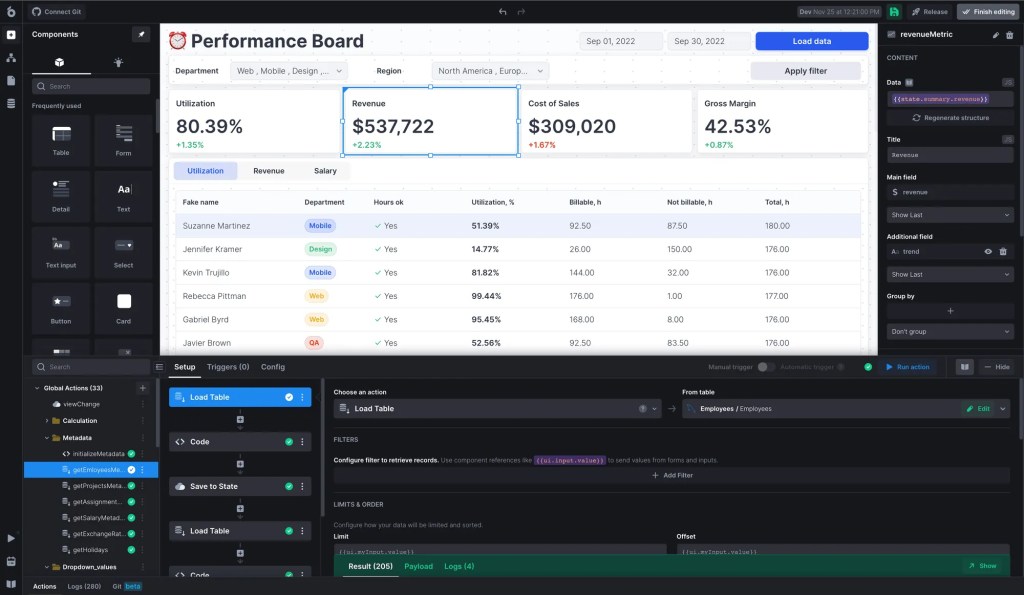
What it does: UI Bakery combines AI app generation with traditional low-code development and self-hosting options.
Who should use it: Teams needing on-premise deployment with AI generation capabilities.
Key features
- AI app generator from descriptions
- Visual WYSIWYG editor
- JavaScript and SQL support
- 80+ pre-built components
- True on-premise deployment
- Built-in PostgreSQL database
Pros
- Self-hosting with airgapped deployment
- App embedding in existing systems
- Mix of no-code and code approaches
- Unlimited end users plan available
Cons
- Check the selected AI/low-code builder and export workflow.
- Validate custom logic and application dependencies in a pilot.
- Review the Self-hosted contract and operating responsibilities.
Pricing
Pricing: Check the UI Bakery official site for current terms covering developers/end users, workflow usage, code export and deployment. Compare the billing interval, edition and expected usage before calculating rollout cost.
UI Bakery vs ToolJet
Both provide AI-assisted building and self-hosting options. ToolJet publishes its Community platform code; UI Bakery advertises React application code export. Platform source and exported app code are different assets. Validate the deployment, exported dependencies and migration work you need.
13. Quickbase
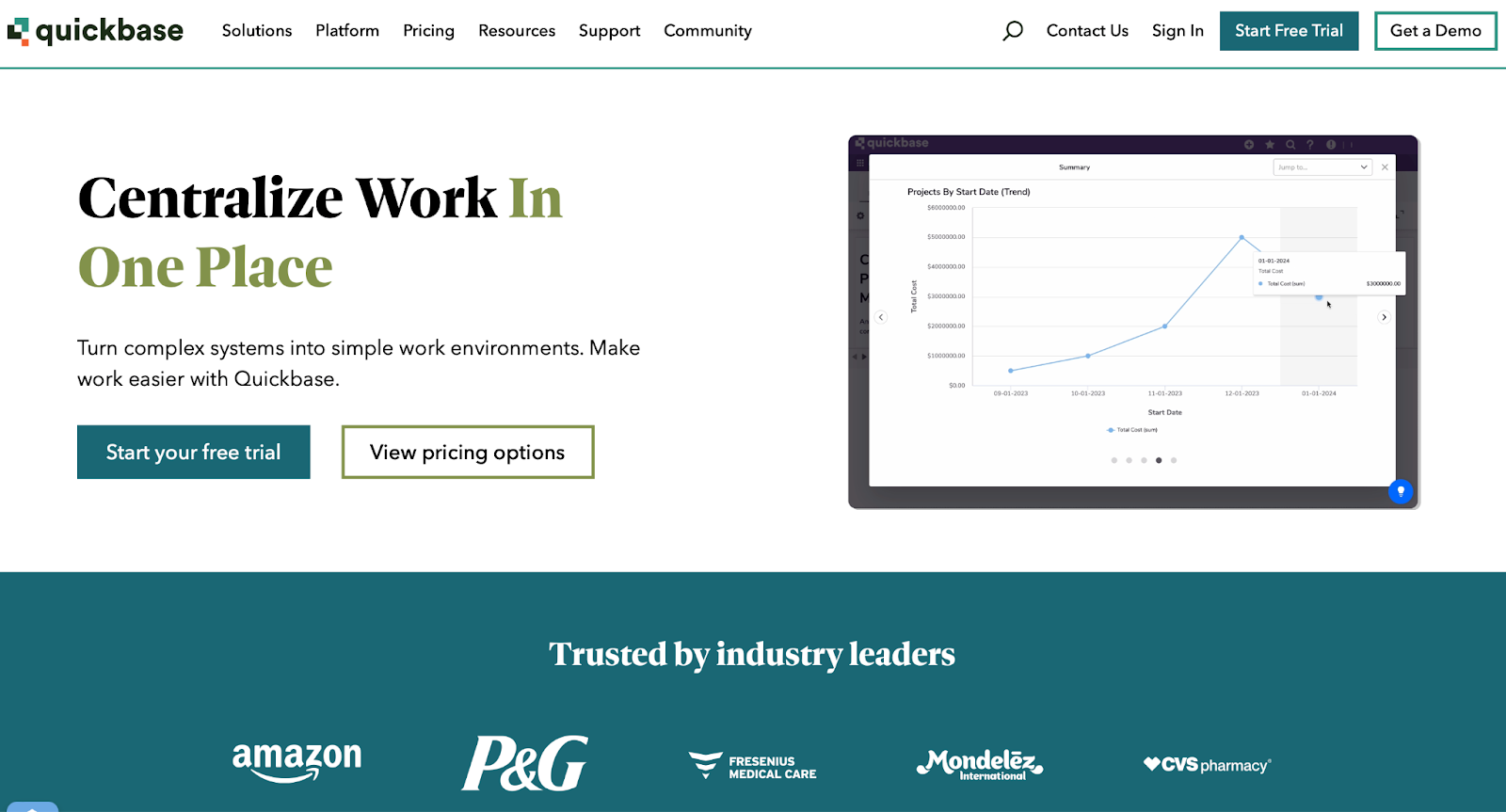
What it does: Quickbase specializes in database-driven applications with emphasis on reporting, dashboards, and workflows for business users.
Who should use it: Business teams living in spreadsheets who need more governance and automation than Excel provides.
Key features
- Visual app builder with drag-and-drop
- Quickbase AI for app generation
- Pipeline workflow builder
- Direct spreadsheet import
- Security and compliance features (HIPAA, SOC 2)
Pros
- Database-driven app building and reporting
- Business-team workflows and pipelines
- Review assurance evidence and the responsibilities of your deployment
Cons
- Evaluate customization and complex app requirements.
- Check how seat, pipeline and usage allowances affect the rollout.
- Test the AI-generated app and integration behavior you need.
Pricing
Pricing: Check the Quickbase official site for current terms covering seats, pipelines and platform minimums. Compare the billing interval, edition and expected usage before calculating rollout cost.
Quickbase vs ToolJet
Quickbase emphasizes business-team data applications and workflows. ToolJet is a candidate for custom internal interfaces with database/API logic. Compare equivalent seats, permissions, integrations and operating costs with equivalent scope.
14. Lovable

What it does: Lovable converts natural language prompts into working full-stack web applications with two-way GitHub sync.
Who should use it: Founders and product teams validating ideas through rapid prototyping.
Key features
- AI-driven app generation from prompts
- Two-way GitHub synchronization
- Visual editor and direct code editing
- Figma to app conversion
- Native Supabase integration
- Agent and chat modes
Pros
- Extremely fast idea-to-prototype
- GitHub integration simplifies developer handoff
- Visual editing and code access
- Workspace collaboration
Cons
- Validate generated code, authentication and writes before production.
- Plan for hosting, backend dependencies and maintenance.
- Estimate AI credit usage from your build/edit workflow.
Pricing
Pricing: Check the Lovable official site for current terms covering AI credits, hosting, backend services and project collaboration. Compare the billing interval, edition and expected usage before calculating rollout cost.
Lovable vs ToolJet
Lovable focuses on rapid prototyping while ToolJet targets production internal tools. Lovable excels at MVP validation; ToolJet delivers enterprise-ready applications. Different use cases, minimal overlap.
15. Kissflow
What it does: Kissflow blends workflow automation, process management, and app building with emphasis on business-user accessibility.
Who should use it: Operations, HR, and finance teams automating approval workflows and request processes.
Key features
- Drag-and-drop app builder
- Pre-built app templates
- Visual form designer
- Kanban boards for task management
- Mobile access across iOS and Android
Pros
- Very accessible to non-technical users
- Pre-built templates accelerate deployment
- Good for standard approval workflows
- Mobile support for on-the-go approvals
Cons
- Pilot custom logic and nonstandard approval requirements.
- Confirm the required permission, audit and integration features.
- Compare the contracted workflow/app scope and operating cost.
Pricing
Pricing: Check the Kissflow official site for current terms covering workflow/app scope, users, integrations and support. Compare the billing interval, edition and expected usage before calculating rollout cost.
Kissflow vs ToolJet
Kissflow emphasizes business processes and approval workflows. ToolJet supports internal apps and Self-hosted Workflows / Agent Builder. Evaluate the process complexity, human approvals, integrations and lifecycle requirements before calculating any savings.
16. ServiceNow App Engine
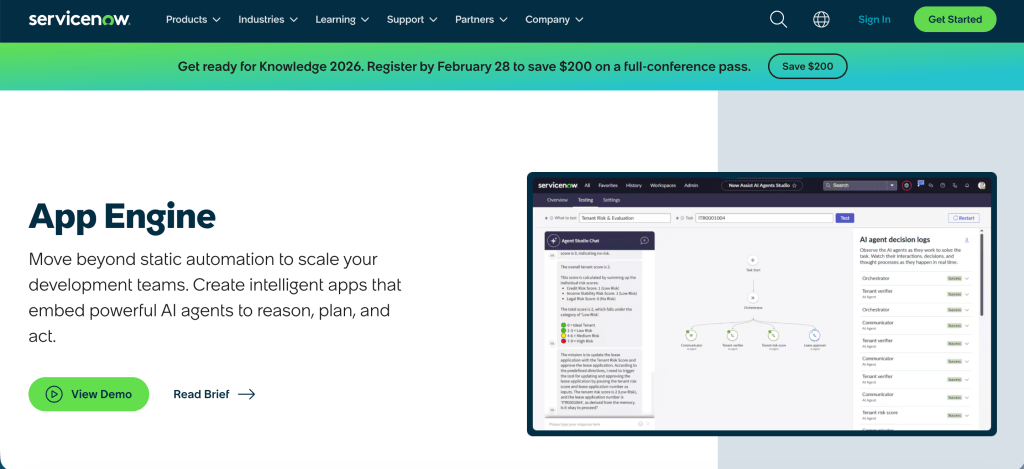
What it does: ServiceNow App Engine extends the ServiceNow platform for building custom applications on ITSM infrastructure.
Who should use it: IT departments already running ServiceNow who need to extend functionality with custom apps.
Key features
- Low-code development on ServiceNow infrastructure
- Integration with ITSM workflows
- Enterprise governance and security
- ServiceNow ecosystem integration
Pros
- Native ITSM integration
- Enterprise-grade infrastructure
- Leverages existing ServiceNow investment
Cons
- Expensive custom pricing
- Makes sense only within ServiceNow ecosystem
- Proprietary platform creates lock-in
- Requires ServiceNow expertise
Pricing
Pricing: Check the ServiceNow official site for current terms covering App Engine entitlement, platform dependencies and support. Compare the billing interval, edition and expected usage before calculating rollout cost.
ServiceNow vs ToolJet
ServiceNow App Engine is a candidate when applications depend on ServiceNow workflows and platform services. ToolJet can provide an external internal-app interface over authorized APIs. Confirm integration entitlements and compare a quote with equivalent workload scope.
17. Pega

What it does: Pega provides enterprise-grade digital process automation with sophisticated case management, particularly strong in financial services.
Who should use it: Banks, insurance companies, and large enterprises automating complex, long-running processes.
Key features
- Advanced case management
- Decision management with business rules
- Multi-channel orchestration
- RPA integration
- Industry-specific solutions
Pros
- Powerful for complex financial processes
- Strong in banking and insurance
- Handles long-running cases well
- Mature platform with proven track record
Cons
- Extremely expensive
- Steep learning curve
- Overkill for standard internal tools
- Heavy vendor lock-in
Pricing
Pricing: Check the Pega official site for current terms covering users/cases, channels, AI and deployment. Compare the billing interval, edition and expected usage before calculating rollout cost.
Pega vs ToolJet
Pega and ToolJet fit different primary workloads: complex case management versus data-connected internal applications. Evaluate the workflow duration, case state, rules and application requirements instead of assuming equivalent application coverage.
18. Nintex
What it does: Nintex specializes in workflow automation and forms, particularly for document-heavy processes within SharePoint/Office 365.
Who should use it: Organizations with document routing and approval workflows in Microsoft environments.
Key features
- Workflow designer for process automation
- Forms builder for data collection
- Document generation capabilities
- SharePoint and Office 365 integration
Pros
- Strong document workflow capabilities
- Good SharePoint integration
- Form-to-workflow mapping
Cons
- Validate document-generation and process requirements.
- Check the selected product’s integrations and runtime dependencies.
- Compare execution, user and workflow allowances.
Pricing
Pricing: Check the Nintex official site for current terms covering workflow/document volume, users and execution allowance. Compare the billing interval, edition and expected usage before calculating rollout cost.
Nintex vs ToolJet
Nintex is worth evaluating for document and workflow automation. ToolJet fits custom internal interfaces and Self-hosted automation. Test the complete process and its dependencies before treating either as a replacement.
19. Softr
What it does: Softr turns Airtable, Google Sheets, or other data sources into web applications and client portals quickly.
Who should use it: Teams with data in spreadsheets who need simple web interfaces fast.
Key features
- Rapid transformation of spreadsheets to apps
- Pre-built blocks and templates
- Client portal capabilities
- No-code approach
- Multi-data source support
Pros
- No-code route to data-connected portals
- Check current data-source, role and integration capabilities
- Evaluate pricing against app and user allowances
Cons
- Check supported data sources and update behavior.
- Validate custom logic, roles and application requirements.
- Compare user, record and integration limits by plan.
Pricing
Pricing: Check the Softr official site for current terms covering apps, users, data and access controls. Compare the billing interval, edition and expected usage before calculating rollout cost.
Softr vs ToolJet
Softr provides a no-code route to portals and data-connected interfaces. ToolJet provides internal-app building with custom database/API logic. Choose from the actual requirements and a pilot, not a categorical claim that one platform is required for every complex app.
20. Creatio
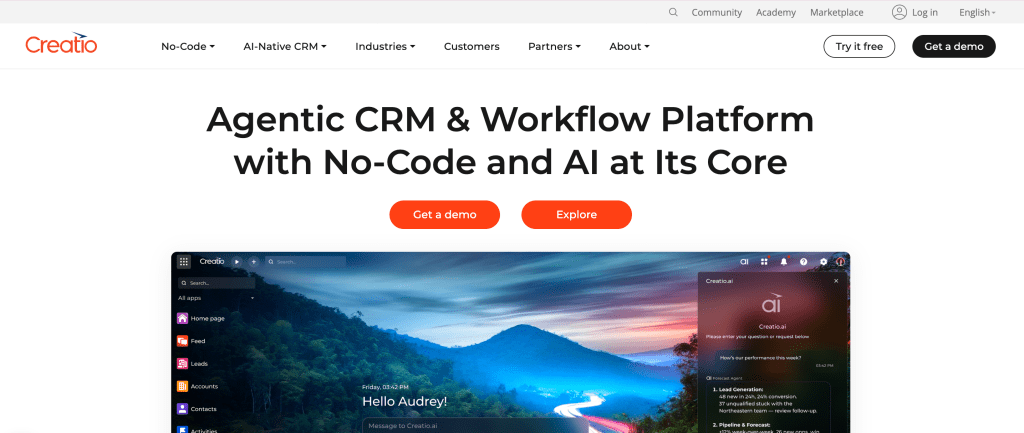
What it does: Creatio combines CRM with low-code development in a unified platform for sales, marketing, and service automation.
Who should use it: Organizations wanting CRM and low-code development in single platform.
Key features
- Integrated CRM modules
- Low-code app builder (Studio)
- Process automation
- Industry-specific solutions
Pros
- CRM and low-code combined
- Process-centric design
- Industry templates available
Cons
- Evaluate standalone Creatio Studio versus CRM/module requirements
- Check integration, customization and release controls
- Confirm platform and application licensing scope
Pricing
Pricing: Check the Creatio official site for current terms covering platform/CRM modules, users and service terms. Compare the billing interval, edition and expected usage before calculating rollout cost.
Creatio vs ToolJet
Creatio combines application building with CRM and process capabilities. ToolJet can provide internal interfaces alongside existing systems. Evaluate whether integrated CRM or a separate app layer better matches your architecture and licensing.
21. Airtable
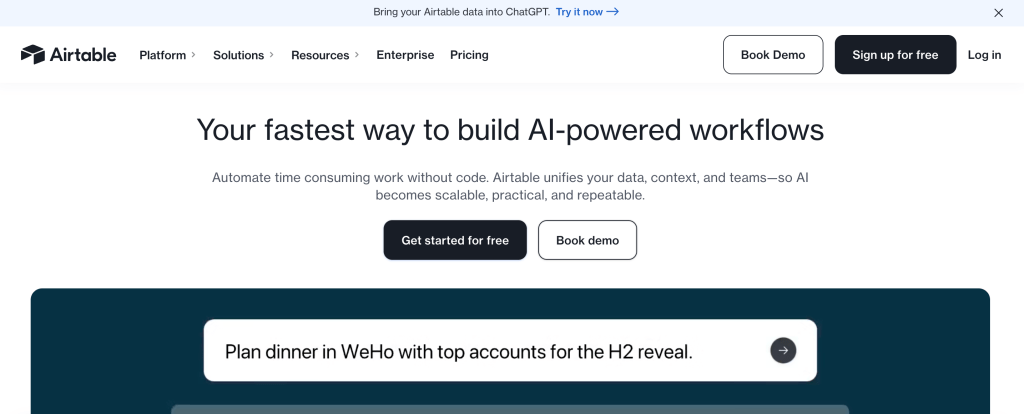
What it does: Airtable started as a friendly database/spreadsheet hybrid and now includes app-building capabilities.
Who should use it: Teams organizing data in spreadsheet-like interface who need basic app functionality.
Key features
- Spreadsheet-like interface
- Relational database capabilities
- Views (grid, calendar, kanban, etc.)
- AI app generation (recently added)
- Automation features
Pros
- Familiar spreadsheet interface
- Easy to learn
- Good for data organization
- Collaborative features
Cons
- App building is secondary to database
- Limited complexity handling
- Not designed for developers
- Expensive as you scale
Pricing
Pricing: Check the Airtable official site for current terms covering seats, records, automation and AI usage. Compare the billing interval, edition and expected usage before calculating rollout cost.
Airtable vs ToolJet
Airtable excels at data organization with app features; ToolJet excels at app development with database features. Choose based on whether data organization or app building is primary need.
22. ClickUp

What it does: ClickUp provides project management with automation features, not primarily a low-code platform.
Who should use it: Teams needing project management who want to automate tasks within that context.
Key features
- Comprehensive project management
- Task automation capabilities
- Custom views and dashboards
- Time tracking
- Document management
Pros
- Project/task management with automation
- Compare seats and add-ons
- A different category from a general app builder
Cons
- Not a true low-code platform
- Automation limited to project management context
- Not suitable for general application building
Pricing
Pricing: Check the ClickUp official site for current terms covering seats, add-ons and automation. Compare the billing interval, edition and expected usage before calculating rollout cost.
ClickUp vs ToolJet
Different categories – ClickUp handles project management while ToolJet builds custom applications. Use both for different purposes rather than choosing between them.
23. Glide

What it does: Glide converts spreadsheet data into mobile and web apps without coding.
Who should use it: Non-technical teams who need simple apps from existing spreadsheet data.
Key features
- Direct spreadsheet-to-app conversion
- No coding required
- Mobile-friendly output
- Templates for common patterns
- Real-time sync with spreadsheets
Pros
- Zero coding required
- Very fast for simple apps
- Good mobile experience
- Easy for non-technical users
Cons
- Validate data-source, update and user allowances.
- Pilot custom logic and permissions with realistic records.
- Check external/native distribution requirements separately.
Pricing
Pricing: Check the Glide official site for current terms covering apps, users, updates and integrations. Compare the billing interval, edition and expected usage before calculating rollout cost.
Glide vs ToolJet
Glide and ToolJet both address data-connected applications with different editing and logic models. Compare your actual data sources, roles, integrations and distribution requirements in a pilot.
24. Parabola
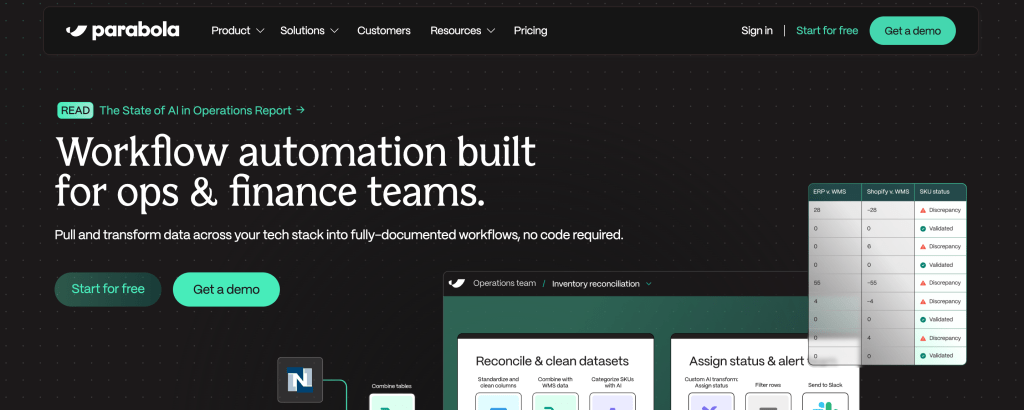
What it does: Parabola provides visual data workflow automation for ETL processes and data transformation.
Who should use it: Operations teams automating data movement between systems.
Key features
- Visual flow builder for data pipelines
- Data source connections
- Transformation logic
- Scheduling capabilities
- Error handling
Pros
- Visual approach to data automation
- No coding required for basic flows
- Good for operational data tasks
Cons
- Focused on data workflows, not apps
- Limited to ETL-type operations
- Not general-purpose low-code platform
Pricing
Pricing: Check the Parabola official site for current terms covering workflow capacity, runs and data allowances. Compare the billing interval, edition and expected usage before calculating rollout cost.
Parabola vs ToolJet
Different purposes – Parabola handles data pipelines while ToolJet builds applications. Some overlap in workflow automation, but fundamentally different tools.
25. Base44
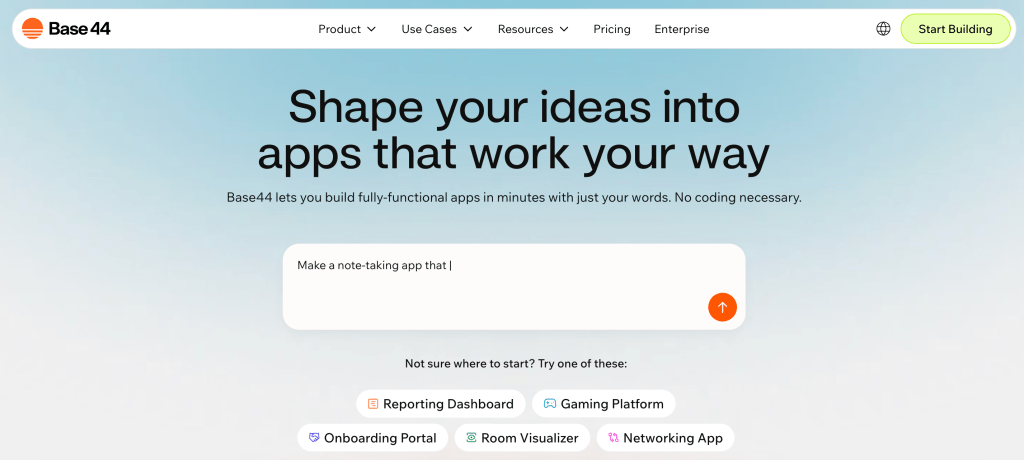
What it does: Base44 converts natural language descriptions into web apps with visual editing and code access.
Who should use it: Makers and small teams needing quick prototypes.
Key features
- Natural language app generation
- Visual drag-and-drop editor
- Code editing capabilities
- Fast prototype development
Pros
- AI-assisted app generation
- Check current editing and code/export options
- Evaluate hosting, backend and credit allowances
Cons
- Validate generated authentication, permissions and data writes.
- Check code/export options, hosting and runtime dependencies.
- Load test the intended production workload.
Pricing
Pricing: Check the Base44 official site for current terms covering AI/integration credits, hosting and service limits. Compare the billing interval, edition and expected usage before calculating rollout cost.
Base44 vs ToolJet
Base44 and ToolJet both provide AI-assisted application building. Evaluate the generated app, custom logic, deployment, governance and maintenance requirements. This directory does not establish comparative AI quality or production reliability.
How to evaluate this directory
Use this editorial directory as a starting point, not as evidence of an independent hands-on benchmark. The following checks should be performed with your own app and the edition you would purchase:
Build a representative app: Include a real workflow, a write action and multiple permission levels using non-production data.
Test integrations: Confirm authentication, available operations, error handling and permissions for each required data source.
Assess AI: Record the prompt, model, version, generated queries, edits, elapsed time and consumption. Review the result for correctness.
Validate governance: Test user removal, denied writes, release permissions and retrieval of audit evidence.
Compare costs: Use equivalent builders, end users, apps, usage, deployment, support and contract periods.
Exercise recovery: Test realistic load, API failures, rollback and restoration. Record ownership and observed results.
Evaluation criteria
Does it actually work? How fast can someone who knows what they’re doing ship a working app? Not a hello world demo – something real.
Enterprise stuff that matters: SSO, RBAC that goes deeper than “admin or not”, audit logs that actually log things, and deployment options that aren’t just “our cloud only.”
Can you escape the visual editor? Platforms that trap you in drag-and-drop hit walls fast. Can you write code when you need to?
Do the integrations work? Pre-built connectors are nice, but can you hit any REST API when the pre-built one doesn’t exist?
What is the complete cost? Public entry prices and negotiated contracts cover different scopes. Model the full rollout, including add-ons, infrastructure and operations.
What is the exit path? Inspect application exports, runtime dependencies and license terms. Source availability helps inspection and modification but does not eliminate migration work.
Just tell me, what to pick as an Enterprise?
Based on team size
Small team: Start with a bounded app and the least expensive plan that includes the required integration, permissions and support. ToolJet Free is an evaluation option; enterprise controls are not included simply because the team is small.
Other option: Appsmith if you’re absolutely committed to full open source from day one.
Growing team: Model builders and end users separately, then test onboarding, releases and audit evidence. ToolJet Team includes governance capabilities; check the current allowances for Cloud versus Self-hosted.
Other option: Retool if your whole thing is mobile apps and you use their mobile builder heavily.
Large organization: Evaluate Enterprise terms, user allowances, deployment isolation, model/inference control and support. ToolJet Enterprise includes unlimited end users; review the required Self-hosted add-ons and infrastructure responsibilities.
Alternative shortlist: Compare Superblocks Cloud, Hybrid and AWS Cloud-Prem when its development and operating model fits your requirements. Select by architecture and contract rather than an assumed budget threshold.
Based on what you’re building
Internal dashboards and operations interfaces: evaluate ToolJet, Retool and Appsmith against your data and governance needs.
Native mobile distribution: include platforms with a documented native-mobile publishing path.
Business processes and approvals: evaluate the process model, human tasks and lifecycle needs.
Customer-facing applications: include identity, external-user licensing, responsiveness, hosting and security requirements.
Based on your industry
Finance and healthcare: evaluate architecture, access, audit evidence, contracts and recovery; self-hosting alone does not establish compliance.
Manufacturing: test supported equipment/API access, update frequency and tablet use.
Technology: assess developer customization, release controls and operational ownership.
Retail: validate order/payment/inventory operations, permissions and expected load.
Understanding low-code development
What low-code actually means?
Low-code platforms let you build applications primarily through visual interfaces while still allowing custom code when you need it. This differs from traditional development (writing everything from scratch) and no-code platforms (strictly visual with zero coding).
The key advantage: You build faster without sacrificing flexibility for complex requirements.
Low-code versus no-code
| Factor | Low-code | No-code |
|---|---|---|
| Primary approach | Visual building with custom logic/extensions | Visual building with product-specific configuration |
| Team fit | Depends on the required logic and operations skills | Depends on the builder and app complexity |
| Customization | Limited by the supported runtime, APIs and extensions | Limited by the supported product features/extensions |
| Application scope | Varies by platform and edition | Varies by platform and edition |
ToolJet straddles this line well: Visual building for speed, JavaScript access for power users, AI generation for acceleration.
Real advantages
Speed: Build in days what traditionally takes weeks. ToolJet’s AI amplifies this – describe what you need and get a working starting point in minutes.
Cost efficiency: Reuse of components and integrations can reduce effort, but measure delivery and operating costs for your app. This guide does not establish a universal saving.
Agility: Iterate rapidly as requirements change. Business moves faster when tools can keep up.
Maintenance: Reusable components can simplify change, but generated logic, credentials and integrations still need review, testing and ownership.
Real limitations
Performance ceiling: Heavy abstractions can impact performance in high-concurrency scenarios. Always load test for critical applications.
Platform dependencies: Understand the application definition, runtime, extensions and license before migration. Community source access does not guarantee a no-work exit.
Customization walls: Purely visual platforms hit limits. This is why code access (ToolJet provides) is essential.
Scaling unknowns: Some platforms struggle at enterprise scale. Verify the platform handles your projected growth.
Low-code across industries
Financial services applications
Financial services face unique challenges: strict regulations, sensitive data, complex integrations, and high security requirements.
Common applications: Loan processing dashboards with automated decisioning, KYC and AML compliance workflows with audit trails, Trading desk tools for real-time market data, Risk assessment interfaces pulling from multiple systems, Fraud detection alerting with case management
Requirements that matter: Complete audit logging for regulatory compliance, Self-hosted deployment for data control, Integration with core banking systems and market data, Granular permissions down to field level, Transparent pricing for budgeting and forecasting
ToolJet evaluation: Review Community source, deployment controls and the licensed audit/permission features against the requirements of your financial app. Test data-source operations and audit evidence. Compliance depends on the application, deployment and operating procedures.
Healthcare and life sciences
Best choice: ToolJet Enterprise
Healthcare organizations must protect patient data while connecting fragmented systems and empowering clinical staff.
Common applications: Patient data management interfaces consolidating EHR data, Clinical workflow coordination reducing administrative burden, Appointment scheduling optimizing resource allocation, Lab result tracking and reporting, Compliance documentation for accreditation.
Requirements that matter: HIPAA compliance capabilities, EHR system integration (Epic, Cerner, etc.), Encrypted data handling for PHI, Audit trails documenting every access, On-premise deployment option.
ToolJet evaluation: Assess the specific patient-data workflow, authentication, encryption, access logging, contracts and recovery. Self-hosting does not automatically satisfy HIPAA. Verify EHR connectivity through the applicable API/interface rather than assuming a native healthcare connector.
Manufacturing and operations
Plan choice: Select Cloud or Self-hosted and the licensed tier using the required controls, users, integrations and support.
Manufacturing needs real-time visibility, equipment connectivity, and tools that work on the shop floor.
Common applications: Production monitoring dashboards showing live status, Quality control data collection and trending, Inventory visibility across multiple locations, Maintenance scheduling preventing downtime, OEE tracking and improvement initiatives.
Requirements that matter: IoT device connectivity for equipment data, Real-time updates not batch processing, Mobile-friendly for shop floor tablets, ERP and MES integration, Cost-effective to deploy widely.
ToolJet evaluation: Test equipment/ERP access through supported database or API interfaces, required update frequency and tablet layouts. Confirm connector operations and authentication before relying on a production integration.
Technology companies
Plan choice: Select Cloud or Self-hosted and the licensed tier using the required controls, users, integrations and support.
Tech companies need tools that match their modern stack expectations and don’t slow down technical teams.
Common applications: Customer success dashboards showing product usage, Admin panels for product configuration, Operations monitoring and alerting, Data analysis and reporting tools, Sales and marketing automation.
Requirements that matter: API-first architecture for modern integrations, Developer-friendly customization, Git integration and CI/CD pipelines, Performance at scale, Modern tech stack alignment
ToolJet evaluation: Use JavaScript/Python logic and database/API integrations for the required internal workflow. Validate Team/Enterprise release, audit and lifecycle controls against your development process.
Retail and e-commerce
Plan choice: Select Cloud or Self-hosted and the licensed tier using the required controls, users, integrations and support.
Retail moves fast and needs tools that connect various systems without complex integrations.
Common applications: Inventory management across multiple locations, Order processing and fulfillment tracking, Customer service tools for returns and support, Vendor management and purchasing, Store operations and performance reporting.
Requirements that matter: E-commerce platform integrations (Shopify, BigCommerce, etc.), Payment system connectivity, Real-time inventory synchronization, Multi-location data aggregation, Quick deployment matching retail timelines.
ToolJet evaluation: Test the required order, inventory and payment operations with least-privilege credentials. Include user allowances, deployment and support in the rollout cost; scaling is workload-dependent.
What’s next for low-code?
AI is transforming everything
AI integration isn’t a nice-to-have feature anymore – it’s fundamentally changing how platforms work. The difference between platforms that added AI features versus platforms built around AI (like ToolJet) is becoming obvious.
AI-assisted building is an important evaluation area. Test the current model and builder with the same representative task, recording consumption and the changes needed before release rather than inferring performance from the AI-native label.
ToolJet combines AI generation with visual refinement and custom logic. Review generated data access, writes and permissions; Self-hosted-only automation and private AI add-ons have distinct deployment requirements.
Enterprise adoption is accelerating
More enterprises are betting on low-code, driven by persistent developer shortages, digital transformation pressure, and the realization that empowering technical business users expands capacity.
Enterprise evaluation should cover identity, change permissions, audit evidence, recovery and total cost. Match these requirements to the licensed tier and contract instead of assuming every governance capability is included in an entry plan.
Open source is winning
Open-source community platforms offer code inspection and extension options. Compare license terms, enterprise modules, operational support and the migration path; this guide does not establish a market-share trend.
ToolJet publishes Community platform and integration code, with paid governance and deployment options. Evaluate the community and commercial scope separately.
What this means for your decision
Choose against your application scope and operating model. For large-enterprise rollout, use the enterprise platform comparison to examine governance and deployment, then the procurement guide to organize the commercial evaluation.
ToolJet is a candidate when those criteria match data-connected internal-app requirements. A pilot should determine whether it fits your workload.
Making your decision
How to decide?
Step 1: Define your requirements:
How many users now and in 2 years? Internal tools or customer-facing apps? Which integrations are critical? Security and compliance mandates? Budget constraints?
Step 2: Shortlist by workload. Compare internal-app builders for operations tools, native-mobile products for app-store distribution, process platforms for case/approval work, and ecosystem tools where their identity/data services are required.
Step 3: Test hands-on. Use an available free plan or trial to build a representative app. Test the integrations, AI behavior and permissions required for that workload. For production release and recovery questions, use the reliability evaluation guide.
Step 4: Calculate real costs, Licensing at 1 and 3 years, Infrastructure if self-hosting, Integration effort required, Training and onboarding, Build velocity differences
Step 5: Assess strategic risk, Exit costs if you need to migrate, Platform market position, Community health, Architectural alignment
My recommendation
Most teams should start with ToolJet
Why evaluate ToolJet: AI-assisted generation, visual editing, database/API logic, Community source access and Cloud/Self-hosted options. Confirm the controls, add-ons, operating cost and performance needed by your app; no universal speed or savings multiplier is claimed.
How to start:
1. Start with a free evaluation. 2. Build a representative workflow. 3. Record delivery effort and errors against your current process. 4. Compare total cost and operational ownership. 5. Approve a rollout and recovery plan based on the observed results.
Look, low-code in 2026 is actually good now. But you need to pick smart – go for AI that works, pricing you can see, and an exit strategy. Do that and you’ll be fine.
Review scope: This directory is an editorial shortlist published by ToolJet. Factual corrections were checked on October 5, 2026; it is not a dated independent benchmark of all 25 products.
Pricing, AI capabilities and plan boundaries can change. Check the linked vendor’s current terms and validate the selected edition before rollout.
Low-code in 2026 offers unprecedented capabilities for accelerating development. Choose strategically, prioritizing AI capabilities, cost efficiency, and avoiding vendor lock-in, and you’ll easily position your organization well for the next decade of software development.
Evidence boundary: Customer outcomes should be attributed to the named case study. Comparative speed, savings, uptime and scale require reproducible tests; this directory does not report those benchmarks.
 Table of contents


