


Which enterprise low-code platform should you evaluate? Start with the application: ToolJet or Retool for internal operational apps, Power Apps for Microsoft-connected apps, Appian for process and case management, and OutSystems or Mendix for broader application portfolios. Then test the shortlisted deployment against your recovery, security and operating requirements. This guide focuses on reliability evidence, not a measured uptime ranking.
Who should choose ToolJet? ToolJet suits teams that need AI app generation, visual editing and custom code for internal applications, with managed Cloud or customer-operated self-hosting. Its open-source Community Edition provides source access; commercial plans add governance and operational controls. ToolJet MCP also lets developers build native, visually editable apps from their coding agents.
Use this guide after narrowing the enterprise vendor shortlist. Record the application workload, data systems and owners before testing. For licensing and contractual terms, use the enterprise procurement guide; for the wider security and adoption assessment, use the existing enterprise-readiness checklist. The tests here focus on recovery and continued operation.

Key takeaways
- Set application-specific recovery-time and recovery-point targets from business impact; do not infer them from a vendor name or GitHub stars.
- Test restoration of platform state and connected business data, then validate permissions and representative transactions.
- Map dependencies on identity, databases, external APIs, AI services and the selected deployment; identify what breaks when each is unavailable.
- Rehearse release rollback and schema compatibility before production changes; reverting an app version may not undo an external data write.
- Name an incident owner and escalation path for the platform, customer infrastructure and each connected service.
- Preserve the private-AI boundary: Self-hosted platform, gateway, model endpoint and offline licensing have distinct requirements and add-on terms.
- Use the vendor profiles for application context, and judge reliability on the evidence collected for your own deployed workload.
Comparison of Enterprise Low-Code Platforms at a Glance
| Platform | Application context | Evidence to request | Boundary to confirm | Owner to name |
|---|---|---|---|---|
| OutSystems | Broad enterprise application portfolios | Supported runtime, restore and release-recovery procedures | Chosen product and hosting architecture | Platform support and infrastructure operator |
| Appian | Process and case-management applications | Restoration of process state and external-system reconciliation | Selected deployment and connected systems | Process owner, platform support and data operators |
| Mendix | Model-driven business applications | App/data restoration and version/schema compatibility | Selected cloud/private runtime and extensions | Application team and runtime operator |
| Microsoft Power Apps | Microsoft-connected canvas/model-driven apps | Environment/data recovery and connector failure behavior | Tenant, Dataverse and connected services | Tenant admin, app owner and service owners |
| Kissflow | Business-user workflow applications | Workflow-state recovery, failed-step handling and escalation | Contracted service and connected APIs | Process owner and contracted vendor support |
| Retool | Developer-built internal applications | App/data restoration, job recovery and release behavior | Selected Cloud or Self-hosted edition | App owner and deployment/service operators |
| ToolJet | Internal apps with AI, visual editing and custom code | Platform/data restoration, query behavior and release rollback | Cloud or Self-hosted; gateway/model/offline add-ons separately | App owner, platform operator and data/AI service owners |
| Zoho Creator | Departmental business applications | Data/app recovery and integration failure handling | Contracted hosting, region and connected services | App/process owner and vendor support |
| Salesforce Platform | Salesforce-connected applications | Data recovery, automation replay and identity dependencies | Selected services, region and paid add-ons | Salesforce admin and integration owners |
| ServiceNow App Engine | ServiceNow-connected applications | Workflow/state recovery and release rollback process | Contracted instance and connected services | Platform admin, process owner and vendor support |
Set targets before testing. Recovery time objective (RTO) is the acceptable time to restore service after interruption; recovery point objective (RPO) defines the acceptable data-loss window. Set them from the application’s business impact, then measure the proposed recovery process against them. AWS Well-Architected guidance explains this distinction; no numeric target is assumed for the vendors below.
How to use the platform profiles: They describe application context and operating questions. Keep the same workload and recovery acceptance criteria when comparing deployments; a vendor’s reputation, certification or development-speed claim does not establish your application’s recovery behavior.
OutSystems
OutSystems is a full-stack low-code platform built for professional developers who need to design, build, and scale complex, mission-critical applications with a visual IDE backed by pro-code extensibility.

Why evaluate OutSystems here: For a broad application portfolio, ask how the selected runtime handles backups, dependencies and release recovery across apps. Review the supported architecture and the duties your team retains; this guide does not assert measured uptime or an independent reliability score.
OutSystems Standout Features and Integrations: Features include a visual full-stack IDE, AI-assisted development, an architecture dashboard for technical-debt visibility, and native mobile app generation. Integrations span most major databases, ERPs, and identity providers through its connector framework and REST/SOAP support.
Pros and Cons
Pros:
- Handles high-scale, high-complexity applications well
- Deep security and compliance certifications
- Large partner and certified-developer ecosystem
Cons:
- Confirm the skills and supported release process for the selected product
- Request a quote and supported architecture for the same application capacity and deployment
- Assign owners for restore testing, upgrades and incident escalation
Appian
Appian is a low-code platform built around process automation and case management, combining visual app development with business process management (BPM) and robotic process automation (RPA).
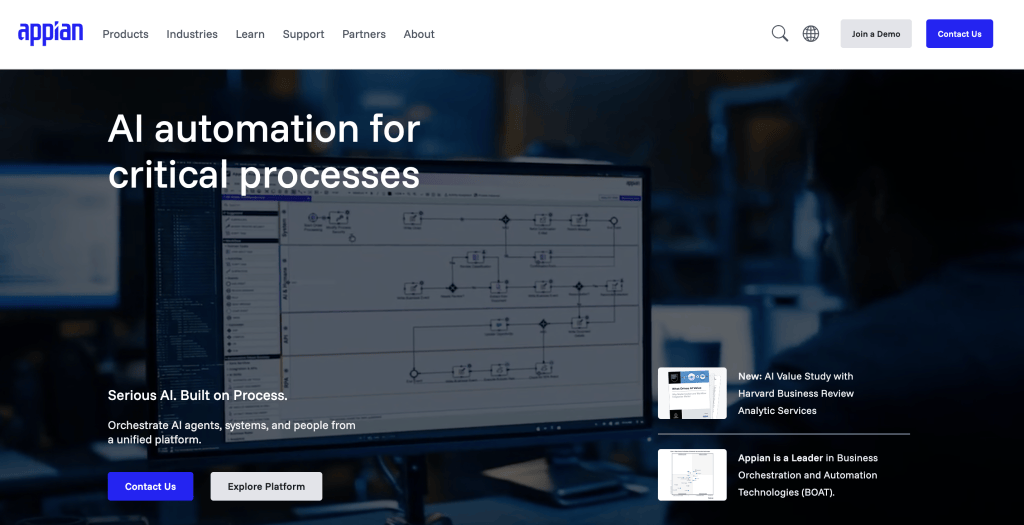
Why evaluate Appian here: Process-centric applications need recovery of process state as well as data and UI access. Ask how retries, pending tasks and external-system side effects are reconciled after a failure; test the actual process in the chosen deployment.
Appian Standout Features and Integrations: Features include process mining, dynamic case management, built-in RPA, and AI-assisted process design. Integrations cover most core enterprise systems via its connected-systems framework and API management tools.
Pros and Cons
Pros:
- Mature (25+ years) case-management and BPM heritage
- Strong compliance posture for regulated industries
- Combines automation, AI, and low-code in one platform
Cons:
- Confirm the deployment, workload and support scope in the proposal
- Test recovery of pending cases/tasks and external integrations
- Include the operating skills required for complex processes
ToolJet
ToolJet combines AI app generation, a visual builder and custom code for internal dashboards, admin panels and operational applications. Apps can connect to existing databases and APIs or use ToolJet Database. Choose managed Cloud or operate a self-hosted deployment; the open-source Community Edition and commercial plans have different licenses and feature entitlements.
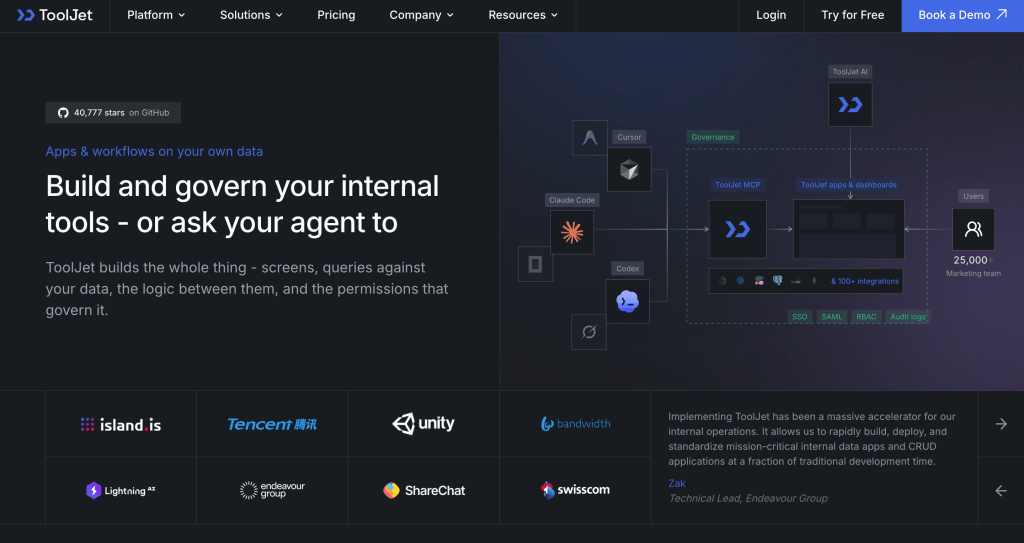
Why evaluate ToolJet here: Teams can choose managed Cloud or customer-operated Self-hosted deployment for internal apps. That changes the allocation of runtime, backup and incident duties. As product evidence, Nimbl reported 70% faster app development and a 78% cost reduction after migrating from Power Apps. These are one customer’s reported development/economic outcomes, not measurements of uptime or recovery for your deployment.
Deployment and source access: The AGPL-3.0 Community Edition can run on customer infrastructure. Paid Self-hosted plans provide additional features under commercial terms. Fully offline operation, including licensing, requires the Self-hosted Enterprise air-gapped add-on. A self-hosted app platform does not automatically mean its AI models run locally.
AI and developer control: ToolJet MCP connects coding agents such as Claude Code and Codex to native ToolJet apps that remain editable in the visual builder. MCP builds consume no ToolJet AI credits; coding-agent or model-provider charges still apply. Developers can extend app logic with JavaScript, Python queries and custom React components. Teams still review queries, permissions and app behavior before release.
Integrations and governance: 100+ integrations connect databases, APIs, SaaS tools, LLM providers and vector databases. Team includes SSO, custom user groups, audit logs and Git sync; Enterprise adds controls such as SCIM and further lifecycle and deployment permissions. Check the Cloud and Self-hosted tables for the required plan. Workflows and Agent Builder are available on self-hosted deployments, not Cloud.
Pros and Cons
Pros:
- AI generation, coding-agent builds and a visual editor for maintaining internal apps.
- Managed Cloud or customer-operated self-hosting, with an AGPL-3.0 Community Edition and commercial plans.
- ToolJet Academy provides hands-on courses and certifications for teams adopting the platform.
Cons:
- Self-hosting requires ownership of upgrades, infrastructure, monitoring and backups.
- Advanced queries, custom code and access-control design require technical review.
- SSO, custom groups, audit logs and Git sync require a paid plan; further Enterprise controls and deployment add-ons have separate eligibility.
- Private AI requires the Self-hosted Enterprise gateway add-on and a supported local model. Enterprise BYOK is available on both ToolJet Cloud and Self-hosted deployments. Air-gapped operation is a separate Self-hosted Enterprise add-on.
Mendix
Mendix, owned by Siemens, is a low-code platform offering full application-lifecycle development with both visual modeling and hybrid pro-code capabilities across web, mobile, and PWA.
Why evaluate Mendix here: For model-driven application portfolios, verify app/data backups, supported deployment architecture and extension compatibility during upgrades and rollback. The chosen runtime and contract determine which operating tasks belong to your team.
Mendix Standout Features and Integrations: Features include the Atlas UI framework, built-in DevOps/CI-CD tooling, and collaborative development tools for business-IT alignment. Integrations include SAP BTP, major cloud providers, and a broad connector library.
Pros and Cons
Pros:
- Model-driven application lifecycle for a broad portfolio
- Check mobile/runtime features in the selected edition
- Evaluate restore, release and extension compatibility against the intended workload
Cons:
- Infrastructure and add-ons are billed separately, so total cost is opaque
- Still developer-dependent for serious applications
- Premium tier is custom-quoted only
Microsoft Power Apps
Microsoft Power Apps is a low-code platform for building canvas and model-driven applications tightly integrated with Microsoft 365, Teams, and Azure.
Why evaluate Power Apps here: For a Microsoft-based application, map dependencies on the tenant, identity provider, Dataverse, connectors and automation. Check environment/data recovery for the licensed services and test the effect of an unavailable connector or identity service.
Power Apps Standout Features and Integrations: Features include canvas and model-driven app builders, AI Builder, and Power Automate for workflow automation. Integrations include Microsoft 365, Teams, SharePoint, Dataverse, and over a thousand prebuilt connectors.
Pros and Cons
Pros:
- Deep Microsoft ecosystem integration
- Strong native governance via Microsoft Entra ID
- Low entry cost for simple internal apps
Cons:
- Test the app’s actual workload, permissions and failure behavior
- Confirm recovery/monitoring capabilities and add-ons for the licensed services
- Model the same licensed population and operating scope as other proposals
Kissflow
Kissflow is a low-code platform that helps teams design, build, and automate applications without extensive coding. Its AI-assisted development tools and drag-and-drop interface make it easy for business users to create customized workflows and streamline internal processes across departments.
Why evaluate Kissflow here: Approval and workflow apps need a clear recovery path for pending tasks, failed steps and external updates. Request the service’s restoration procedures and support escalation terms, then test the process your users rely on.
Kissflow Standout Features and Integrations: Features include AI-assisted app development, customizable form and workflow builders, and analytics dashboards for tracking performance. You can also automate approvals, HR tasks, and IT service requests using prebuilt templates.
Integrations include Salesforce, HubSpot, Slack, Microsoft Teams, Zendesk, Dropbox, Google Forms, Docupilot, Twilio, Jira Software Server, Gmail, and Google Sheets.
Pros and Cons
Pros:
- Integrations support cross-platform data exchange
- Customizable builders enable flexible workflows
- AI-assisted development accelerates app creation
Cons:
- Validate failed-step handling, state recovery and escalation against the proposed service
- Test required custom integrations and error handling in the intended edition
Retool
Retool supports internal applications connected to databases and APIs. Its classic apps use the original visual editor; its new app builder follows a different AI-assisted building experience. Identify which builder and deployment your team is evaluating, because capabilities and release behavior can differ.

Why evaluate Retool here: Test an application on the builder and deployment you intend to use. Include database permissions, failed queries, release rollback and the ability to maintain the generated app. Our ToolJet vs Retool comparison can help frame the product differences; the operational pilot should establish recovery behavior for your own workload.
Retool Standout Features and Integrations: Features include a drag-and-drop UI builder, native AI app generation, workflow and job scheduling, and self-hosting in your own VPC for data-residency needs. Integrations include most major SQL/NoSQL databases, REST and GraphQL APIs, and common SaaS tools.
Pros and Cons
Pros:
- Excellent for CRUD apps, admin panels, and dashboards on existing data
- Self-hosting option supports strict data-residency requirements
- Strong AI-assisted app generation for developers
Cons:
- Requires technical skill; not built for non-technical business users
- Per-seat economics get expensive with a large internal user base
- Custom SAML or OpenID Connect SSO requires an Enterprise quote; include this when comparing governance costs
Low-Code Platforms Examples by Use Case
Use these categories to select a representative recovery scenario. For a fuller vendor shortlist, return to the enterprise comparison hub; for a larger set of products, use the platform directory.
- Enterprise app portfolios: OutSystems, Mendix; evaluate ToolJet for internal operational applications
- Regulated process/case management: Appian, ServiceNow App Engine
- Microsoft-centric internal apps: Microsoft Power Apps
- Business-user workflow automation: Kissflow, Zoho Creator
- CRM-native extensions: Salesforce Platform
- Developer-built internal tools (open-source/self-hosted): ToolJet, Appsmith
- Developer-built internal tools (managed/cloud): ToolJet, Retool
Best Low-Code Platform for Mobile App Development
For a mobile employee or field-service app, separate responsive browser access from native packaging and offline operation. Test login, attachments, interrupted connections and reconciliation on the actual Android and iOS devices before choosing a platform.
- Offline acceptance criteria: Specify which records and attachments must remain available without a connection, how users authenticate, and how conflicting updates are resolved. A mobile-friendly layout alone does not meet these requirements.
- Microsoft Power Apps: Microsoft documents offline-capable canvas apps in Power Apps Mobile, including built-in offline support for Dataverse and a different approach for other connectors. Validate the documented limitations against your data sources and app.
- ToolJet and other shortlisted platforms: Run the same mobile pilot against the proposed product and edition. For ToolJet, assess the responsive web application you plan to build; do not assume native-app distribution or offline synchronization from self-hosting or AI generation.
Most Reliable Low-Code Platform for Enterprise Applications in India
For deployments serving teams in India, include region, support coverage and recovery access in the operating plan. A vendor’s founding location or popularity does not establish application reliability or the location of every platform/AI service.
- Data and recovery locations: Document where platform state, business data, backups, logs and AI processing run. Verify that a proposed recovery region is allowed under your agreements.
- Support coverage: Name the on-call operator and vendor escalation route for local working hours and after-hours incidents. Confirm who can access the infrastructure during recovery.
- Costs and entitlements: Budget the selected plan, infrastructure, recovery capacity and support. ToolJet end-user allowances and private/offline add-ons depend on the licensed tier; self-hosting is not a blanket unlimited/free entitlement.
There is no single platform officially certified as “most reliable in India”, the right choice still depends on your compliance needs, existing stack, and budget.
Most Reliable Low-Code Platform for Enterprise Applications in the USA
For applications serving U.S. teams, apply the same recovery evidence to the actual service, region and contract. Choose the operating model that fits your organization rather than treating a national shortlist or a certification label as an availability guarantee.
- Microsoft-based apps: Name the tenant/identity, Dataverse and connector owners, and test the required recovery process.
- Application portfolios: Ask OutSystems, Mendix or another shortlisted vendor for the exact runtime and release-recovery architecture being proposed.
- Regulated processes: Verify the service’s assurance/authorization scope and required agreements with your security team; then test recovery of process state and connected data.
- Engineering-owned internal apps: Compare ToolJet or another internal-app platform using the same workload, data access and rollback scenario.
- Salesforce-connected apps: Inventory platform, identity, data and integration dependencies and identify the owner of each recovery step.
Most Reliable Low-Code Platform for Enterprise Applications on GitHub
For a GitHub-hosted project, use the repository to inspect code, licenses, release history and maintenance practices. That evidence complements the deployment pilot; star counts and open-source availability do not show how quickly your app can be restored.
- ToolJet – open-source, actively maintained on GitHub, positioned as a self-hostable alternative to Retool and Mendix for internal tools.
- Appsmith – open-source, Git-native deployment workflow, strong for internal tools built by engineering teams.
- Budibase and NocoBase are additional open-source options worth evaluating if your primary requirement is transparent, auditable, self-hosted code.
The source you can inspect may be Community platform code, components or deployment tools rather than the complete commercial product. Verify the relevant license and edition, then test its operational dependencies. Published source does not replace supported releases, incident ownership or restore evidence.
How to run an operational reliability pilot
- Set the acceptance criteria: Record the workload, recovery-time target, acceptable data-loss window and who can authorize recovery. Set targets from business impact, not advertised platform popularity.
- Map the dependencies: Inventory platform state, business databases, identity, external APIs, automation and gateway/model endpoints. Mark which are required for building versus running the app, and name each owner.
- Prove a restore: Restore platform/app state and the relevant data into an isolated test environment. Record backup timestamps, restore duration and the recovered data point; validate access and representative transactions. An app definition alone does not restore an external database.
- Exercise dependency failure: Test an unavailable identity/data/API or AI service where relevant. Inspect timeouts, error messages, retries and recovery of pending work. Do not assume retrying a write is safe; check duplicate and reconciliation behavior.
- Rehearse a release failure: Introduce a reversible failure in non-production, execute the supported rollback and validate schema compatibility. Reverting an app version may not undo database migrations or external updates.
- Test incident ownership: Record detection, escalation, access and hand-off steps across the customer operator and vendor support. Compare response commitments and exclusions with the intended recovery plan; support response and service restoration are different measures.
- Keep the evidence: Save the environment/version, workload, backup/restore records, observed recovery time/data point, transaction results, owners and unresolved gaps. Rehearse again after material dependency or release-process changes; this article does not supply test results for any vendor.


