


What Is a Process Governance Studio?
You still manage controlled process records in a shared spreadsheet, only one person knows how to work, and that slows approval, versioning, and review. Build a process documentation app with ToolJet MCP when you need one place for step lists, version history, and controlled-document review. The result is a structured ToolJet application with data, queries, and interface together, so your team keeps running it. By the end, you have a two-page process documentation app that keeps approved history tied to the diagram and the register.

The Process Record page: approved banner, controlled-document header and the diagram drawn from the step list.
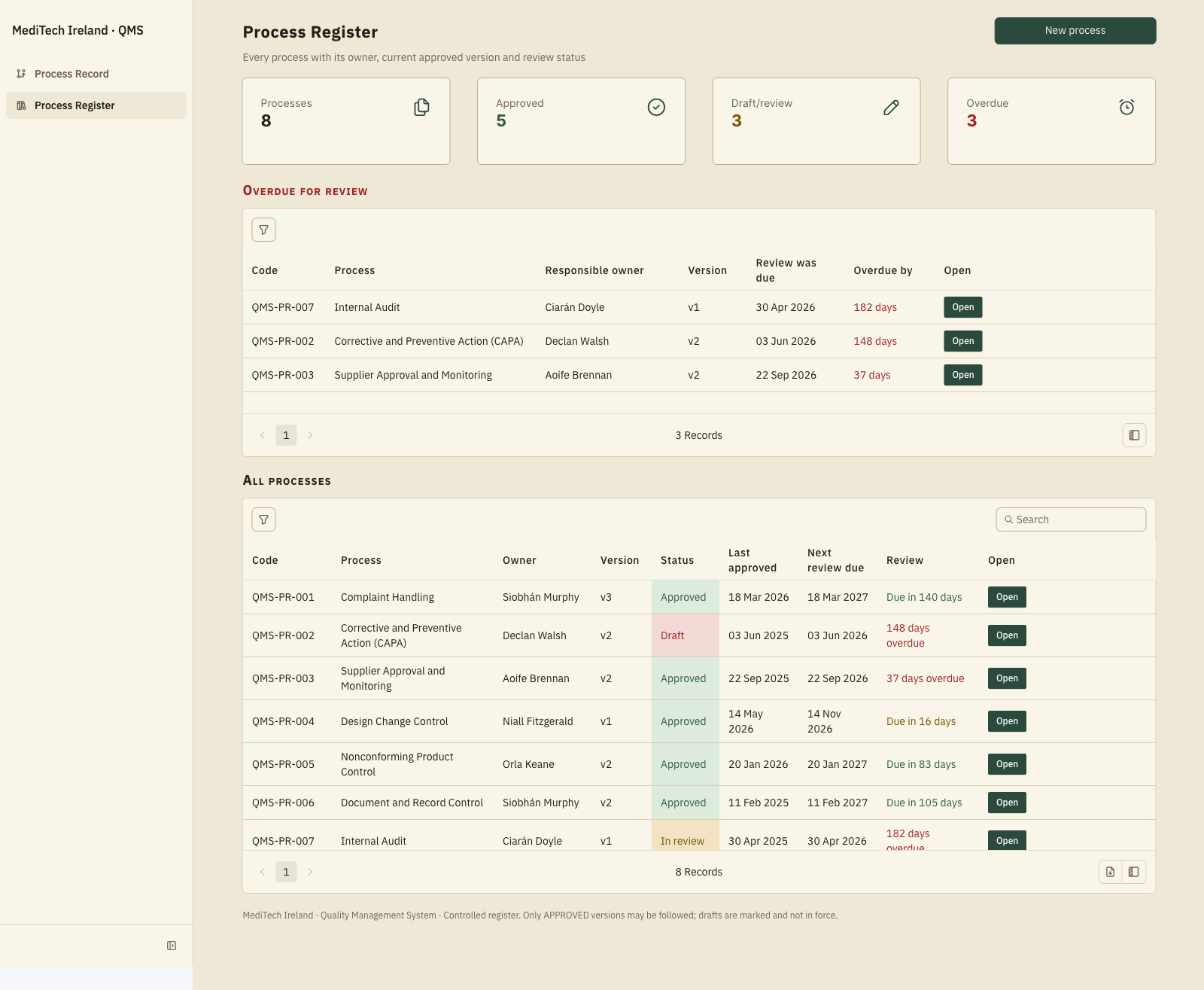
The Process Register with counters, the overdue-for-review list and every process.
How to Manage Controlled Process Documents?
Track controlled process documents by listing each step, owner, control, and decision point, then keep the approved record in an immutable ledger for review. ToolJet MCP lets a coding agent build that as a working app inside the platform.
- List each step with owner, control, and decision points
- Draw the process flow from the ordered steps
- Register the process with version, status, and review cycle
- Approve the version or return it for revision
- Compare a past version and confirm the ledger entry
How Does the Process Record Page Work?
On the Process Record page, you read one process at a time, edit the step list, and watch the diagram redraw from that list. Above it, the controlled-document header sits with the status banner, the version selector, the as-at-date control, and the approval state, so every view carries the same context. That same layout lets a reviewer compare a past state with the current one. The banner and stamp stay visible even in shared links, so a draft cannot pass for an approved record. When you change a step, the swimlanes stay grouped by owner and the diagram updates from the list. The register page gives a compact portfolio view with current version, status, review cycle, overdue items, and the owner responsible for each process.
- Step edits redraw the flow diagram automatically
- Swimlanes group the process by owner
- Status banners and stamps stay visible in shared links
- Approved versions can be compared side by side
- The register shows review timing and overdue items
Build a Process Documentation App With ToolJet MCP Walkthrough
Want to build it yourself? Start with the ToolJet MCP repository for setup instructions, supported agents, and everything you need to follow along.
What Prompt Drives the Build?
The real build took several passes, and the requirements are now consolidated into one prompt that could have driven the whole app from the start. You can use that single prompt to reproduce the same pages, data split, diagram logic, and review rules in one shot.
Build a ToolJet app with 2 pages for the compliance team of an Irish medical device manufacturer. Page 1, Process Record: a process owner defines a process as a list of steps (what happens, owner, control applied, decision points with Yes and No branches) and the flow diagram is drawn automatically from that list, grouped in swimlanes by owner, so changing a step changes the picture. Show a clear status banner and stamp (APPROVED vN, DRAFT, IN REVIEW, SUPERSEDED) wherever a process is viewed, including shared links, and print the status inside the diagram so a draft can never be mistaken for an approved process. Process owners edit their own processes and submit them; the compliance manager approves each version (not their own processes) or returns it; everyone can view approved processes. Keep every approved version with its date, approver and change note in an immutable ledger; let someone view the diagram as it stood at any version or past date; show a side-by-side comparison of two versions highlighting steps added, removed, changed owner or edited. Page 2, Process Register: list all processes with owner, current version, status, last approved and next review due; add a review interval per process and show everything overdue for review with the owner responsible, plus counters. Use ToolJet Database for the process register and the working draft steps, and PostgreSQL for the approved-version ledger (versions and step snapshots, with triggers that block updates and deletes). Show a controlled-document header (revision, ISO 13485 clause, department, classification, retention, distribution). Use only ToolJet native components, enterprise grade, information dense with little white space and slightly larger fonts, in an Archival Ledger look: paper background, ink-green accent, serif type, square corners.
How Does ToolJet MCP Turn Requirements Into a Build?
ToolJet MCP works through the whole application, the data model, pages, components, queries, and the wiring between them, so the result lands as one structured ToolJet application inside the platform rather than a codebase you have to run separately. The generated app sits on a runtime that carries data connectivity, workflows, permissions, deployment, and ongoing change where supported, instead of handing you a codebase to operate yourself. Read the ToolJet MCP documentation for the product path, then move from generation into visual editing and code where a case needs it.
What SQL Workaround Did We Use?
One draft field stayed blank after the first pass because SQL execution was disabled in this workspace. The fix was to fill that column with a bulk update by primary key, and the record page rendered correctly after that, with the table syncing cleanly.
What Did ToolJet MCP Generate?
| Metric | Result |
|---|---|
| Pages | 2 |
| ToolJet DB + PostgreSQL tables | 4 |
| Queries | 24 |
| Components | 104 |
| Code files to maintain | 0 |
| Repair cycles | 1 |
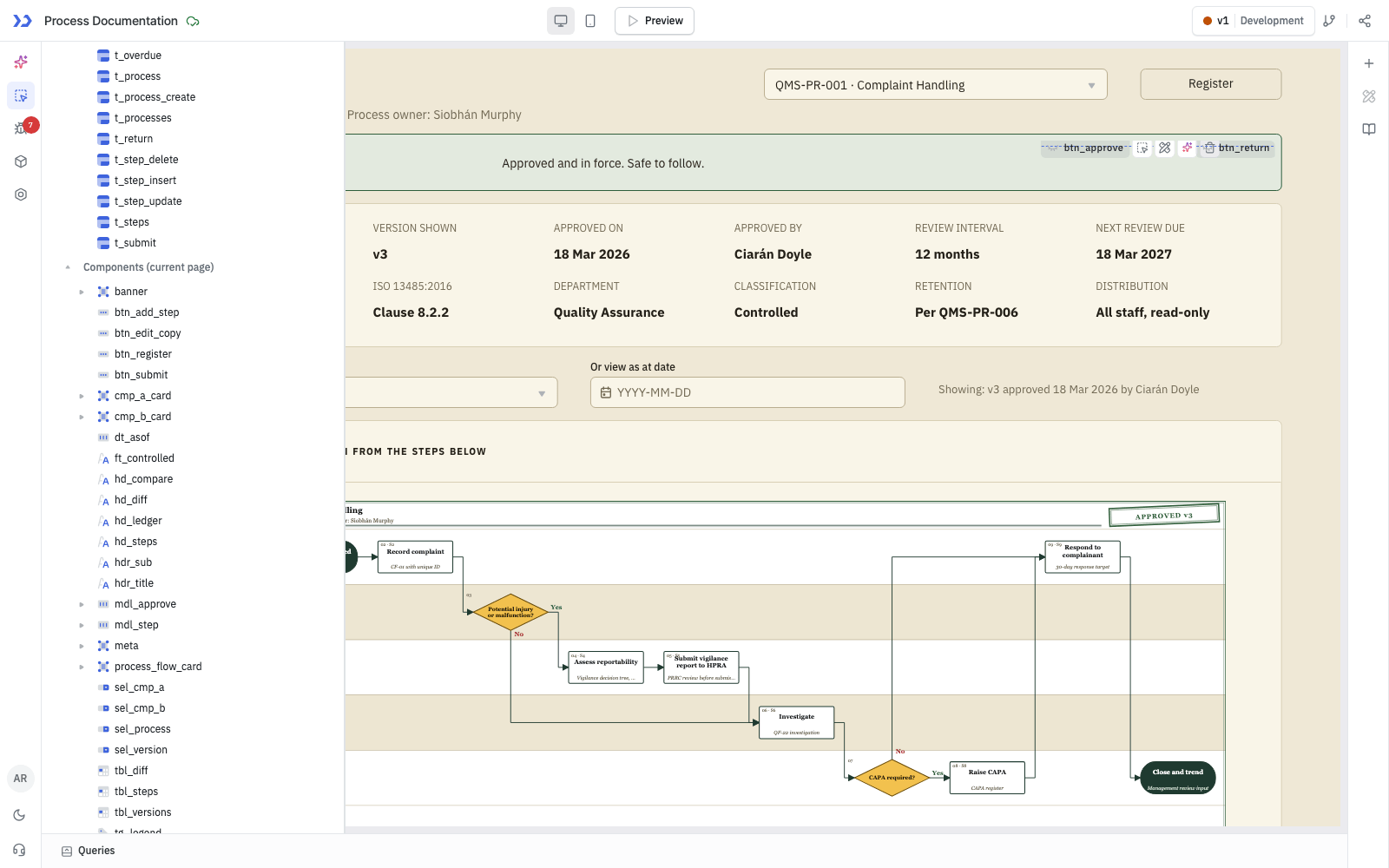
The components ToolJet MCP created, in the ToolJet inspector
Which Process Teams Use It?
Medical device manufacturing and other regulated industries that keep controlled process documents, such as pharmaceuticals, diagnostics, aerospace and food production, where an auditor can ask what a process looked like on a past date.
Who Can Access Process Records?
Everyone in the company can view approved processes. Process Owners can edit and submit their own processes. Compliance Managers can approve or return any process but cannot approve one they own. The approval and edit queries are permission-restricted to those groups and workspace admins, and the interface hides the controls from everyone else.
ToolJet Database: Built-In PostgreSQL Storage for Full-Stack Apps
A Process Governance Studio app needs somewhere to keep its records, and ToolJet Database gives it a built-in, PostgreSQL-backed database with no separate server to provision or connect. Builders can create tables, relate them and query them from the same platform where the app is built.
The compliance team keeps pd_processes and pd_steps in ToolJet Database, while pd_versions and pd_version_steps hold the approved ledger. That keeps working data and history close to the app without a separate database server in the middle.
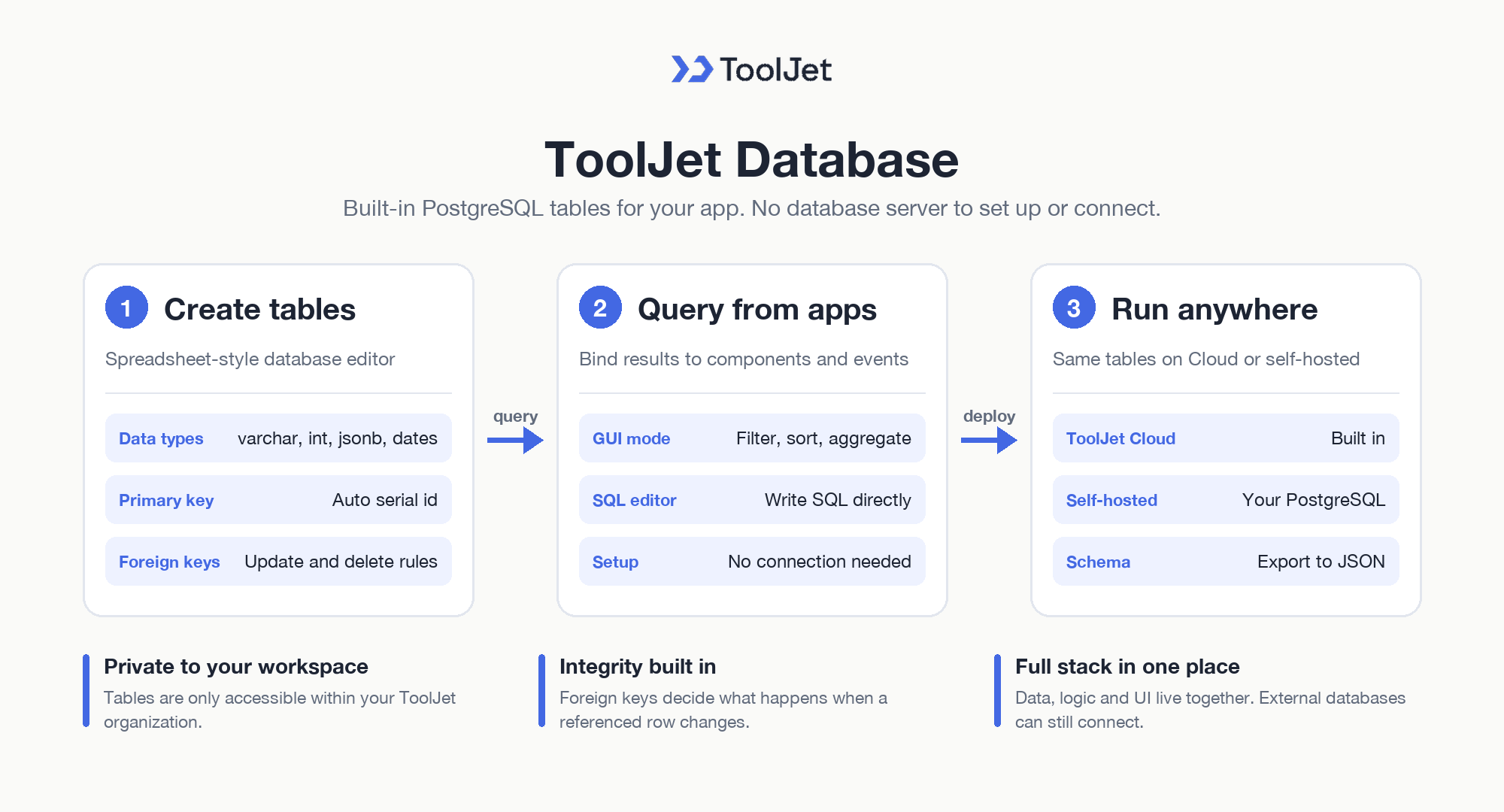
ToolJet Database: Built-In PostgreSQL Storage for Full-Stack Apps
Tables, Data Types and Relationships
- ToolJet Database overview: keep tables in a secure database that is only accessible within your ToolJet organization, on both ToolJet Cloud and self-hosted deployments.
- Database editor: create tables and edit, search, filter and sort rows in a spreadsheet-like interface.
- Supported data types: serial, varchar, int, bigint, float, boolean, date with time and jsonb columns, with an automatic serial id primary key on every new table.
- Foreign keys: link tables and choose what happens to a row when the referenced row is updated or deleted, keeping referential integrity.
Querying ToolJet Database from Apps
- GUI and SQL queries: list, filter, sort, aggregate and group rows in GUI mode, or write SQL directly in the SQL editor.
- Works like any data source: ToolJet Database queries bind to components and events the same way as other data sources, without connection setup.
- Self-hosted configuration: on your own deployment, ToolJet Database runs on a PostgreSQL database you configure and is exposed to the app through PostgREST.
- Schema export: export table schemas to a JSON file.
This lets the Process Governance Studio app go full stack in one platform, with data, logic and UI together, while external databases can still be connected later. Table limits vary by plan on the ToolJet pricing page.
Enterprise Features for Your Process Documentation App
A process app holds controlled documents, approval notes, and version history. ToolJet covers that governance at the platform layer, so you configure it once instead of rebuilding it in every app.
- SSO and SCIM: sign in with SAML, OIDC or LDAP, and provision users automatically
- Role-based access control: scope permissions to the app, the data source, and each query
- Audit logs: track every login, edit, and approval decision for compliance review
- Air-gapped deployment: self-host on Docker or Kubernetes so your data stays in your network
- Multiplayer editing: several builders work on the same app, with versioning and Git sync
- ToolJet AI inside your own deployment: run the AI features in your tenancy rather than a shared service
You could add a notification layer with ToolJet Workflows. For example, a workflow could fire when a version is approved, post to the process owner in Slack, email the compliance manager through Gmail, and write the decision back to pd_versions.
Final Takeaways
This process documentation app for controlled documents turns a step list into a live diagram, a register, and an approval ledger that stay aligned. The compliance team gets one place to edit a process, review current status, and open a past approved version without hunting through spreadsheets or side files. Side-by-side comparison makes version changes visible, and the immutable ledger preserves approved history with date and approver. The result is an editable ToolJet application that keeps the record, the diagram, and the review process together as the process changes over time.
Build your own with ToolJet MCP
Build a process documentation app with ToolJet MCP for your compliance team, then request a ToolJet demo. Start free on ToolJet Cloud.


