The best AI app builder depends on what you need to ship: an internal tool connected to business data, a customer-facing web app, a portal or a native mobile app. Generation speed matters, but so do editing, permissions, integrations, deployment and the cost of maintaining the result.
For enterprise internal tools, evaluate ToolJet when you want AI-generated pages and queries that remain editable in a visual builder. For a custom web application, evaluate a code-generating platform such as Lovable. For native mobile distribution, check a builder such as Adalo against your app-store and device requirements. The ten options below cover these different needs.
Best AI app builders at a glance
| Platform | Shortlist it for | Key evaluation question |
|---|---|---|
| ToolJet | Internal apps with visual editing and deployment choice | Does the selected plan meet your governance and private AI needs? |
| Softr | Business portals and internal tools | Do the data connections and permissions fit the workflow? |
| Microsoft Power Apps | Microsoft-centered business applications | Which connectors, environments and licenses are required? |
| Quickbase | Data-centric operational applications | Does the generated data model match the business process? |
| Anything, formerly Create | Prompt-led app creation | What can you edit, deploy and maintain after generation? |
| Airtable Omni | Applications around Airtable data | How do base permissions and AI usage fit your organization? |
| Lovable | Custom web applications | How will you review code, backend permissions and deployment? |
| Glide | Data-driven web apps used on desktop and phone | Is a web/PWA delivery model sufficient? |
| Appy Pie | Business apps with mobile publishing requirements | Which target platforms and features does the plan include? |
| Adalo | Visual app building with native mobile distribution | Do device features, performance and publishing requirements work in a pilot? |
How to read this comparison
ToolJet publishes this guide and is one of the products compared. This is an editorial shortlist based on current official product information, with practical evaluation questions. It is not a claim that all ten platforms were benchmarked under identical conditions.
Hands-on evidence and its limits
For documented build experiments, read our same-prompt comparisons against Retool, Lovable, Superblocks and Emergent. Those articles describe the prompts, models and observed runs. Their results apply to those tests, not every application or platform in this list.
Key evaluation criteria
- Generate the same bounded app with the same data and acceptance criteria.
- Test an edit after the first build, including one change to the data model.
- Check authorization, failed requests, data validation and secret handling.
- Record build and edit costs separately from hosting and runtime charges.
- Verify the release, rollback and maintenance process.
Why the second edit matters
A good first screenshot does not establish maintainability. Ask the builder to change a field, add a role and update an existing workflow. Inspect whether the change preserves working behavior and whether another team member can understand the result.
What is an AI app builder?
An AI app builder uses natural-language instructions to help create application structure, interfaces, queries or code. What it produces varies by product: some generate source code, while others generate components inside a managed visual platform. Backend services, deployment and governance may be included, integrated or separately configured.
Code generation and visual app platforms
Code-generating tools can provide control over implementation and source workflows. Visual platforms can provide reusable components and a managed application structure. The categories overlap: code-based products may include visual edits and backend services, and visual platforms may support custom code. Verify the current product rather than assuming one category only creates prototypes. For a shortlist by development workflow, see our Replit alternatives guide.
How they differ from traditional no-code tools
Traditional visual building starts with manual configuration. AI can generate a starting structure or make changes from a description. The remaining work still includes validating business rules, connecting approved data and testing the application.
Benefits of using AI app builders
AI app builders can reduce repetitive implementation work. The benefit depends on the task and the team; there is no universal speed or cost multiplier. Evaluate these six areas during a pilot.
1. Faster initial implementation
Measure the time from a written requirement to a working, tested task. Include debugging, permissions and deployment rather than stopping the clock when the first screen appears.
2. Collaboration with business teams
Natural-language requirements and visual editing can help operations teams participate. Define which changes they can make safely and which need engineering or security review.
3. Total cost visibility
Compare subscription fees, AI build and edit usage, user licensing, hosting, storage and support. A cheap initial generation can still create substantial maintenance work.
4. Assistance with logic and debugging
AI can help explain errors and suggest changes. Test each fix and inspect sensitive queries. Debugging assistance is offered by multiple products and should not be treated as a unique capability without evidence.
5. Natural-language requirements
Prompts work better when they describe users, data, actions and constraints. Include examples of invalid input and expected behavior, not just the desired appearance.
6. Data connections
Verify the specific connector and operations your application requires. A connector count does not tell you whether a platform supports the authentication method, query behavior or private network path needed for your system.
How to choose the best AI app builder for your needs
Start with the application’s operating requirements, then compare generation and editing. A public marketing prototype, an employee portal and a private finance tool have different acceptance criteria.
Choose by output and operating model
- Managed visual apps: evaluate how the generated structure stays editable and how permissions and releases are managed.
- Source-code applications: evaluate repository access, dependencies, code review and deployment ownership.
- Mobile distribution: distinguish responsive web, PWA installation and native app-store publishing. Test offline and device features separately.
Essential selection criteria
| Criterion | What to demonstrate |
|---|---|
| Functional scope | A working read, write and validation path using representative data |
| Editing | A meaningful change that preserves existing behavior |
| Access control | Unauthorized reads and writes rejected by the backend |
| Deployment | A release and rollback in the intended environment |
| Maintainability | A second developer can understand and modify the app |
| Cost | Build, edit, runtime and user costs under the same scenario |
Match the builder to the use case
For internal tools, compare ToolJet with other developer-oriented options such as Retool and Superblocks using the linked tests. For portals, look at Softr and Airtable-based workflows. For custom web products, compare code-oriented builders such as Lovable. For mobile stores, evaluate Adalo or Appy Pie and verify the exact publishing workflow. For code-oriented options, use our Lovable vs Cursor guide to compare hosted building with repository-based development, or our v0 vs Replit guide to compare app-building and deployment workflows.
Enterprise capabilities: verify the proposed plan
Treat enterprise readiness as a set of requirements, not a score. Ask each vendor to demonstrate the exact edition, deployment and contract you would buy. A platform’s compliance certification does not automatically make your application compliant.
- SSO, provisioning, deprovisioning and group management.
- Server-side authorization, audit export and retention.
- Development, staging and production separation, plus rollback.
- Data residency, outbound connections and model-provider access.
- Backup, recovery, support response and operational ownership.
- AI usage limits, customer-provided keys and any private-model requirements.
10 AI app builders to evaluate
Product screenshots retained below are illustrative captures from the original guide. Names, interfaces and packaging can change; the linked official sources are the starting point for a current evaluation.
1. ToolJet: internal apps with AI and visual editing

ToolJet generates native application pages, queries and events that remain editable in its visual builder. It is designed for internal apps connected to business data, with Cloud and Self-Hosted deployment options.
Evaluate it for: support consoles, approval interfaces, inventory tools and employee applications. Check integrations, security requirements and the relevant plan. Enterprise includes unlimited end users; other plans have their own allowances. Private AI and air-gapped requirements need the appropriate commercial scope.
Test before release: generated queries, backend permissions and failed writes. AI generation does not replace an application review.
2. Softr: portals and business applications

Softr combines AI and visual app building with databases, workflows and permissions. It connects to multiple data sources, so evaluating it only as an Airtable or Google Sheets frontend would be too narrow.
Pilot focus: build a portal with the required roles, record access and one operational workflow. Confirm the source connection, application limits and permission features in the selected plan.
3. Microsoft Power Apps: Microsoft-centered workflows

Power Apps supports AI-assisted business application development and integration with Microsoft and external systems. It is relevant for teams already working with Dataverse and the wider Power Platform.
Pilot focus: check connector licensing, data delegation, environments and access policies. Connecting on-premises data is different from self-hosting the Power Apps service.
4. Quickbase: operational data applications

Quickbase AI helps create applications from natural-language requirements, including data structures. It is worth evaluating for operational processes built around related records and shared workflows.
Pilot focus: validate tables, relationships, permissions and process exceptions against a real use case. Confirm which AI and governance capabilities are included in the proposed package.
5. Anything, formerly Create: prompt-led building
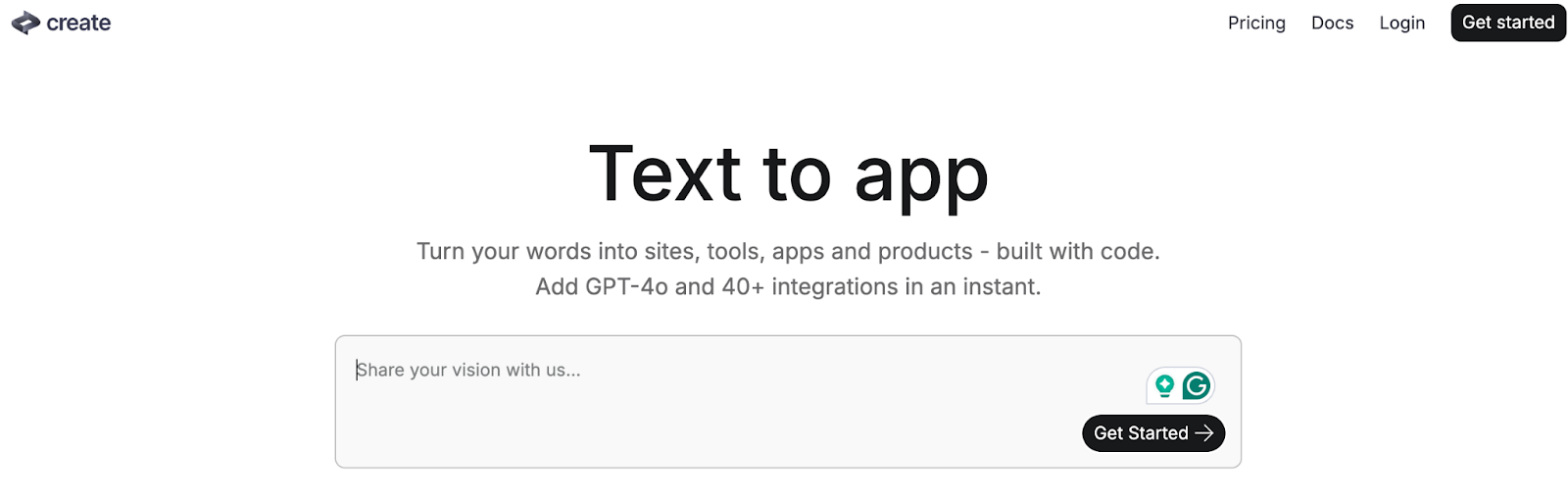
The Create website now identifies the product as Anything. Evaluate its current app-building experience rather than relying on the older Create screenshots or entry prices in previous versions of this guide.
Pilot focus: test the app type you need, post-generation editing, data persistence, authentication, deployment and export options. Confirm current limits directly before choosing a plan.
6. Airtable Omni: apps around Airtable data
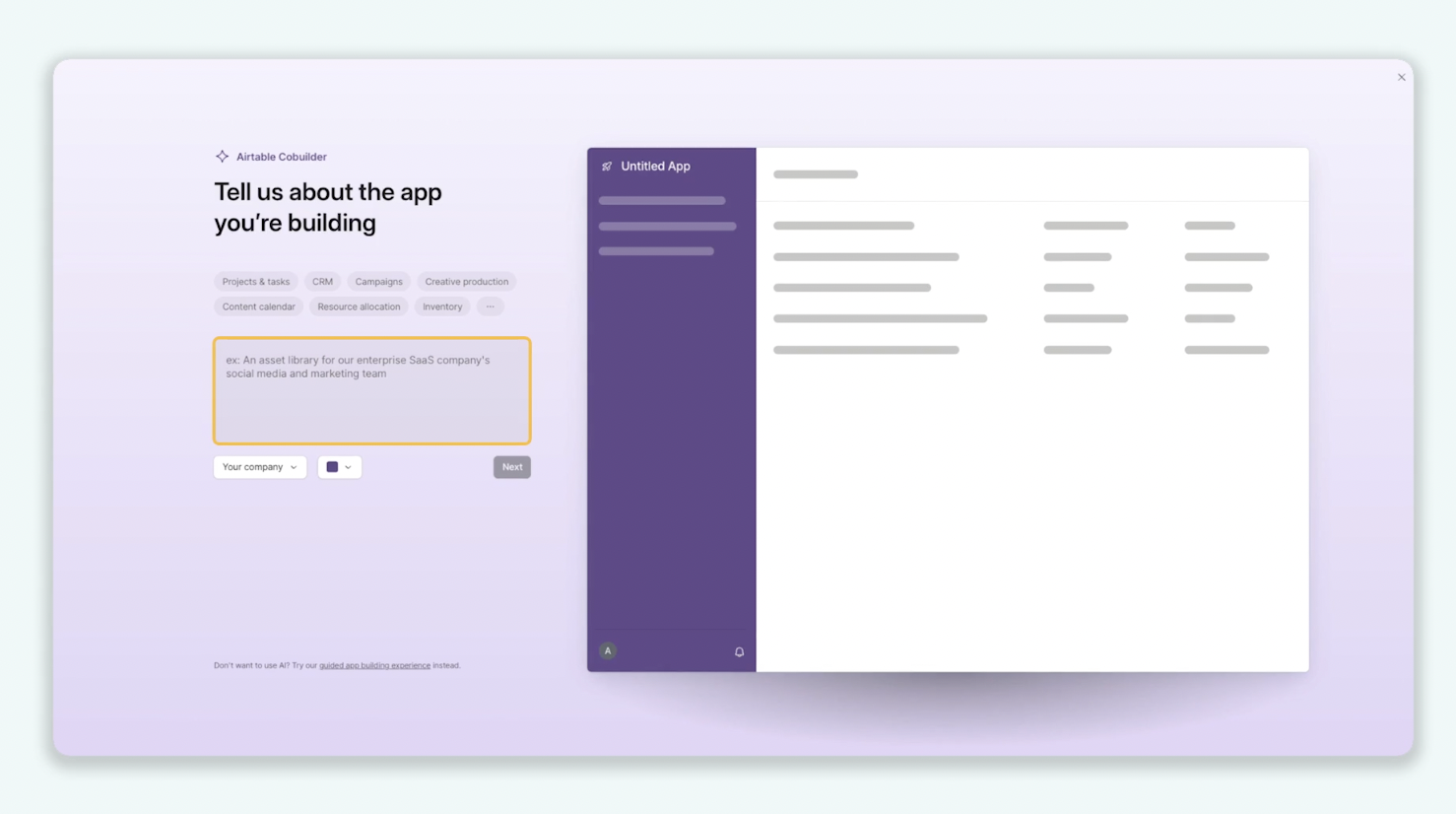
Airtable Omni is an AI app-building experience within Airtable. It is relevant when your application and workflow are centered on Airtable’s data model.
Pilot focus: review the generated structure and how base permissions apply to the resulting experience. Include integrations, AI usage and collaborators in the licensing assessment.
7. Lovable: custom web applications
Lovable builds web applications with AI. It is a relevant option when a team wants to develop a custom web product and is prepared to review the implementation and its connected services.
Pilot focus: test authentication, database access rules, editing, repository workflow and deployment. Our ToolJet vs Lovable experiment provides specific build observations, with the limitations of those test runs. For a broader comparison of editing, backend and deployment options, read our Lovable vs Bolt vs v0 guide.
8. Glide: data-driven web apps

Glide builds business apps around data and supports AI-assisted creation. Its mobile-friendly experience should be evaluated as a web application rather than assumed to be a native store app.
Distribution: Glide’s publishing documentation says direct publishing to Apple’s App Store and Google Play is not supported. Pilot focus: test the actual mobile browser, access model, synchronization and plan limits.
9. Appy Pie: business apps with mobile requirements

Appy Pie offers AI-assisted app creation. It is worth evaluating when mobile app delivery is central to the project.
Pilot focus: verify the required device capabilities, data connections and supported publishing targets in the selected product and plan. Account for store requirements and ongoing maintenance rather than assuming publishing guarantees approval.
10. Adalo: visual building and native mobile distribution

Adalo combines an AI-assisted experience with a visual canvas for app building, including native mobile distribution.
Pilot focus: test the actual screens, data model, device features and performance on target devices. Verify publishing costs, plan limits and how future edits are released.
The previous Databutton listing has been replaced in this general app-builder shortlist. Its site now redirects to Riff, whose current focus is industrial operations agents.
Generative AI app builders vs embedding AI features in apps
Using AI to build an app and adding AI to the running app are separate decisions. An application generator may create a support screen; a production assistant inside that screen needs model access, approved knowledge, permissions, monitoring and a fallback when it cannot answer. For the runtime side, use our AI agent-builder comparison to assess tools, permissions, oversight and operating costs.
Budget development credits separately from runtime model calls. For a retrieval-based assistant, test whether the answer respects the viewer’s access to the underlying documents. Never assume a prompt alone enforces that boundary.
How to build an AI app with ToolJet
The following is a suggested evaluation workflow, not a promise that every app can be delivered without technical review. The retained walkthrough images show an earlier interface.
1. Describe your requirements

Describe the users, data sources, actions and acceptance criteria. Example: “Build an expense-review app using our expenses table. Employees submit requests; managers review their team’s requests. Show totals by month and validate amounts before saving.”
2. Review the plan and data model

Check the proposed pages, fields and relationships. Identify the source of truth and the operations the app may perform. Use limited credentials and representative test data.
3. Inspect the generated app

Review components, queries and events in the visual builder. Reconcile displayed totals with known records and inspect any write queries before connecting production data.
4. Add more features

Change a field, add a filter or introduce a role. Test existing behavior after each change, including unauthorized requests and failed integrations.
5. Test, secure and release

Verify permissions, validation, mobile behavior and error states. Use the release process appropriate to the selected plan and deployment, and assign someone to maintain the app.
Evaluating ToolJet for enterprise internal apps

ToolJet’s value for this use case is the combination of AI generation, visual refinement and application governance. Compare that fit with your team’s data, deployment and maintenance needs.
Generated application structure
Review the native pages, queries and events rather than treating the output as a finished application. Keep business rules understandable to the team that will support the app.
Governance and private AI requirements
Separate application hosting from model hosting. BYOK, customer-hosted AI gateway and fully air-gapped operation have different requirements. Use the deployment guide and pricing discussion to confirm the required plan and add-ons.
Choose one measurable internal workflow
Start with an operational task such as reviewing a support queue or approving a request. Measure task completion, data accuracy and time spent maintaining the interface, not just how quickly a screen is generated.
Production readiness is a review process
- Review generated reads, writes and secrets.
- Test each role against backend authorization.
- Measure performance using expected data volume.
- Exercise a failed dependency and recovery path.
- Document deployment, rollback and ownership.
Evidence for business outcomes
Use published customer stories for specific implementations and the linked same-prompt articles for individual build experiments. Neither establishes a universal percentage improvement for a new project. Record your own baseline before the pilot.
Start with a small, representative pilot
Choose a use case that exercises your real data and access requirements. Try ToolJet, explore app templates or review Cloud and Self-Hosted pricing before expanding the rollout.