Managing human resources effectively can make or break a small business.
According to the National Federation of Independent Business, United States, 21% of small business owners report labor quality as their single most important problem, the highest ranking since 2022.
Additionally, 33% of small business owners report job openings they could not fill, well above the historical average of 25%.
Choosing the right HR tools isn’t just helpful; it’s essential for survival and growth. The HR software market has exploded, with over 300 vendors competing for your attention.
According to HiringThing’s industry analysis, 12.1 million employers in the U.S. spent over $5 trillion on HR technology. According to Fortune Business Insights, the market is expanding at a CAGR of 7.5% and is expected to grow from $23.98 billion in 2022 to $39.90 billion by 2029. This surge isn’t surprising, as Gartner reports that 48% of HR leaders plan to increase their HR technology budgets in 2024.
Small businesses face unique HR challenges: limited budgets, wearing multiple hats, compliance complexity, and the need to compete with larger companies for top talent. The right HR tools can level the playing field, automating routine tasks while ensuring you stay compliant and competitive.
This comprehensive guide explores the top HR tools for small businesses, covering everything from all-in-one HR platforms to specialized solutions. We examine pricing, features, pros, and cons, helping you make an informed decision that fits your budget and business needs.
What are HR tools for small businesses?
HR tools for small businesses are software solutions designed to streamline and automate human resource processes. They are specifically tailored for companies with limited resources and smaller teams. These platforms handle everything from recruitment and onboarding to payroll, benefits administration, and performance management.
Unlike enterprise HR systems, which require dedicated IT teams and extensive customization, small business HR software focuses on simplicity, affordability, and ease of use. It’s designed to be implemented quickly without technical expertise while providing the essential functionality needed to manage your workforce effectively.
What makes small business HR software different?

Small business HR tools differ from enterprise solutions in several key ways:
- Scalability: Built to grow with your business, typically supporting 1-500 employees without requiring major system overhauls.
- Cost-effectiveness: Priced per employee per month, making them accessible for businesses with tight budgets.
- User-friendly interface: Intuitive design that doesn’t require extensive training or technical knowledge.
- All-in-one functionality: Combines multiple HR functions in a single platform, eliminating the need for multiple disconnected tools.
Key benefits of using HR tools for small businesses
Implementing the right HR tools can transform how your small business operates, delivering both immediate and long-term benefits that directly impact your bottom line.
1. Streamlined administrative processes
Manual HR tasks consume countless hours that could be better spent growing your business. HR software automates routine processes like timesheet approval, leave requests, and employee data updates.
2. Enhanced compliance management
Staying compliant with federal and state regulations becomes increasingly complex as you grow. HR tools help ensure compliance with FLSA, FMLA, ACA, and other regulations through automated tracking, reporting, and alerts.
3. Improved employee experience
Modern employees expect self-service capabilities and mobile access to their HR information. HR tools provide employee portals where staff can view pay stubs, request time off, update personal information, and access company resources 24/7. This improves satisfaction while reducing HR workload.
4. Better decision-making through analytics
Data-driven insights help you make informed decisions about compensation, performance, and workforce planning. HR analytics can identify turnover patterns, performance trends, and areas for improvement, enabling proactive management rather than reactive responses.
5. Cost savings and ROI
While HR tools require investment, they deliver significant returns through efficiency gains, reduced errors, and improved compliance. Small businesses typically see 3:1 ROI within the first year, with larger returns as they scale.
How do you choose the best HR software for your small business?
With hundreds of options available, selecting the right HR tools for a small business requires careful consideration of your specific needs, budget, and growth plans.

1. Assess your current HR pain points
Start by identifying your biggest challenges. Are you struggling with payroll accuracy, time tracking, compliance, or recruiting? Different tools excel in different areas, so understanding your priorities helps narrow your options.
2. Consider your budget and pricing model
HR software pricing varies significantly, from free basic plans to $50+ per employee monthly for premium features. Factor in implementation costs, training time, and potential integrations. Remember that the cheapest option isn’t always the most cost-effective when you consider functionality and time savings.
3. Evaluate integration capabilities
Your HR tool should integrate seamlessly with existing systems like accounting software, time clocks, and productivity tools. Poor integration leads to data silos and manual workarounds that defeat the purpose of automation.
4. Plan for growth and scalability
Choose software that can grow with your business. Consider features you might need in 2-3 years, not just today. It’s often more cost-effective to start with a slightly more robust solution than to migrate systems as you scale.
5. User experience and adoption
The best HR tool is the one your team will actually use. Prioritize intuitive interfaces, mobile accessibility, and comprehensive support resources. Request demos and trial periods to test usability with your actual team.
Best HR tools for small businesses: Quick overview
| Platform | Best for | Starting price | Headquarters | G2 rating |
| BambooHR | All-in-one HR management | Customized pricing available | Lindon, Utah, USA | 4.4/5 |
| Zoho People | Budget-conscious businesses | $1.16/user/Month, billed annually | Chennai, India | 4.4/5 |
| Paycor | Payroll and compliance | Customized pricing options available | Cincinnati, Ohio, USA | 4.0/5 |
| Paycom | Mid-sized growing companies | Custom pricing | Oklahoma City, USA | 4.3/5 |
| Homebase | Hourly workforce management | The essential plan starts at $24/location/month | San Francisco, USA | 4.3/5 |
| Deel | Remote and global teams | $49/month per contractor | San Francisco, USA | 4.8/5 |
| CoGo (Intuit QuickBooks) | Small retail/service businesses | $19/employee/month | Sydney, Australia | 4.1/5 |
Top 7 HR tools for small businesses: Detailed evaluation
1. BambooHR: Best overall HR solution for small businesses

BambooHR has established itself as the gold standard for small business HR software, serving over 25,000 companies worldwide. Founded in 2008, BambooHR focuses exclusively on small and medium businesses, making it uniquely positioned to understand the specific challenges faced by growing companies.
Key features
- Comprehensive employee database: Centralized employee information with customizable fields, document storage, and organizational charts that automatically update as you grow.
- Applicant tracking system: Built-in recruiting tools with job posting, candidate management, interview scheduling, and collaborative hiring workflows.
- Performance management: Goal setting, performance reviews, and 360-degree feedback tools that help maintain accountability and growth.
- Time tracking integration: Seamless integration with time clocks and mobile apps for accurate time and attendance tracking.
- Reporting and analytics: Over 100 pre-built reports plus a custom report builder for data-driven decision making.
- Employee self-service: Mobile app and web portal where employees can update information, request time off, and access company resources.
Pros:
- Exceptional user experience with intuitive design
- Comprehensive feature set covering all HR needs
- Excellent customer support with dedicated specialists
- Strong mobile app for on-the-go management
- Regular feature updates and improvements
Cons:
- Higher price point compared to basic alternatives
- Limited customization options for unique workflows
- Payroll integration requires third-party providers
- Some advanced features are only available in higher tiers
2. Zoho People: Best Budget-Friendly HR Software
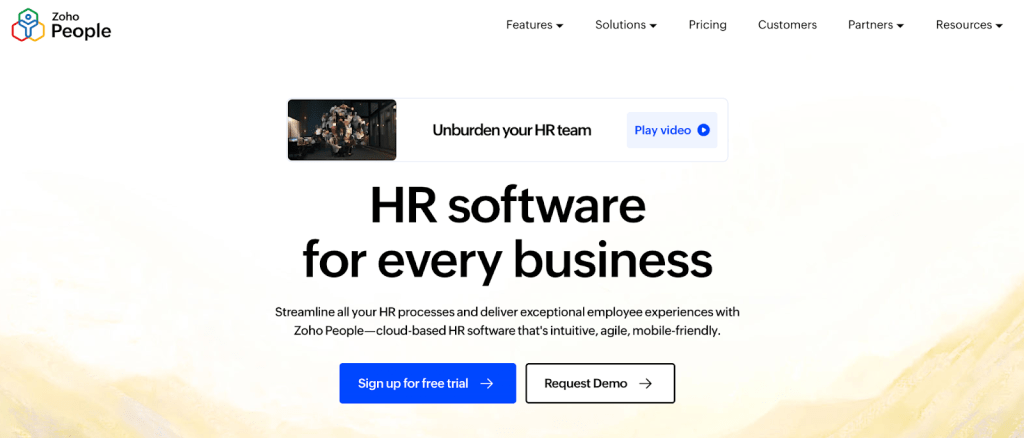
Zoho People stands out in the crowded HR software market by offering enterprise-level functionality at startup-friendly prices. As part of the broader Zoho ecosystem, it integrates seamlessly with over 40 Zoho applications, making it an excellent choice for businesses already using Zoho products.
Key features
- Employee information management: Complete employee database with custom fields, organizational charts, and detailed employee profiles.
- Time and attendance: Flexible time tracking with multiple clock-in options, regularizing attendance, and integrating biometric devices.
- Leave management: Comprehensive leave tracking with multiple leave types, approval workflows, and calendar integration.
- Performance appraisals: 360-degree reviews, goal setting, and competency-based evaluations with customizable review cycles.
- HR analytics: Dashboard with key HR metrics, custom reports, and data visualization tools.
- Mobile app: Full-featured mobile application for iOS and Android with offline capabilities.
Pros:
- Extremely affordable pricing
- Extensive integration with the Zoho ecosystem
- Customizable workflows and fields
- Strong mobile application
- Multi-language and multi-currency support
- Good customer support with extensive documentation
Cons:
- Interface can feel dated compared to newer competitors
- Learning curve for advanced customization features
- Limited third-party integrations outside Zoho
- Some features require higher-tier plans
- Reporting capabilities could be more intuitive
Zoho People is ideal for small businesses operating on tight budgets who need comprehensive HR functionality without breaking the bank. It’s particularly valuable for companies already invested in the Zoho ecosystem.
3. Paycor: Best for payroll and compliance management

Paycor has built a strong reputation focusing on payroll accuracy and compliance management, making it a preferred choice for small businesses in heavily regulated industries or those with complex payroll needs.
Key features
- Advanced payroll processing: Multi-state payroll with automatic tax calculations, direct deposit, and support for various pay schedules and structures.
- Compliance management: Automated compliance tracking for federal, state, and local regulations with alerts and reporting.
- Tax administration: Complete tax management, including filing, payments, and year-end processing with guaranteed accuracy.
- HR management: Employee database, document management, and workflow automation for HR processes.
- Benefits administration: Benefits enrollment, COBRA management, and integration with major insurance providers.
- Analytics and reporting: Comprehensive reporting suite with payroll analytics, compliance reports, and custom dashboards.
Pros:
- Exceptional payroll accuracy with guaranteed compliance
- Strong customer support with dedicated account managers
- Comprehensive benefits administration
- Robust reporting and analytics capabilities
- Multi-state payroll expertise
- Regular compliance updates and alerts
Cons:
- Higher cost compared to basic HR solutions
- Complex setup process for advanced features
- The interface could be more modern and intuitive
- Limited applicant tracking capabilities
- Some features require additional modules
4. Paycom: Best for growing mid-sized businesses

Paycom differentiates itself with a single-database approach, ensuring all HR data flows seamlessly between modules without integration headaches. This makes it particularly valuable for growing businesses that need scalable, integrated HR solutions.
Key features
- Single database architecture: All HR data is stored in one system, eliminating data silos and ensuring consistency across all modules.
- Complete payroll solution: Full-service payroll with tax filing, direct deposit, and support for complex pay structures.
- Talent management: Recruitment, onboarding, performance management, and succession planning in a unified system.
- Employee self-service: A comprehensive self-service portal where employees can manage personal information, benefits, and time off.
- Benefits administration: Complete benefits management, including enrollment, COBRA, and FSA administration.
- Advanced analytics: Robust reporting and analytics with customizable dashboards and predictive insights.
Pros:
- A single database eliminates integration issues
- Highly scalable for growing businesses
- Comprehensive feature set covering all HR needs
- Strong mobile capabilities
- Excellent data security and compliance
- Dedicated customer support teams
Cons:
- Higher price point than basic solutions
- Complex implementation process
- It may be overkill for very small businesses
- Requires significant time investment to fully utilize
- Limited customization compared to specialized tools
5. Homebase: Best for hourly workforce management

Homebase has carved out a niche serving small businesses with hourly workforces, particularly in retail, restaurants, and service industries. Its focus on scheduling, time tracking, and team communication makes it indispensable for businesses managing shift workers.
Key features
- Advanced scheduling: Drag-and-drop scheduling with availability tracking, shift templates, and automatic conflict detection.
- Time clock and tracking: Mobile time clock, GPS tracking, break management, and overtime alerts.
- Team communication: Built-in messaging, announcements, and document sharing to keep teams connected.
- Hiring tools: Job posting, applicant tracking, and interview scheduling specifically designed for hourly positions.
- Payroll integration: Seamless payroll processing with automatic timesheet sync and tax calculations.
- Labor cost management: Real-time labor cost tracking with budget alerts and forecasting tools.
Pros:
- Generous free tier with essential features
- Excellent scheduling and time tracking capabilities
- Strong mobile app for on-the-go management
- Industry-specific features for retail and restaurants
- Easy setup and minimal learning curve
- Good customer support and training resources
Cons:
- Limited HR features beyond scheduling and time tracking
- Basic reporting compared to full HR suites
- Payroll features require paid plans
- Limited integration with non-payroll systems
- Advanced features are locked behind higher tiers
6. Deel: Best for remote and global teams
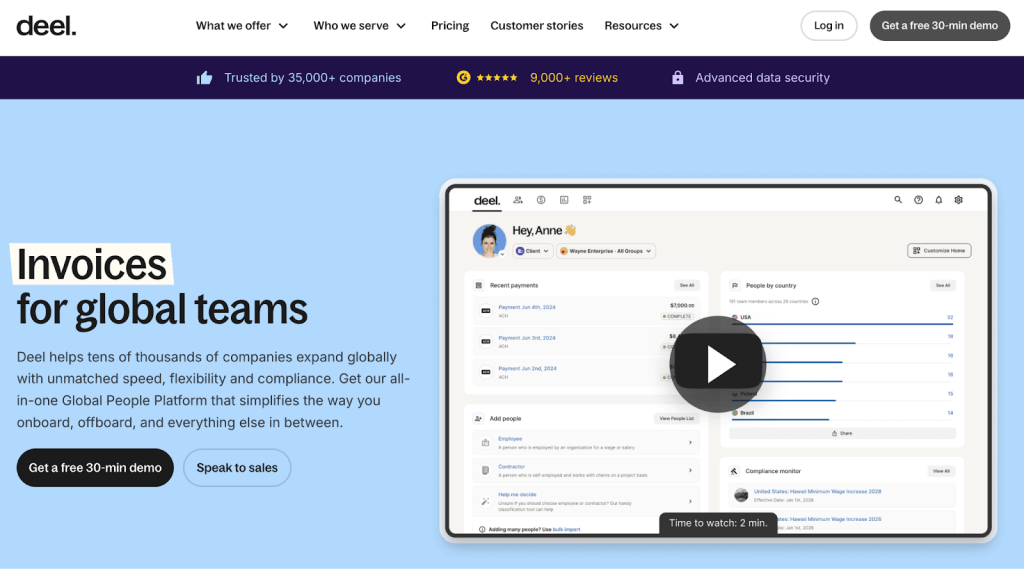
Deel has revolutionized how small businesses hire and manage global talent, making international employment accessible to companies of all sizes. With remote work becoming permanent for many businesses, Deel’s global compliance and payment capabilities fill a critical need.
Key features
- Global hiring: Hire employees and contractors in 150+ countries with automatic compliance management.
- International payroll: Multi-currency payroll processing with local tax compliance and various payment methods.
- Contractor management: Complete contractor lifecycle management from onboarding to payments and tax documentation.
- Compliance automation: Automatic compliance with local labor laws, tax requirements, and employment regulations.
- Employee self-service: Portal for managing personal information, accessing pay slips, and handling tax documents.
- Equipment management: Global equipment ordering, delivery, and retrieval for remote employees.
Pros:
- Simplifies complex global employment
- Excellent compliance management
- Fast onboarding for international team members
- Multiple payment options and currencies
- Strong customer support with global expertise
- Regular updates for changing international regulations
Cons:
- Expensive for small teams
- Limited traditional HR features
- Complex pricing structure
- Some countries have higher fees
- Learning curve for global employment concepts
7. CoGo (Now Intuit QuickBooks): Best for small retail and service businesses

CoGo focuses specifically on small retail and service businesses, offering industry-specific features that generic HR tools often lack. Its understanding of customer-facing businesses makes it valuable for restaurants, salons, retail stores, and similar operations.
Key features
- Industry-specific Templates: Pre-built workflows and processes designed for retail, restaurants, and service businesses.
- Customer integration: Tools connecting employee performance with customer satisfaction and business metrics.
- Shift management: Advanced scheduling with customer demand forecasting and labor cost optimization.
- Performance tracking: Metrics and KPIs specific to customer-facing roles and service quality.
- Training management: Onboarding and ongoing training programs with compliance tracking.
- Mobile-first design: Optimized for mobile use by frontline employees and managers.
Pros:
- Industry-specific features and understanding
- Affordable pricing for small businesses
- Mobile-optimized for frontline workers
- Good integration with POS and customer systems
- Training and compliance tools
- Responsive customer support
Cons:
- Limited to specific industries
- Smaller feature set compared to general HR tools
- Less mature platform with occasional bugs
- Limited third-party integrations
- Reporting capabilities need improvement
For a quick visual overview of HR tools for small businesses, watch this video:
ToolJet: Best for building custom HR tools and internal applications

After exploring various HR platforms, many small businesses find that off-the-shelf solutions don’t perfectly match their unique processes and requirements. This is where ToolJet stands out as the ultimate solution for building custom HR tools and internal applications that fit your exact needs.
ToolJet is an AI-powered low-code platform that combines the speed of artificial intelligence with the flexibility of visual development, enabling you to build enterprise-grade HR tools without extensive coding knowledge.
Unlike traditional HR software that forces you to adapt your processes, ToolJet lets you create applications that match how your business actually operates.
Why choose ToolJet for HR tool development?
- AI-first full-stack development: ToolJet’s AI can generate complete HR applications from natural language descriptions. Simply describe your HR workflow, like “create an employee onboarding system with document collection, approval workflows, and integration with our existing systems”, and watch as ToolJet builds a functional application.
- Enterprise-grade security and compliance: Built with SOC2 and GDPR compliance in mind, ToolJet ensures your custom HR tools meet the highest security standards. Features like role-based access control (RBAC), audit logging, and SSO integration provide enterprise-level governance.
- Seamless integrations: Connect with 80+ data sources, including your existing HR systems, databases, APIs, and third-party services. Whether you need to sync with BambooHR, pull data from your CRM, or integrate with accounting software, ToolJet handles it seamlessly.
- Complete customization freedom: Unlike rigid HR platforms, ToolJet gives you complete control over user interfaces, workflows, and business logic. Create custom dashboards, automated approval processes, and unique reporting that matches your specific requirements.
Key features for HR applications
- Visual application builder: Drag-and-drop interface for creating professional HR interfaces without coding. Build forms, dashboards, reports, and complete workflows visually.
- AI-powered development: Generate applications, workflows, and database schemas using natural language prompts. The AI understands HR contexts and creates relevant, functional solutions.
- Advanced workflow automation: Create complex approval processes, automated notifications, and multi-step workflows that handle everything from leave requests to performance reviews.
- Real-time collaboration: Multiple team members can work on applications simultaneously, with version control and deployment pipelines integrated.
- Custom reporting and analytics: Build exactly the reports you need with real-time data visualization and custom metrics tracking.
Real-world HR use cases
- Custom employee onboarding systems: Create comprehensive onboarding workflows that guide new hires through document submission, training completion, and system access requests.
- Performance management platforms: Build performance review systems with custom evaluation criteria, 360-degree feedback collection, and automated review cycles.
- Leave management applications: Develop leave tracking systems that handle your unique leave policies, approval hierarchies, and integration with payroll systems.
- HR analytics dashboards: Create executive dashboards showing real-time HR metrics, turnover analysis, and performance trends specific to your business.
- Compliance tracking tools: Build applications that track certifications, training completion, and regulatory compliance requirements specific to your industry.
Pricing and value proposition
ToolJet offers transparent, scalable pricing:
- Pay per builder, unlimited end users: Cost-effective for organizations where many employees use HR tools but few people build them
- Self-hosting options: Deploy on your own infrastructure for maximum control and cost savings
- Open source foundation: Transparency and security assurance with no vendor lock-in
Getting started with ToolJet
Building your first HR application with ToolJet is surprisingly straightforward:
- Define your requirements: Describe your HR process in plain language
- Use AI generation: Let ToolJet’s AI create the initial application structure
- Customize and refine: Use the visual builder to adjust interfaces and workflows
- Connect your data: Integrate with existing systems and databases
- Deploy and scale: Launch your application with enterprise-grade infrastructure
Demo and documentation
ToolJet provides comprehensive resources to get you started:
- Interactive demo: Experience the platform hands-on with sample HR applications
- Extensive documentation: Step-by-step guides for building common HR tools
- Community support: An Active community of developers sharing HR solutions
For small businesses that have outgrown generic HR tools or need specialized functionality, ToolJet offers the perfect balance of simplicity and power. You get the exact HR tools your business needs without the limitations and ongoing costs of traditional software.
Conclusion
Choosing the right HR tools for a small business isn’t just about features and pricing, it’s about finding solutions that grow with your company while solving your most pressing challenges today. Each platform we’ve covered excels in different areas, from BambooHR’s comprehensive functionality to Homebase’s hourly workforce focus.
The key is aligning your choice with your specific needs, budget, and growth trajectory. Consider your industry requirements, team size, technical comfort level, and integration needs before making a decision. Remember that the best HR tool is the one your team will actually use consistently.
For businesses with standard HR needs, established platforms like BambooHR, Zoho People, or Paycom provide proven solutions with strong support ecosystems. Companies with hourly workforces should seriously consider Homebase, while global businesses benefit from Deel’s international capabilities.
However, if your business has unique processes that don’t fit standard HR software molds, or if you need specialized functionality that off-the-shelf solutions can’t provide, ToolJet offers the perfect alternative. By building custom HR applications tailored to your exact requirements, you get the precise tools your business needs without the limitations and ongoing costs of traditional software.
The HR technology landscape will continue evolving, with AI, automation, and integration capabilities becoming standard expectations rather than premium features. Choose a solution that positions your business for future growth while solving today’s challenges effectively.
Ready to transform your HR processes? Start by identifying your top three HR pain points, then evaluate how each platform addresses those specific challenges. Most vendors offer free trials or demos; take advantage of these to test functionality with your actual team and workflows.
Whether you choose an established platform or build custom solutions with ToolJet, investing in the right HR tools will pay dividends through improved efficiency, better compliance, and enhanced employee satisfaction. Your future self will thank you for making this crucial investment in your business’s foundation.
Sign up for a free ToolJet account or book a personalized demo to see how custom HR applications can transform your business operations.