Key takeaways
- Inventory apps, queries, permissions and workflows before selecting a migration target.
- Review the published source and license separately from commercial governance features.
- Self-hosting gives control over deployment location; connected services can still process data outside it.
- Compare current licensing and operating costs using the Retool vs ToolJet comparison.
- Use AI-assisted building to help rebuild apps, then test their queries, permissions and behavior.
- Plan a pilot, cutover and rollback before retiring the existing deployment.
Teams may evaluate migrating from Retool when pricing, deployment requirements, licensing or custom development needs change. An open-source platform can offer access to its published code, but migration still requires an app rebuild, a suitable feature plan and an operating model.
ToolJet Community Edition provides an open-source foundation for inspecting and extending the platform. Apps export as JSON definitions for use in ToolJet deployments. Review required paid features, infrastructure and maintenance costs before migrating.
This guide focuses on migration planning, including data connections, permissions, testing and rollout. For a vendor shortlist, read our Retool alternatives comparison before deciding what to migrate.
Did you know?
The low-code market may reach 50 billion dollars by 2028, reinforced by Forrester’s market projection.
Why Teams Are Migrating Away from Retool To Open-Source Alternatives?
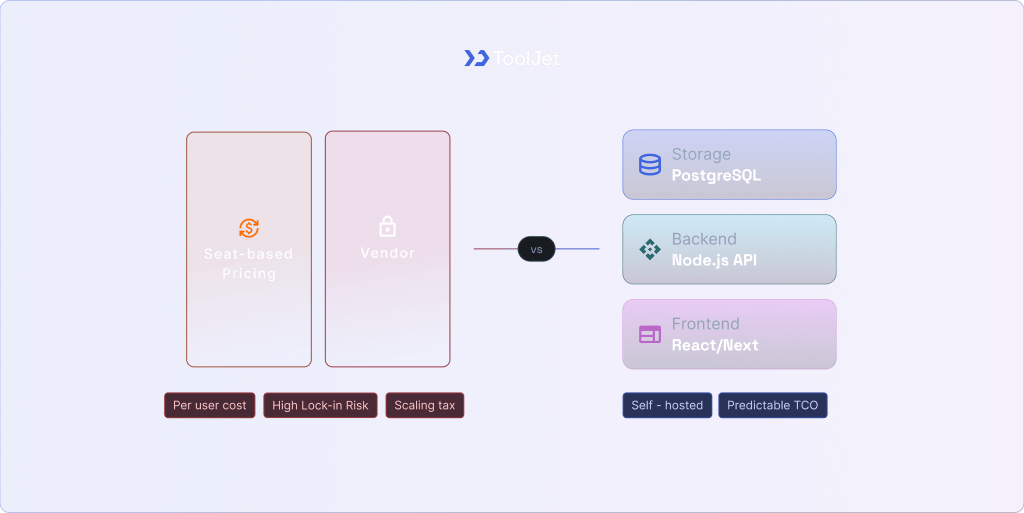
As internal tools expand across teams, review the platform requirements that have changed: builder and internal-user counts, integrations, identity controls, deployment options and custom logic. A migration is justified by a specific gap or a better-fit operating model, rather than by growth alone.
ToolJet, Budibase and Appsmith are candidates for teams evaluating an open-source foundation. Compare each selected edition against a representative app, the required governance controls and the full operating cost before committing to a rebuild.
- Pricing and cost scalability
- Vendor lock-in risks
- Infrastructure control limitations
- Compliance and data residency needs
- Customisation and extensibility gaps
- Scaling challenges in enterprise environments
Document the cost, control or platform-dependency requirement that motivates the move, and use it as a pilot acceptance criterion.
Migration checkpoint
Write down the requirement the current setup cannot meet, then prove the proposed replacement meets it in a pilot before planning a full rollout.
For a deeper dive into the specific feature parity and architectural differences, check out this Retool vs ToolJet comparison.
What “Open-Source Enterprise Alternative” Actually Means?
An open-source Retool alternative publishes platform code under a license that permits use, inspection, modification and redistribution subject to its terms. Self-hosting and commercial features must be evaluated separately.
ToolJet publishes its Community Edition code for inspection and modification under the AGPL-3.0 license. Commercial features have their own licensing scope. Retool also offers self-hosting, so compare deployment control separately from source access, supported customization and the effort needed to move app definitions to another platform.
- Published source and the exact rights granted by its license.
- Network dependencies, including AI providers, identity services and telemetry.
- License obligations, including any copyleft requirements and commercial add-ons.
- Responsibility for maintenance, support and security updates.
- Deployment location and the data handled by connected services.
Understanding the Architecture and Ownership
The difference between these models often comes down to who “owns” the engine running the business.
| Concept | What it means for you |
|---|---|
| Open source | Code is licensed for use, inspection, modification and redistribution subject to license obligations. |
| Open core | An open-source core is supplemented by separately licensed commercial capabilities. |
| Self-hosted | You run the deployment; source rights and external network dependencies are separate questions. |
| Managed open source | A provider operates a deployment based on an open-source project. |
| Commercial offering | Paid licenses, support or managed services can accompany an open-source core. |
Key Requirements Before Migrating from Retool?
A successful migration requires a rigorous audit of both your technical stack and business objectives. Moving to a Retool open-source enterprise alternative is not a simple copy-paste operation. It involves mapping existing logic to a more flexible architecture. Engineering leads must ensure that the target platform supports all current API integrations and database connectivity. Since many internal tools handle sensitive customer data, verifying authentication systems and SSO parity is a non-negotiable first step. Organisations should use this transition to refactor legacy technical debt and optimise their internal dashboard builders for modern performance standards.
Migration checkpoint
Test a representative app against agreed requirements for identity, data access, workflows, performance and recovery. A pricing comparison alone does not demonstrate enterprise feature parity.
Critical Readiness Factors for Migration
| Technical Requirements | Business Requirements |
|---|---|
| RBAC mapping and parity. | Compliance needs (GDPR/HIPAA). |
| Required UI component support. | Predictable cost model scaling. |
| Robust workflow engines. | Team skill maturity levels. |
| SQL query review and retesting. | Scaling strategy for users. |
| High-availability infrastructure. | Long-term maintainability goals. |
Before initiating the move, evaluate your team’s familiarity with Docker and Kubernetes for managing self-hosted internal tools. While ToolJet provides a lower barrier to entry with AI-assisted app generation, maintaining an enterprise instance requires basic DevOps knowledge.
Migration Candidates and Licensing Boundaries
ToolJet
ToolJet combines AI-assisted app generation with visual editing and supports JavaScript and Python queries. Its Community Edition code is open source, while advanced governance and some deployment capabilities require paid plans or add-ons.
- Best use case: Enterprise internal apps requiring AI-assisted generation, visual editing and custom queries.
- Strengths: 100+ integrations, a built-in database and a builder-based pricing model with plan-specific end-user allowances.
- Limitations: Self-hosting requires operational ownership. Workflows and Agent Builder are available on Self-hosted, and governance capabilities depend on the selected plan.
- Ideal team type: Teams that need to build and maintain apps while retaining deployment and integration control.
Appsmith
Appsmith is a developer-centric platform that excels at creating complex, logic-heavy applications through a code-first approach. It is widely recognised for its deep JavaScript integration.
- Best use case: Building mission-critical admin panels that require deep JavaScript integration.
- Strengths:Real-time collaboration, and ease of use for developers.
- Limitations: Steeper learning curve for non-technical users due to its JavaScript-heavy configuration.
- Ideal team type: Pure engineering teams who prefer working within their existing development workflows.
Budibase
Budibase focuses on speed and simplicity, making it the go-to choice for rapid CRUD application development. Its built-in database and auto-generation features allow teams to go from schema to functional app in minutes.
- Best use case: Operations teams needing quick internal forms.
- Strengths: Auto-generated UIs, built-in low-code database.
- Limitations: Check the required commercial features and test the actual mobile workflows before choosing a plan.
- Ideal team type: Operations leads looking for fast, “no-code-first” solutions.
Directus
Directus is not a traditional low-code builder but a powerful “headless” data platform that wraps your SQL database in a real-time API. It provides a highly intuitive admin panel that can be extended to create sophisticated internal dashboard builders.
- Best use case: Organisations that need a beautiful, data-agnostic interface over existing PostgreSQL or MySQL instances.
- Strengths: A data platform for existing SQL databases with APIs and an administrative interface.
- Limitations: Directus is source available under the Monospace Sustainable Core License; review its current tier and license requirements.
- Ideal team type: Database teams that need a managed interface over their data model.
Mendix: Commercial Comparison Boundary
Mendix is a commercial low-code platform for enterprise applications. It is included here as a comparison boundary, not as an open-source alternative: its use of open-source components does not make the platform itself open source.
- Best use case: Large-scale corporate app modernisation involving complex legacy system integrations.
- Strengths: Extensive marketplace, and native mobile application support.
- Limitations: Uses visual microflows and nanoflows, with Java and JavaScript extensions. Review commercial licensing and the work required to rebuild platform-specific models.
- Ideal team type: Large enterprise IT departments managing diverse application portfolios across business units.
Try exploring the top AI Agent platforms for 2026.
Retool vs ToolJet: Enterprise Parity Checklist
When migrating from Retool, compare the named editions and deployment options rather than assuming open-source code includes every enterprise control. Validate identity, permissions, environments and AI data flows against your requirements. ToolJet’s deployment documentation provides the setup requirements for a pilot.
| Feature Category | Retool Enterprise | ToolJet Enterprise |
|---|---|---|
| Deployment | Cloud, self-hosted or air-gapped; confirm contractual deployment requirements. | Cloud or Self-hosted. Customer-hosted AI Gateway and fully air-gapped operation are Self-hosted Enterprise add-ons. |
| Extensibility | JavaScript in apps and Python support within Workflows; test the required runtime. | JavaScript and Python queries in apps. Workflows and Agent Builder are available on Self-hosted. |
| Environment management | Enterprise includes multiple environments and instances within the published plan limits. | Cloud Enterprise supports multiple environments. Self-hosted Enterprise supports environment isolation and multiple deployments subject to contract. |
| AI and provider keys | AI app generation and AI provider keys are supported; evaluate the builder and provider data flow. | AI-assisted app generation with visual editing. BYOK is an Enterprise capability on Cloud and Self-hosted; BYOK alone does not keep model inference on customer infrastructure. |
Read more about foundational requirements for internal tools by standardising your stack.
Retool App Migration Architecture (High-Level Model)

Use the following layers as a migration architecture checklist. They are requirements to evaluate, not a claim that every candidate bundles every component. Match each layer to the selected platform, plan and infrastructure, then test scalability and security against the current setup.
1. Frontend Layer
This is the interface where your users interact with the tool.
- UI Builders: Drag-and-drop editors for assembling widgets.
- Custom Components: Evaluate supported JavaScript or React component APIs and their runtime and sandbox limits.
- Rendering Model: Test initial load, component rendering, query pagination and performance on the devices your teams use.
2. Backend Layer
The backend serves as the orchestration engine, handling the heavy lifting of business logic that you previously managed via Retool Workflows or Query Library.
- API Gateway: A unified entry point for routing and rate-limiting requests.
- Orchestration Engine: Tools for managing long-running, asynchronous tasks.
- Logic Services: Functions that execute complex calculations.
3. Data Layer
A self-hosted deployment can be placed near its data sources. Verify the actual network route, TLS configuration, database permissions and measured latency; deployment location alone does not guarantee low latency or eliminate external services.
- Connectivity: Native drivers for SQL (PostgreSQL, MySQL), NoSQL (MongoDB), and popular SaaS APIs.
- Caching: Redis layers to speed up frequently accessed dashboard metrics.
- Message Queues: Ensuring reliable data transfer during high-concurrency internal events.
4. Auth Layer
Configure the target platform’s supported SSO integration with your identity provider. Test login, group mapping, role assignment and access revocation; these controls depend on the selected plan and configuration.
- Protocol Support: Native OIDC, SAML, and OAuth2.0 integrations.
- Identity Providers: Direct sync with Okta, Azure AD, or Google Workspace.
- Granular RBAC: Defining permissions at the workspace, app, or even individual component level.
5. DevOps Layer
The “foundation” that makes the entire stack sustainable. This layer moves you away from “manual” updates to a fully automated, observable lifecycle.
- CI/CD: Automated testing and deployment pipelines.
- Containerisation: Running the entire stack via Docker or Kubernetes (Helm charts).
- Observability: Plan monitoring and log collection for query performance and system health; evaluate supported integrations with your existing observability stack.
Step-by-Step Retool Internal App Migration Framework
Transitioning from Retool requires a plan for app rebuilding, data validation and recovery. The eight-step framework below covers the work from audit to cutover. Keep supported app exports and tested database backups so that a rollback remains possible.

Step 1: Retool System Audit
Before moving a single line of code, you must catalog your current environment. This prevents “orphaned logic” from being left behind and helps estimate the internal app migration effort for each module.
- Inventory: List all apps, Query Library items and Workflows, and save the exports supported by their current builder. Retool exports are migration references, not automatic ToolJet imports.
- Governance: Document existing User Groups, folder-level permissions, and SSO configurations.
- Dependencies: Map which apps share specific Resources or Modules.
Step 2: Data and API Mapping
Data is the most critical layer. You must ensure that your new platform can communicate with your current sources with the same (or better) performance.
- Resource Mirroring: List all PostgreSQL, MySQL, and NoSQL databases alongside REST/GraphQL APIs.
- Secrets Management: Identify how credentials (API keys, DB passwords) are stored whether in Retool’s encrypted store or an external vault like HashiCorp.
- Data Sovereignty Check: Ensure the new hosting environment complies with your regional data residency laws.
Step 3: UI and Workflow Mapping
Not all UI components map 1:1. Identifying these gaps early allows you to design better alternatives rather than forcing a “square peg into a round hole.”
- Component Audit: Compare Retool’s proprietary components (e.g., specific chart types or custom transformers) against the new platform’s library.
- Logic Review: Catalog complex JavaScript triggers and Workflows that handle business-critical automations.
Step 4: Low-Code Platform Selection
Choose your destination based on “Triple Fit”, Feature, Infrastructure, and Compliance.
- Feature Fit: Does the selected plan support the required UI, queries and automations? ToolJet Workflows and Agent Builder are Self-hosted products.
- Infra Fit: Confirm the deployment requirements, network access and any air-gapped or customer-hosted AI add-ons.
- Compliance Fit: Review audit reports, security controls, contractual obligations and the responsibilities of your team and service providers. HIPAA is not a generic product certification.
Step 5: Rebuild Phase
This is the core execution period. Instead of a blind “copy-paste,” use this as an opportunity to refactor and clean up technical debt.
- UI Construction: Rebuild dashboards using the new platform’s drag-and-drop builder.
- Logic Porting: Rebuild Retool Workflows using the target platform’s supported nodes, query runtimes and triggers. Test credentials, retries, schedules and error handling.
- Query Optimisation: Move heavy filtering logic from the frontend to the database layer to improve performance.
Step 6: Testing Phase
Rigorous testing is non-negotiable for enterprise internal tools.
- Functional Testing: Ensure every button, form, and query returns the expected results.
- Security Testing: Verify that RBAC (Role-Based Access Control) correctly restricts data per user group.
- Load Testing: Simulate concurrent users to ensure the self-hosted infrastructure handles peak traffic.
Step 7: Parallel Deployment
Run a controlled pilot alongside the current system to validate performance and user workflows before cutover. Define which system is permitted to write to production data, and retain a tested rollback path.
- Write Control: Compare reads or use test fixtures first. Keep one production writer unless duplicate operations, retries and rollback have been designed and tested.
- UAT (User Acceptance Testing): Invite power users to the new system to gather feedback on UI changes.
- Data Validation: Run “checksum” queries on both platforms to ensure data integrity is maintained.
Step 8: Retool Decommissioning
Once the new system is verified, execute a clean cutover and sunset the old instance.
- The Cutover: Redirect DNS or update your internal portal links to point to the new platform.
- Backups: Retain supported Retool app exports, resource and permission inventories, and tested database backups. ToolJet app exports contain definitions and optional table schema, not a backup of production table rows.
- Decommissioning: Retire app-specific credentials after checking shared dependencies. Stop only the infrastructure no longer required, and confirm the licensing cancellation terms.
Retool vs ToolJet Cost Comparison
Retool bills builders and internal users according to the selected plan. ToolJet’s paid plans use builder-based pricing with plan-specific end-user allowances: 50 on Free, 100 on Team and unlimited on Enterprise. Compare the required edition, user mix and operating costs before estimating savings.
ToolJet’s plans and pricing are updated periodically. For current plan details and limits, see ToolJet’s Pricing here
For a useful cost comparison, model the same workload, governance requirements and deployment responsibilities on both platforms.
Note:
The table below is a budgeting checklist, not a vendor quote or a measured savings forecast. Use current plan terms and your own builder, user, workload and operating-cost inputs.
| Budget input | Retool | ToolJet |
|---|---|---|
| Builders and users | Count builders and billable internal or external users under the selected plan. | Count builders and check the selected plan’s end-user allowance; Team does not cover unlimited end users. |
| Required controls | Include the edition needed for identity, permissions, source control and audit requirements. | Include paid governance features and any required Enterprise deployment add-ons. |
| AI and automation | Include the required AI and automation usage under current pricing. | Include AI usage or provider costs; verify Self-hosted availability for Workflows and Agent Builder. |
| Operations and migration | Include current operating costs and the effort needed to rebuild, test and cut over. | Include licenses, hosting, backups, maintenance, support and migration engineering. |
Retool Cost Model
Retool distinguishes builders from internal users and also prices external access separately. Calculate the selected plan’s billable users and required features using its current pricing.
- Licensing: Monthly or annual charges depend on the selected plan and billable user types.
- Scaling: Model changes in builder, internal-user and external-user counts using current rates.
- Tiered Features: Audit logs are included on Business; SSO and SCIM are Enterprise features. Confirm the controls your migration requires.
Open-Source Cost Model
An open-source core can be used under its license, while commercial controls and support may require paid plans. A self-hosted enterprise deployment also needs a budget for infrastructure, operations, security updates and recovery.
- Infrastructure: Costs for VPC, Docker hosting, or Kubernetes clusters.
- Engineering: Internal DevOps time for updates, backups, and security patches.
- Maintenance: Managing your own high-availability and disaster recovery protocols.
Long-Term TCO
A multi-year TCO model should include licensing, hosting, maintenance, support, AI usage and the one-time cost of rebuilding and testing apps. Compare realistic usage and staffing assumptions; neither a universal break-even date nor zero maintenance cost follows from the hosting model.
- Break-even Point: Calculate it from your actual plan terms, user growth, workloads and migration effort.
- Predictability: Account for builder and end-user allowances, infrastructure capacity, AI usage and support commitments.
- Portability: Review source-license rights, app export formats and the effort needed to move platform-specific definitions.
Security and Compliance in Retool Internal App Migration
Published open-source code can support security review of that code. It does not by itself establish the security of a deployment or provide every enterprise control. Review the complete system: licensed capabilities, identity, permissions, secrets, updates, connected services and operational responsibilities.
Self-hosting controls where the deployment runs, but data may still be sent to configured AI providers, identity services or other connected systems. ToolJet BYOK is available on Enterprise Cloud and Self-hosted; it uses your provider keys and does not by itself make inference local. For an AI deployment on customer infrastructure, evaluate the customer-hosted AI Gateway add-on and a supported model endpoint within that infrastructure.
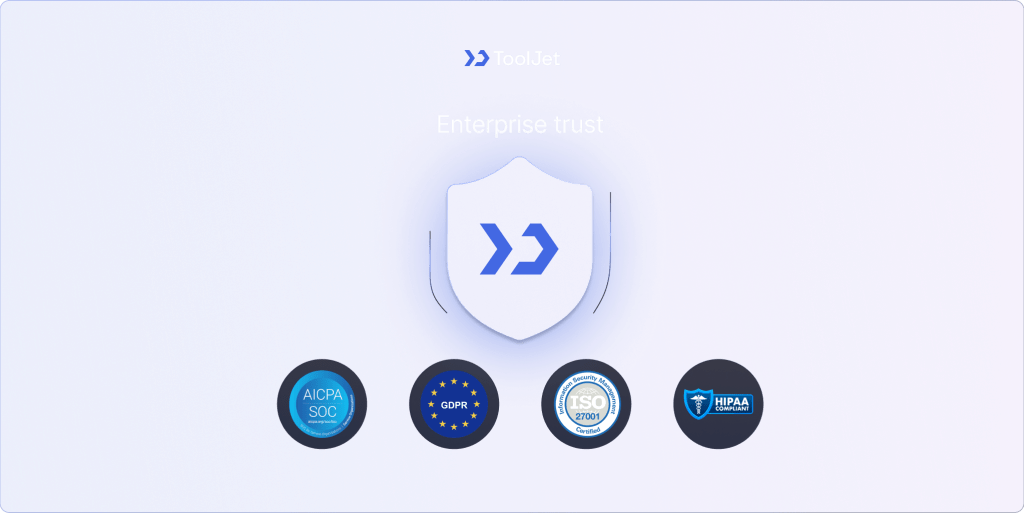
Achieving Global Regulatory Compliance
Healthcare and financial workloads require a review of the applicable security, contractual and regulatory requirements. Self-hosting may meet a specific deployment requirement, but it is not a universal regulatory mandate or proof of compliance.
| Framework or requirement | What to evaluate | Migration checks |
|---|---|---|
| SOC 2 | Relevant assurance reports and operational controls. | Review the report scope and test access control, change management and audit retention. |
| GDPR | Lawful processing and applicable international-transfer safeguards. | Map processors, data flows and transfer mechanisms; GDPR does not require all data to remain in the EU. |
| ISO 27001 | An information security management system and its scope. | Review evidence, responsibilities and the controls applied to the actual deployment. |
| HIPAA | Applicable safeguards and business-associate obligations for ePHI. | Review the workload and relevant contracts; cloud use is permitted subject to HIPAA requirements, and air-gapping is not a universal requirement. |
| Data sovereignty | Applicable jurisdiction, contracts, deployment location and service providers. | Review where each service processes data. Self-hosting does not provide immunity from laws or remove all processor agreements. |
Use the security documentation to review controls, then test the policies and configuration needed for your deployment. Compliance depends on the workload and the operating controls, not on open-source status alone.
When You Should Not Migrate from Retool?
A migration is not always the right move. If the current apps meet requirements and the expected benefit does not justify rebuilding, operating and validating a replacement, retaining the current deployment may be more practical. Evaluate managed and self-hosted options against the same criteria.
Scenarios Where Retool Remains the Better Fit
- Existing apps already meet the required component and integration needs.
- A managed deployment fits the team’s operating responsibilities.
- A rebuild would introduce more cost or risk than the expected benefit.
- Native mobile applications are a requirement; validate Retool’s supported mobile capabilities.
- Required integrations and controls have already been tested in the current deployment.
A small or short-lived project may not justify migration effort. Check the current Retool plan limits and pricing, then compare them with the cost and risk of a rebuild. A short pilot is more useful than an assumed build-time or user-count threshold.
Conclusion
Choose a migration when a pilot demonstrates that the replacement meets the required controls, app behavior and operating model. ToolJet offers an open-source community foundation, AI-assisted app generation and Cloud or Self-hosted deployment options; validate the selected plan against your actual requirements.
- Choose Retool if: Its current deployment, app capabilities and commercial terms meet your requirements, and a rebuild does not offer sufficient benefit.
- Choose ToolJet if: Its visual app builder, integrations, source-license scope and deployment options fit your requirements. Validate governance and end-user allowances on the selected plan, and use a pilot to test replacing legacy spreadsheets or migrating existing apps.
Additional Resources
For Developers
Planning Your Retool Migration
Discover how to choose the right low-code dashboard builder for your next enterprise project.