Low-code automation uses visual workflow steps, reusable connectors and optional code to move data and execute business rules. A workflow starts from an event or schedule, validates its input, takes actions and records the result. It can reduce repetitive work without requiring every integration to be written from scratch.
Example: An expense request arrives from a form. The workflow checks required fields, looks up the employee’s approval policy, records the request and notifies the approver. Only after an authorized approval does it submit the approved transaction to the finance system. Duplicate submissions, rejected requests and failed API calls need explicit handling.
Four main benefits are less repetitive implementation, fewer manual handoffs, easier changes to supported rules and better visibility into execution. Measure these against a baseline using completion time, exception rate, rework and operating cost. A visual builder alone does not guarantee savings or correct behavior.
Low-code automation vs app building: An app provides screens for people to use. A workflow coordinates actions across systems, often on the server. They can work together, but an app builder does not necessarily include a background workflow engine. Check triggers, execution limits, logs and failure handling separately.
Where AI fits: AI can help draft workflow logic or perform a bounded task during execution, such as classifying a request. Validate the output and route uncertain or sensitive decisions to a person. Keep permissions and business rules enforceable outside model-generated text.
Let us get into the blog and explore solutions for your workflow challenges with low-code workflow automation.
What is low-code automation?
Low-code automation combines visual triggers, conditions and actions with connectors and optional custom logic. Teams use it for tasks such as approval routing, data synchronization and scheduled reports. Production workflows still need tested permissions, monitored execution and an owner for failures.
Use automation to connect existing ERP, CRM and other systems rather than assuming a workflow tool replaces them. Start with one process and document the source of truth for each record, the permitted writes and the expected result.
For example:
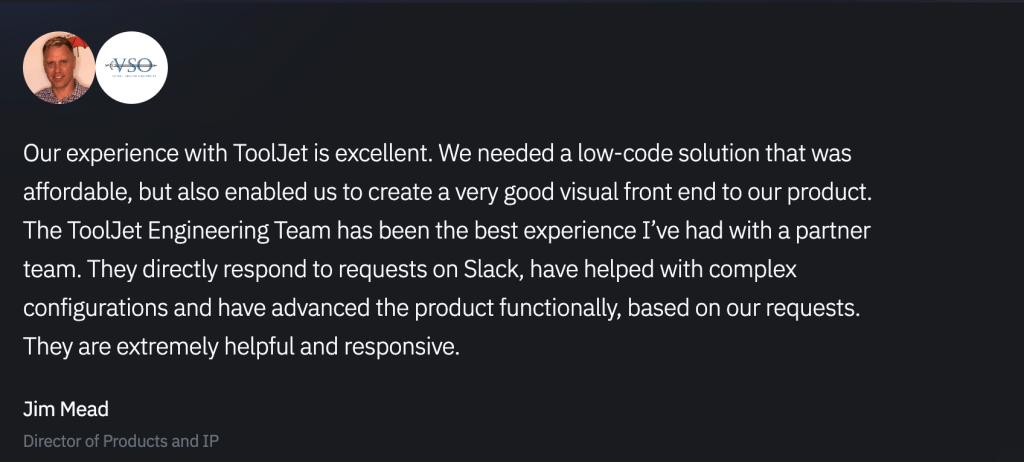
ToolJet helped VSO, an end-to-end hybrid-cloud service management company, to smoothly integrate data visualization and reporting, significantly reducing development time and costs compared to Tableau and custom React solutions.
Low-code automation vs. Traditional automation

Understanding the differences between low-code automation and traditional automation approaches is crucial for making informed technology decisions. Here’s a comprehensive comparison:
| Factor | Low-code automation | Code-based automation |
|---|---|---|
| Development model | Visual steps, connectors and supported code extensions | Code using frameworks, SDKs and managed services |
| Delivery time | Depends on connector fit, workflow complexity and testing | Depends on reusable code, team skills and testing |
| Integration | Verify supported operations, auth and failure behavior | Build or reuse APIs and integration libraries |
| Execution | Check concurrency, timeouts, schedules and run limits | Design or configure execution and resource management |
| Security | Configure platform controls and service credentials | Implement controls and secure dependencies |
| Maintenance | Maintain workflow logic, connections and platform versions | Maintain code, dependencies and infrastructure |
| Portability | Review workflow export, data export and runtime dependence | Review framework, cloud and service dependencies |
Why enterprises opt for low-code automation?
The shift toward low-code automation represents a fundamental change in how organizations approach digital transformation. As businesses seek to streamline operations and accelerate innovation, low-code workflow automation has emerged as a critical solution for modern enterprises.
Modern enterprises are embracing low-code automation as a strategic advantage in an increasingly competitive marketplace. Here are the compelling reasons driving this transformation:
1. Accelerated development cycles and cost reduction
Reusable connectors and visual logic can reduce implementation effort when they fit the process. Compare the same workflow, including authentication, testing, exception handling and support. License fees, execution charges, hosting and maintenance belong in the cost comparison.
Measure the pilot against the manual process: elapsed completion time, staff time per request, failed or duplicate actions and cost per completed run. Report observed results with their workload and time period instead of applying a generic savings percentage.
2. Simplified workflow management and updates
Business requirements evolve constantly, and your low-code workflow systems need to adapt quickly. These platforms enable teams to modify processes through intuitive visual interfaces rather than complex code revisions. This flexibility allows organizations to respond rapidly to changing market conditions, regulatory requirements, or operational needs without extensive development cycles.
3. Democratization of technology development
Low code business process automation breaks down traditional barriers between technical and business teams. Non-technical professionals can create functional solutions for their specific challenges without requiring deep programming knowledge. This democratization reduces dependency on specialized developers while enabling subject matter experts to directly address their operational pain points.
4. Enhanced cross-department collaboration
Low-code process automation platforms create a common language between business stakeholders and technical teams. Business users can prototype their ideas visually, while developers can enhance and optimize these solutions when needed. This collaborative approach eliminates miscommunication and ensures that final solutions truly meet business requirements.
5. Strategic IT resource allocation
With the ongoing shortage of skilled developers, organizations must optimize how they deploy technical talent. Low-code business process automation allows IT teams to focus on high-value strategic initiatives while business users handle routine automation tasks. This approach maximizes the impact of scarce technical resources while maintaining quality and governance standards.
6. Improved service delivery and customer satisfaction
Track whether the automation improves response time, routing accuracy and customer satisfaction for your process. Faster internal execution is useful only if it produces correct outcomes and handles exceptions reliably.
7. Scalable architecture for growth
Scalability depends on the workflow engine, deployment, external API limits and implementation. Test expected concurrency, payload size, long-running tasks and recovery from failures. Growth may require changes to infrastructure, batching or the process itself.
Features of low-code automation platforms
Low-code automation platforms are revolutionizing business processes by offering powerful features. Let’s discuss these features in detail below.
- Visual development environments: Simplify software development with a graphical user interface.
- Drag-and-drop interfaces: Enable easy application and workflow creation.
- Pre-built templates: Accelerate development with ready-made components.
- Integration capabilities: Connectors and APIs connect supported systems; verify operations, authentication and error handling.
- Scalability: Check execution limits and test the expected workload.
- Security and compliance: Verify available SSO, access controls and logs, then configure and test them.
- Cross-platform compatibility: Test the approval interface on the browsers and devices your users need.
- Code extensibility: Custom code for tailored solutions is added.
- Reporting and analytics: Provides insights into application performance and business efficiency.
Also, read our latest blog “Building Generative AI-powered Apps: Guide for developers“.
Low-code automation use cases: A comprehensive look
Organizations across industries are implementing low-code workflow automation to solve specific operational challenges. These intelligent automation and low-code solutions transform how different departments approach their daily operations:
1. Customer service and support optimization
What challenge do businesses face?
Support teams often work with disconnected systems, leading to slower resolution times and fragmented customer experiences.
Low-code solution: Integrated service platforms that unify customer data, automate ticket routing, and provide comprehensive agent dashboards through low code business process automation.
Implementation example: A unified support ecosystem powered by low-code workflow automation that:
- Consolidates customer interactions from multiple channels
- Automatically prioritizes tickets based on customer tier and issue severity
- Provides agents with complete customer context and history
- Generates performance analytics and identifies improvement opportunities
Metrics to measure in a pilot: resolution time, routing accuracy and reopened tickets. This is an illustrative workflow, not a reported customer result.
2. Financial process automation
Business challenge: Financial workflows often require multiple approval steps, compliance verification, and data consolidation from various sources.
Low-code solution: Route financial requests through authorized approvals, record the decisions and expose status to the relevant team. Configure controls and retention for your requirements; automation alone does not establish compliance.
Implementation example: An integrated financial workflow platform utilizing low-code business process automation that:
- Captures and processes expense documentation automatically
- Routes requests through appropriate approval hierarchies
- Maintains audit trails for compliance requirements
- Provides real-time budget tracking and forecasting
Metrics to measure in a pilot: approval time, exception rate and reconciliation errors. This is an illustrative workflow, not a reported customer result.
3. Human resources and talent management
Business challenge: HR departments manage complex employee lifecycles with multiple touchpoints, documentation requirements, and compliance considerations.
Low-code solution: Integrated HR management systems that streamline recruitment, onboarding, and employee development processes using intelligent automation and low-code technology.
Implementation example: A comprehensive HR automation platform leveraging low-code workflow automation that:
- Manages candidate pipelines and interview scheduling
- Automates new employee setup across all required systems
- Tracks training completion and certification requirements
- Facilitates performance review processes and career development planning
Metrics to measure in a pilot: onboarding completion time, missed steps and administrative time. This is an illustrative workflow, not a reported customer result.
4. Supply chain and operations management
Business challenge: Supply chain operations require real-time visibility, proactive issue management, and coordination across multiple stakeholders.
Low-code solution: Integrated supply chain platforms that provide end-to-end visibility and automated response capabilities through low-code workflow automation.
Implementation example: A comprehensive supply chain management system powered by low-code process automation that:
- Monitors inventory levels and automatically triggers reorder processes
- Tracks shipments and provides real-time status updates
- Identifies potential disruptions and suggests alternative solutions
- Analyzes historical data to optimize procurement strategies
Metrics to measure in a pilot: stockout frequency, duplicate orders and time to respond to disruptions. This is an illustrative workflow, not a reported customer result.
5. Sales process and lead management
Business challenge: Sales teams need efficient lead management systems that maintain data integrity while optimizing conversion processes.
Low-code solution: Comprehensive sales automation platforms that manage the entire customer acquisition process using low-code business process automation.
Implementation example: An integrated sales management system utilizing intelligent automation and low-code that:
- Evaluates and prioritizes leads based on multiple criteria
- Distributes opportunities among team members based on expertise and capacity
- Automates follow-up communications and scheduling
- Provides comprehensive sales analytics and forecasting
Metrics to measure in a pilot: lead-routing time, duplicate records and follow-up completion. This is an illustrative workflow, not a reported customer result.
6. IT service management and operations
Business challenge: IT departments handle numerous routine requests while maintaining system reliability and security standards.
Low-code solution: Comprehensive IT service platforms that automate routine tasks and provide proactive system monitoring through low-code workflow automation.
Implementation example: An integrated IT management system using low-code process automation that:
- Categorizes and routes service requests automatically
- Provides self-service capabilities for common issues
- Monitors system performance and generates proactive alerts
- Maintains comprehensive documentation and knowledge bases
Metrics to measure in a pilot: request completion time, escalation rate and failed runs. This is an illustrative workflow, not a reported customer result.
7. Marketing operations and campaign management
Business challenge: Marketing teams coordinate complex multi-channel campaigns while tracking performance across various platforms and touchpoints.
Low-code solution: Integrated marketing automation platforms that manage campaigns from planning through analysis using low-code business process automation.
Implementation example: A comprehensive marketing automation system leveraging intelligent automation and low-code that:
- Coordinates content creation and distribution across channels
- Manages audience segmentation and personalization
- Tracks campaign performance and ROI in real-time
- Optimizes resource allocation based on performance data
Metrics to measure in a pilot: campaign preparation time, data quality and attributed conversion cost. This is an illustrative workflow, not a reported customer result.
8. Quality management and compliance
Business challenge: Organizations must maintain consistent quality standards while ensuring regulatory compliance across complex operations.
Low-code solution: Comprehensive quality management systems that automate monitoring, reporting, and corrective action processes through low-code workflow automation.
Implementation example: An integrated quality management platform using low-code process automation that:
- Implements automated inspection and testing protocols
- Identifies quality deviations and triggers corrective actions
- Maintains comprehensive compliance documentation
- Provides real-time quality metrics and trend analysis
Metrics to measure in a pilot: inspection completion, unresolved exceptions and audit evidence coverage. This is an illustrative workflow, not a reported customer result.
9. Data management and analytics
Business challenge: Organizations struggle to consolidate information from multiple sources while providing actionable insights to decision-makers.
Low-code solution: Comprehensive data integration platforms that connect disparate systems and provide unified analytics capabilities using low-code business process automation.
Implementation example: An integrated business intelligence system powered by intelligent automation and low-code that:
- Connects multiple data sources through standardized interfaces
- Provides automated data quality monitoring and cleansing
- Generates customizable dashboards and reports
- Delivers proactive alerts based on predefined business rules
Metrics to measure in a pilot: data freshness, reconciliation errors and failed refreshes. This is an illustrative workflow, not a reported customer result.
10. Project coordination and resource management
Business challenge: Organizations need effective project management systems that optimize resource allocation while maintaining visibility across multiple initiatives. Companies offering consulting services can leverage a consultant time tracking template to streamline resource allocation and keep clear visibility across multiple initiatives.
Low-code solution: Comprehensive project management platforms that integrate planning, execution, and monitoring capabilities through low-code workflow automation.
Implementation example: An integrated project management system utilizing low-code process automation that:
- Manages project timelines and resource allocation automatically
- Provides real-time progress tracking and reporting
- Identifies potential bottlenecks and suggests mitigation strategies
- Facilitates collaboration and communication among team members
Metrics to measure in a pilot: overdue tasks, allocation conflicts and time spent coordinating. This is an illustrative workflow, not a reported customer result.
Benefits of adopting low-code automation
Adopting low-code automation offers numerous benefits that can transform business operations, enhance efficiency, and drive growth. Here are some of the key advantages:
1. Accelerated development and deployment:
Low-code platforms provide visual interfaces and pre-built components that significantly reduce development time. This allows businesses to automate workflows and deploy applications much faster than traditional coding methods.
By speeding up the development cycle, companies can quickly respond to market changes and customer needs, maintaining a competitive edge.
2. Reduced IT skill requirements:
Low-code automation minimizes the need for extensive coding skills, assisting non-technical users (citizen developers) in building and automating business processes.
This reduces dependency on specialized IT skills, allowing businesses to allocate resources more efficiently.
3. Enhanced collaboration:
Low-code platforms facilitate collaboration between technical and non-technical teams by providing a common platform for development and automation.
This collaborative approach helps bridge the gap between business needs and IT capabilities, ensuring that solutions meet both technical and business requirements.
4. Scalability and flexibility:
Test increasing run volumes and data sizes against the selected platform’s execution limits. Document timeout behavior, backpressure and recovery before extending automation to more teams.
The flexibility to integrate with new technologies supports continuous improvement and innovation.
5. Cost savings:
Low-code automation can reduce repetitive work and manual errors when the workflow fits the process. Compare staff time and cost per completed transaction before and after a pilot.
Include licenses, execution charges, hosting, integration maintenance and support in that calculation. Automating a process does not necessarily reduce the cost of the legacy systems it connects.
6. Improved security and compliance:
Security features support a control design; they do not configure it automatically. Restrict service credentials, separate environments, verify permitted writes and define who can edit, release and run workflows.
Review execution logs for sensitive data, set retention requirements and test denied actions. Compliance depends on the application, its data handling and operating procedures, not simply the presence of SSO or a visual builder.
7. Uplifting citizen developers:
Low-code automation helps non-technical users to create applications and automate processes independently, driving digital transformation initiatives.
This democratization of development enhances overall business efficiency and innovation capacity.
Evaluate the benefits using measured completion time, exception rates and operating cost. Expand automation only after the pilot demonstrates a useful result and the team can support it.
Top 7 low code automation platforms of 2026
As the demand for low code automation continues to rise, several platforms stand out for their innovative features and user satisfaction.
Here are some of the top low code automation platforms of 2026:
1. ToolJet

ToolJet Workflows runs on Self-hosted ToolJet, not ToolJet Cloud. Build flows visually to coordinate database queries, API calls and JavaScript logic. Pair them with internal apps when people need to submit requests or review results.
Key features:
- Self-hosted workflow execution
- Drag-and-drop interface
- Extensive integrations with databases and APIs
- Supported workflow drafts through ToolJet MCP; review before execution
- Plan-dependent governance controls; configure and test permissions.
Pros: Highly customizable, intuitive for developers, supports complex internal tooling, and integrates well with existing systems like OKTA for SSO.
Cons: Learning curve.
2. Appsmith
Appsmith Workflows uses JavaScript logic with data-source connections for triggered or scheduled processes. It supports approval flows and self-hosting. Evaluate workflow entitlements separately from the open-source app builder.
Key Features: Open-source, drag-and-drop UI with custom widgets, supports MySQL, PostgreSQL, MongoDB, Airtable, and more databases, as well as REST and GraphQL API integrations.
Pros: Highly customizable with JavaScript, seamless API and database integrations, great for building dynamic internal dashboards and admin panels.
Cons: It may require JavaScript knowledge for advanced customization.
3. Mendix
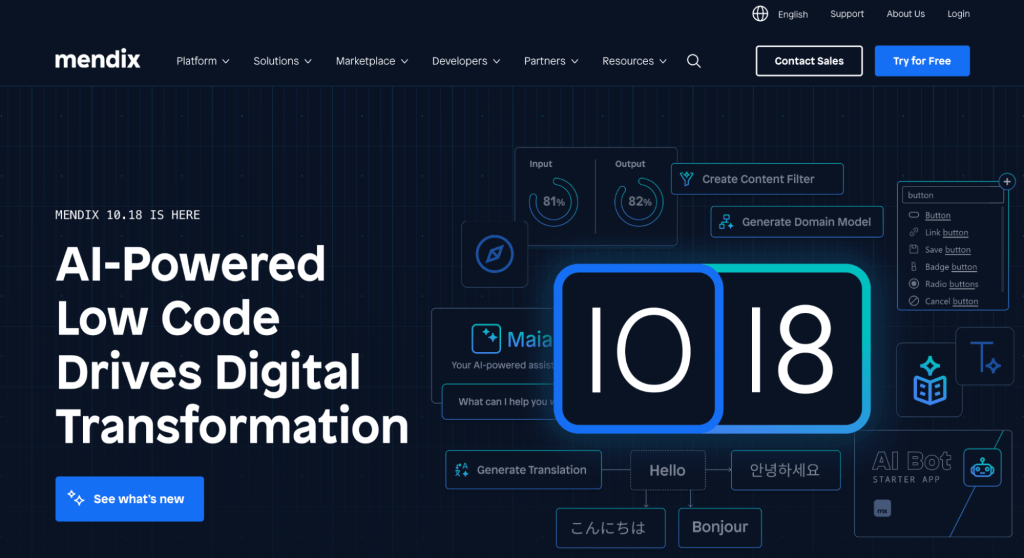
Key Features: Drag-and-drop interface, AI-powered development, single-click cloud deployment, and agile project management tools.
Pros: Great for building cross-platform applications, flexible deployment options, and robust collaboration tools.
Evaluate before choosing: Prototype your hardest business rule and integration, and estimate the skills, deployment work and licensing required for the production application.
4. Appian

Appian is a low-code automation platform that helps enterprises design, automate, and optimize business processes and applications at scale.
Key Features: Visual app and workflow designer, integration with multiple data sources, real-time analytics, and support for RPA and AI tools.
Pros: Rapid application development, powerful case management, and enterprise-grade security.
Evaluate before choosing: Test the required case-management and exception paths, then request a quote covering users, environments and the automation components you need.
5. OutSystems

OutSystems is a high-performance low-code platform for building secure, scalable enterprise web and mobile applications rapidly.
Key Features: Extensive community marketplace, AI integrations, and robust security features.
Potential fit: Teams evaluating application development alongside process automation. Validate the workflow design and operating model with a representative pilot.
Cons: Pricing can be high for small businesses.
6. Kissflow
Kissflow is a low-code workflow automation platform that helps teams build, manage, and optimize business processes without heavy IT dependency.
Key features: Drag-and-drop builder, workflow-centric tools, and integration with third-party apps.
Pros: Comprehensive workflow tools, a unified platform for collaboration and automation.
Evaluate before choosing: Check whether the required approvals, integrations and custom logic fit the product, and compare the quoted plan with your expected users and processes.
7. Retool
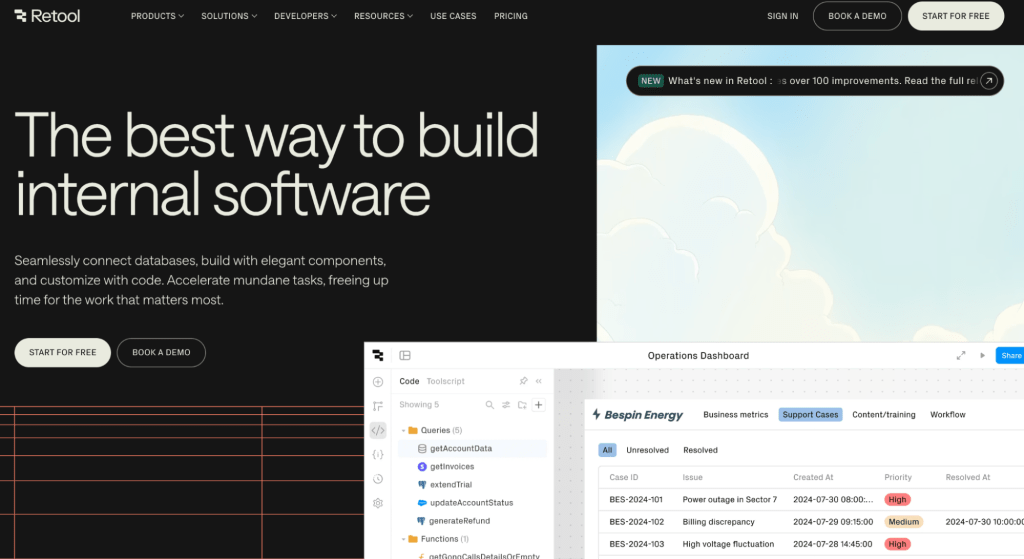
Retool is a low-code platform for building internal tools quickly by connecting databases, APIs, and third-party services with minimal code.
Workflow capabilities: Retool Workflows supports scheduled and webhook-triggered execution, database and API connections, custom logic and execution logs. Evaluate workflow usage and governance requirements separately from app-building seats.
Pros: Enables rapid development of internal tools.
Cons: It may require some coding knowledge.
These are product options to investigate, not a benchmark ranking. Run the same approval or data-sync process on your shortlist and compare implementation effort, failure recovery, permission controls and total operating cost.
Also, read our blog on “Top no-code builders of 2026”.
Choosing the right low code automation tool
Selecting the appropriate low-code automation tool is crucial for maximizing efficiency and achieving business goals. Here are some key considerations to help you make an informed decision:
1. Define your use case
- Identify project requirements: Clearly outline what you want to achieve with low code automation. This could be building internal tools, automating workflows, or developing customer-facing applications.
- Align with business goals: Ensure the chosen platform supports your strategic objectives, whether it’s improving customer experience, enhancing operational efficiency, or driving innovation.
Also, read our blog on “Internal tools: A definitive guide to 2026“.
2. Evaluate ease of use and user interface
- Intuitive design: Opt for platforms with user-friendly drag-and-drop interfaces that minimize technical complexity, allowing both technical and non-technical users to contribute effectively.
- Rapid prototyping: Look for tools that enable fast feedback loops and iterative development to ensure applications meet user needs.
3. Assess Customization and Flexibility
- Adaptability: Choose platforms that offer robust customization options to meet unique business requirements. This includes the ability to extend functionality with custom code.
- Integration capabilities: Ensure seamless integration with existing systems and databases to avoid data silos and enhance workflow efficiency.
4. Security and Compliance
- Built-in security features: Verify available controls, then configure permissions, credentials, approval rules and audit retention for your process. Test denied actions before release.
- Data governance: Define data ownership, access boundaries and retention, then verify that the platform can enforce your requirements across apps and roles.
6. Scalability and performance
- Growth support: Choose platforms that can scale with your business, handling increasing user loads and data volumes without compromising performance.
- Deployment flexibility: Consider platforms that offer flexible deployment options, including on-premise and cloud environments, to meet different business needs.
7. Cross-platform Support
- Cross-platform functionality: Test forms, attachments and approvals on the required browsers and devices. Responsive web support does not by itself provide native apps or offline operation.
8. Support and Community
- Vendor support: Look for vendors that provide comprehensive support throughout the development process, from design to deployment.
- Community resources: Consider platforms with active communities and extensive documentation to help troubleshoot issues and enhance learning.
By carefully evaluating these factors, you can select a low-code automation tool that aligns with your business needs, enhances productivity, and drives innovation.
Automate your workflow with ToolJet: Your go-to low-code automation solution
The use cases and benefits above demonstrate the transformative potential of low-code automation. ToolJet’s innovative approach amplifies these benefits through several key differentiators in the low-code business process automation space:
1. Comprehensive AI-powered development
ToolJet goes beyond simple visual interfaces by integrating artificial intelligence throughout the development process. This AI-first approach enables natural language application generation while maintaining the flexibility of visual development tools for complete, enterprise-ready low-code automation solutions.
2. Built-in enterprise security and governance
ToolJet provides plan-dependent access controls, audit logging, SSO and release controls. Configure them for the deployment, use appropriately scoped credentials and test each role. These features do not automatically establish application security or compliance.
3. Comprehensive Integration Ecosystem
ToolJet’s 100+ integrations connect databases, APIs and business services. Verify the specific operations and authentication your workflow needs; a connector’s presence does not eliminate integration design or error handling.
4. Open and scalable platform architecture
ToolJet has an open-source Community Edition and commercial plans. Source access does not remove dependence on its app format and runtime. Paid plans use builder-based pricing with plan-specific allowances; unlimited end users are an Enterprise feature. Review Self-hosted pricing for the required controls and workflow entitlements.
5. Developer-centric Extensibility
When your intelligent automation and low-code requirements exceed standard functionality, ToolJet provides seamless integration with custom code, Git-based version control, and continuous integration/continuous deployment pipeline integration.
Transform your business operations with next-generation AI-powered low-code automation. Begin your ToolJet journey today and discover the future of low-code workflow automation for internal application development.
Explore Self-hosted ToolJet Workflows or discuss your automation requirements.