Bolt.new vs Cursor: compare the workflow you want to own, from the first build to deployment and maintenance.
Bolt offers a browser-based app-building workflow. Cursor works with codebases and coding agents. Their capabilities overlap, so choose using a representative application rather than treating one as exclusively for prototypes and the other as exclusively for experienced developers.
A March 2025 Netlify announcement reported over one million Bolt-generated websites deployed on Netlify from November 2024 through March 2025. That is a vendor-reported deployment milestone, not GitHub research or a measure of application quality.
This editorial guide compares app-building workflows, code ownership and operational responsibilities. It is not a same-prompt benchmark and does not establish a speed, security or cost winner.
Official product documentation was checked October 30, 2026. Images and the embedded video are historical illustrations; use the written comparison and linked documentation for current capabilities.
Understanding the three development approaches
Approach 1: Browser app building with Bolt
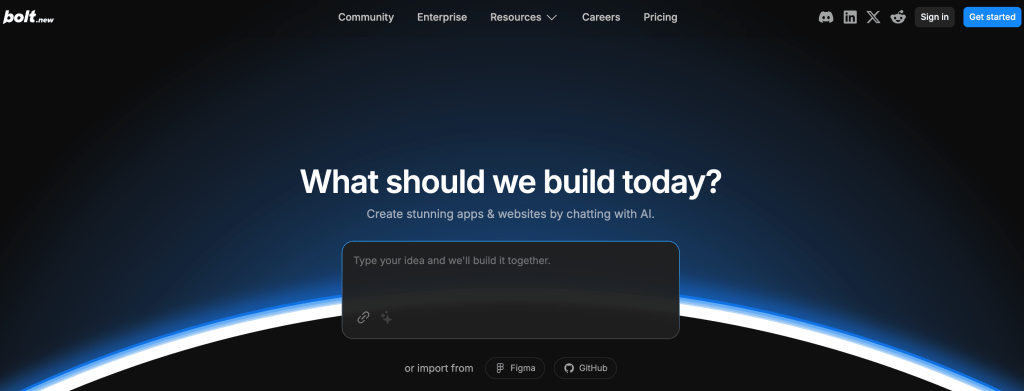
- Workflow: create and edit applications in the browser.
- Evaluate: prompt-based changes, code access and deployment.
- Production decision: validate the specific app and operating requirements.
Bolt documentation describes full-stack JavaScript web applications, code editing and publishing, with Expo integration for mobile apps. Calling it a prototype-only generator or a Supabase-only frontend builder is inaccurate.
Capabilities to evaluate:
- Prompt-based application creation and iteration.
- Browser code editing and supported JavaScript frameworks.
- Backend services and database options.
- Publishing and ongoing application operation.
Production checks:
- Test authentication and authorization with each intended role.
- Confirm database, API and network requirements.
- Measure behavior with representative data and concurrent users.
- Verify backup, export, rollback and operational support.
Approach 2: Agent-assisted coding with Cursor

- Workflow: use coding agents within a source-code development process.
- Evaluate: codebase understanding, implementation and review.
- Production decision: assign ownership of the app and its dependencies.
Cursor Agent can edit code and run commands to carry out coding tasks. Teams still need to review changes, choose deployment services and operate the resulting application.
Capabilities to evaluate:
- Codebase investigation and implementation.
- Multi-file changes with human review.
- Commands and tests appropriate to the project.
- Integration with the team’s repository workflow.
- Validation against the languages and frameworks you actually use.
Responsibilities to assign:
- Acceptance criteria and review of generated changes.
- Permission boundaries for agent tools and credentials.
- Supported runtime, dependencies and architecture.
- Deployment, monitoring and incident response.
Approach 3: Visual internal-app development with ToolJet
- Workflow: AI-assisted building with visual refinement.
- Evaluate: internal apps and data-connected operational interfaces.
- Production decision: test the application and confirm plan-dependent controls.
ToolJet combines AI-assisted creation with a visual application builder. Evaluate it for internal apps whose data connections, user roles and maintenance workflow fit the platform.
Evaluation priorities:
- Maintainable pages, queries and events.
- Required database and API operations.
- Application permissions and source-system authorization.
- Deployment and release requirements.
- Error handling and ongoing ownership.
For another browser-app comparison, read Bolt.new vs Lovable.
When should you evaluate each approach?
1. Evaluate Bolt for browser-based app building
A new app that benefits from a browser-based starting point:
- Stakeholder demonstrations and buy-in
- Proof-of-concept development for new ideas
- Learning new frameworks or technologies
- Client mockups and design exploration
Before connecting production data:
- Test record access and unauthorized requests.
- Review generated code, queries and secrets.
- Confirm hosting capacity and service limits.
- Exercise a failed integration and recovery path.
Typical use cases:
- Educational projects and framework exploration
- Initial client presentations and requirement gathering
- Technical feasibility demonstrations
- Personal projects and side experiments
2. Evaluate Cursor for codebase development
A project where the team wants to inspect and maintain source code:
- Complex coding tasks with AI assistance
- Large codebase navigation and understanding
- Advanced debugging and error resolution
- Multi-file refactoring and code optimization
A coding agent does not remove these responsibilities:
- Architecture and data-model review.
- Authorization and secret handling.
- Hosting and deployment decisions.
- Security and compliance evidence.
- Correctness of business rules and integrations.
Typical use cases:
- Professional software development teams
- Complex algorithm development and optimization
- Legacy codebase modernization projects
- Developer productivity enhancement initiatives
3. Evaluate ToolJet for visual internal-app development
Internal applications maintained in a visual builder:
- Internal request and approval interfaces.
- Operational dashboards with defined actions.
- Data entry and administrative workflows.
- Business applications with a named maintainer.
Confirm the selected plan covers:
- Required access-control scope.
- Audit events and retention requirements.
- Data-source authentication and connectivity.
- Hosting and data-location requirements.
- Environments and release-management controls.
Typical use cases:
- Internal tool development.
- Operational process interfaces.
- Administrative dashboards.
- Modernization of a defined internal workflow.
Also, read: “Lovable vs Top AI App Builders: Pick the right platform for 2026“.
What should enterprises verify before deployment?
From generated app to accepted release
Any generated app needs a release review. Check the implemented controls rather than inferring production readiness from the tool category or a polished preview.
Evidence to collect:
- Identity: who signs in and how access is revoked.
- Authorization: what each role can read or change.
- Data: where credentials and records are stored.
- Operations: how updates, backups and incidents are handled.
Include these costs in the pilot:
- Review and correction of generated output.
- Integration and data-migration work, if needed.
- Security assessment and required evidence.
- Hosting, runtime usage, support and maintenance.
Operating an agent-assisted codebase
A coding agent can help implement an application, but responsibility for accepting and operating that application stays with your team.
Document the operating model:
- Infrastructure planning: Hosting, deployment, and scaling decisions
- Security implementation: Building RBAC, authentication, and authorization
- Integration development: Connecting to existing business systems
- Compliance engineering: Meeting regulatory and audit requirements
Estimate work using the actual scope:
- The features needed for the first release.
- Existing services and controls that can be reused.
- Integration edge cases and expected failure recovery.
- Changes required after the initial app is generated.
Evaluating ToolJet for internal applications
For an internal application, the relevant question is how your team will connect data, enforce permissions, release changes and maintain the result.
Evaluate ToolJet against these requirements:
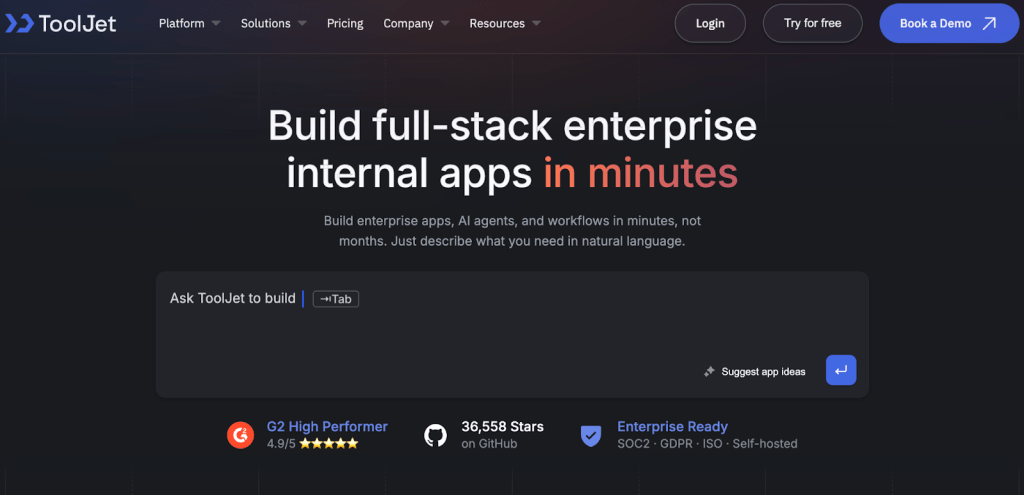
1. AI-first application generation
ToolJet can generate application structure that builders refine visually. Review generated queries, events and business rules; generation does not establish production readiness.
2. Data-source integration requirements
Use the integration catalog to identify candidates, then test the exact operations, authentication method and network path your application needs. A connector listing does not establish support for every API operation.
3. Built-in enterprise governance:
- Confirm permissions for builders and app users.
- Confirm which audit events are captured and how long they are retained.
- Match SSO and lifecycle requirements to the proposed plan.
- Review assurance evidence through the security page; certifications do not make a particular implementation automatically compliant.
4. Deployment requirements
- Choose Cloud or a Self-hosted deployment based on operating requirements.
- Confirm private AI or air-gap requirements and applicable add-ons separately.
- Document environment separation and configuration ownership.
- Test the release and rollback workflow before rollout.
5. Licensing and operating costs
Check the current plan and obtain an Enterprise quote for an unlimited-end-user requirement. Include builder seats, applicable add-ons, hosting and runtime services in the estimate; do not assume every plan includes unlimited users.
Solution approach comparison: Understanding the trade-offs
Compare responsibilities and capabilities
Use the same brief to evaluate each option. Record which capabilities are supplied by the platform, implemented in application code or provided by external services.
Bolt:
- Browser application-building workflow.
- Review code, backend and hosting options against your brief.
Cursor:
- Agent-assisted source-code development.
- Review implementation and changes in your chosen codebase.
- Validate the actual toolchain and deployment process.
ToolJet:
- AI generation with visual refinement.
- Data-connected internal interfaces.
- Plan-dependent governance and release controls.
- Cloud and Self-hosted deployment options.
- Application testing and ongoing maintenance remain necessary.
- Confirm limits and services in the commercial proposal.
Earlier comparison video: capabilities and pricing may have changed since recording. Use the current written guidance and official documentation when evaluating a purchase.
The hybrid approach: When to combine different solutions
Strategic development workflow
You can combine tools when doing so has a clear benefit. The following are possible workflows, not mandatory phases or a claim about how most enterprises build software.
Option 1: Build and iterate in the browser
Use Bolt to explore the application and test its data, editing and deployment workflow. An accepted implementation can continue beyond a prototype if it meets your requirements.
Option 2: Develop and maintain source code
Use Cursor to work on a codebase your team owns and reviews. Test a realistic second change, integration failure and rollback before choosing the long-term workflow.
Option 3: Build a visual internal application
Evaluate ToolJet for internal applications when visual maintenance and data-connected interfaces fit the requirements. Validate the permissions and release process in your selected plan.
Should you prototype separately or start in the intended platform?
Start in the environment most likely to support the final app. Moving between platforms may add migration work; remaining in one platform still requires testing and operational ownership.
Compare equivalent total costs:
- Bolt: subscription and generation usage, hosting, data services and maintenance.
- Cursor: agent usage, application infrastructure, engineering review and operation.
- ToolJet: licensing, applicable add-ons, infrastructure or runtime services, and application maintenance.
Measure delivery time instead of assuming it:
- Record time to the first accepted workflow, not just the first generated screen.
- Include testing, corrections and required approvals.
- Make a second change and measure regression testing and maintenance effort.
Making the right choice for your organization
For startups and early-stage companies:
- Test the smallest app that exercises a real business requirement.
- Compare iteration and operating costs with your available skills.
- Avoid selecting solely from the quality of a generated preview.
For mid-market businesses:
- Identify who will maintain integrations and access policies.
- Check identity lifecycle and release requirements.
- Compare a representative workflow across shortlisted products.
For enterprise organizations:
- Use approved models, data paths and deployment constraints in the pilot.
- Require evidence for authorization, auditing and recovery.
- Confirm support, capacity, licensing and responsibilities in writing.
The future of AI-powered development
Recheck capabilities as products change
Product boundaries change. Recheck official capabilities and test your required workflow instead of treating app builders and coding agents as fixed, mutually exclusive categories.
- Check the current editing and backend workflow.
- Confirm data handling and model choices.
- Review hosting, portability and governance requirements.
Strategic implications for tech leaders
Tool consolidation can reduce handoffs, while separate tools can provide flexibility. Compare the cost of operating the combination, including identity, secrets, version control and support.
A build-versus-buy decision should include future changes and an exit path. Test whether another maintainer can understand the data model, diagnose a failure and restore service.
Plan training around the work people will actually perform:
- Builders: editing, testing and recognizing limits.
- Reviewers: code, queries, permissions and failure paths.
- Operators: deployment, monitoring, recovery and updates.
Conclusion: Choosing your development approach
Choose the workflow that satisfies your application requirements and that your team can maintain. Company size alone does not determine the right product.
Shortlist Bolt when:
- You want to build and iterate in a browser.
- The supported stack and backend fit your application.
- You can validate and maintain the generated implementation.
- Publishing and ongoing operating requirements are satisfied.
Shortlist Cursor when:
- Complex product development requiring architectural control
- Enhancement of existing development workflows
- Extensive codebase maintenance and optimization
- Specialized algorithm development
Shortlist ToolJet when:
- Your use case is a data-connected internal application.
- Visual editing fits the people maintaining it.
- The selected plan covers required controls.
- The application passes authorization, integration and recovery tests.
No universal lowest-cost or fastest option is established here. Run a small pilot with the same acceptance criteria and compare the effort to reach a tested, supportable result.
For a ToolJet evaluation, start a trial or book a demo with a real workflow, data source and access-control requirement.