We recently made the decision to transition from AWS to GCP, and the pivotal aspect of this migration was our database. Preserving our data integrity without any loss was paramount.
Configuring the AWS Database:
Note: Before proceeding with any configurations, it is imperative to take a database snapshot. Additionally, as our existing database was PostgreSQL, the following steps are PostgreSQL-specific.
Prerequisites:
- Create a new parameter group in AWS RDS.
- Edit the values of
rds.logical_replicationshared_preload_librariesto includepglogical. - Proceed to modify the database by associating it with the newly created parameter group and enabling public accessibility.
- After implementing these changes, ensure to reboot the instance.
- Upon completing the above steps, connect to the database and execute the query
CREATE EXTENSION pglogical;for each corresponding database within your PostgreSQL RDS instance.
The below reasons are why we wanted to incorporate the pglogical extension into our PostgreSQL RDS instance.
Ideal Scenarios for pglogical Extension:
- Large databases exceeding 100 GB in size.
- Need to replicate schema, DDL, sequences, and table data.
- Desire to capture real-time changes seamlessly.
- Priority on maintaining system uptime and avoiding disruptions.
Less Suitable Scenarios for pglogical Extension:
- Inclusion of UNLOGGED and TEMPORARY tables complicating replication.
- Intent to migrate database metadata, which may not align with pglogical’s capabilities.
Now Let’s Start the Preparations for Migration
Steps to Follow in GCP to Start the Migration:
- Open Google Cloud and navigate to Database Migration: https://console.cloud.google.com/dbmigration/migrations
- Go to “Migration Job” and create a new migration job.
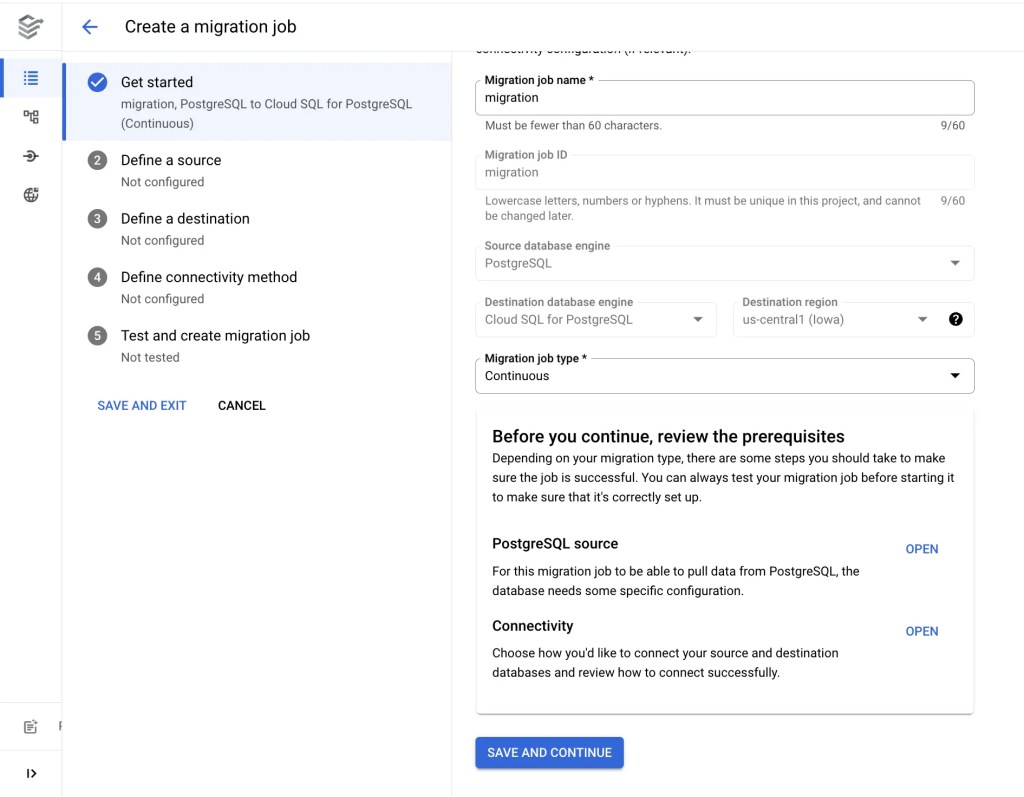
3. Create a connection profile to define the source

4. Define a destination – This involves creating a Cloud SQL instance, allowing you to select specifications tailored to your requirements. You can also define a destination to an existing Cloud SQL database if you have created one earlier.

Note: Under “Configure your destination instance,” ensure that the public IP is enabled by checking the checkbox.
5. Select “IP allowlist” under Define connectivity method and copy the outgoing IP address. You can verify the outgoing IP address from Cloud SQL.

6. Now, after copying the Destination outgoing IP address and go to AWS Security Group page and whitelist it for 5432 port

7. Test and create your migration job – Before creating the job make sure to run a test job.
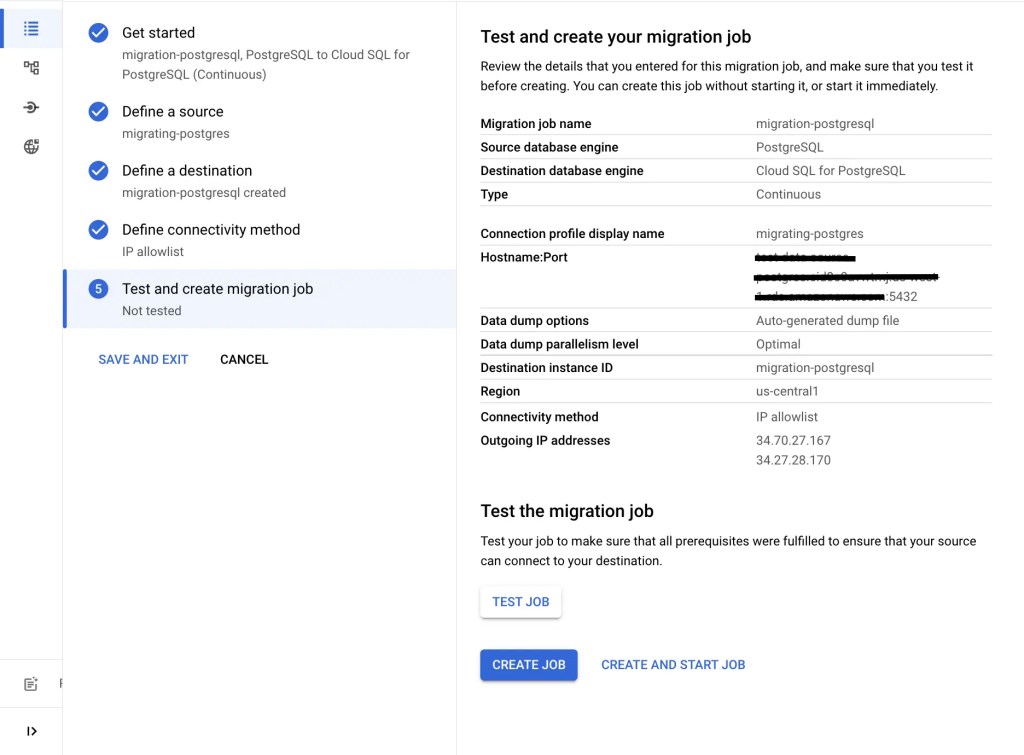
Promoting Migration
- Once the job is created, select the job and click on start.
- After the full dump phase has completed and the migration job is in CDC phase, the option for promotion is available.
- After transitioning to the CDC phase, there might be a long replication delay depending on the dump size. This delay occurs as the Cloud SQL destination instance catches up on changes during the dump and load process.
- Wait until the replication delay decreases significantly, ideally to just minutes or seconds. You can monitor the replication delay on the migration job page.
- Wait until the replication delay reaches zero, indicating that the migration job has processed all pending changes and then click on “Promote”
- The destination instance becomes the primary writable instance, and the migration job status shows as completed.
In conclusion, our transition from AWS to GCP was primarily driven by the need to maintain data integrity, especially with our PostgreSQL database. Leveraging the pglogical extension ensured seamless real-time replication, crucial for our operations. The step-by-step guide detailed the meticulous preparations and execution, ultimately resulting in a successful migration with minimal disruption. By following these steps, we achieved our goal of preserving data integrity and system uptime in the transition to Google Cloud Platform.
 Table of contents