What can low-code
development do for
enterprise teams?

What is low-code?
Low-code is a software development approach that enables the creation of applications using minimal hand-coding. Instead of writing thousands of lines of code, developers and non-developers use visual interfaces, drag-and-drop tools, and pre-built components to design applications faster and more efficiently.
Low-code platforms help technical and non-technical teams collaborate. Their visual tools reduce repetitive implementation work, while custom code can extend supported functionality. Platform limits and deployment requirements still matter.
What is low-code application development?
Low-code application development refers to building applications using low-code platforms for internal use, customer-facing solutions, or automation. This method emphasizes speed, collaboration, and iteration. Developers can focus more on solving business problems rather than spending time on repetitive coding tasks.
Reusable components can help teams prototype and deliver internal applications faster. Production timelines still depend on integrations, access controls, testing, and the complexity of the application.
Key features of low-code platforms:
- Visual development tools: Drag-and-drop builders for UI design and workflow automation.
- Reusable components: Pre-built templates and modules for faster assembly.
- Integration capabilities: Ready-to-use connectors for APIs, databases, and third-party services.
- Scalability: Ability to support complex business logic, multi-user access, and growth needs. Choose from cloud or self-hosted deployment options for better control and compliance.
- Drag and drop: Simplifies app building by letting users design interfaces and workflows visually without writing complex code.
- Quick: Reduce repetitive UI and integration work so teams can spend more time on business requirements and testing.
Major benefits:
- Faster time-to-market: Reuse interfaces, connectors, and logic to reduce common implementation work. The time saved depends on the project.
- Real-time collaboration: Enable real-time collaboration across departments to accelerate decision-making and development cycles.
- Reduced development costs: Reduce repetitive development work while accounting for licensing, hosting, AI usage, and maintenance.
- Greater flexibility: Easily modify apps as business needs change.
- Business-IT collaboration: Non-technical users (citizen developers) can contribute to building apps.
- Enhanced innovation: Frees up technical resources to focus on strategic and complex challenges.
- Robust security and governance: Features such as access controls, encryption, and audit logs can support governance. Verify plan availability and configure permissions, data access, and deployment policies for your requirements.
Understanding the core differences
Low-code vs traditional development
Choosing between low-code and traditional development often comes down to project demands, time constraints, and available resources. Here’s a breakdown of how low-code compares to conventional development practices across critical factors:
| Low-code development | Traditional development | |
|---|---|---|
| What is the development speed? | Reusable UI and connectors can reduce common implementation work. | Delivery time depends on the architecture, team, and requirements. |
| How much will the development cost? | Compare licensing, hosting, AI usage, and development costs. | Compare engineering, infrastructure, and long-term maintenance costs. |
| What’s the skill requirement? | Visual development plus coding skills for custom logic and integrations. | Coding and architecture skills appropriate to the application. |
| Is my data secure? | Built-in controls help, but teams must configure access, data queries, and deployment security. | Teams implement and maintain security controls, often using established frameworks and services. |
| Do I need to worry about integrations? | Use supported connectors and APIs; verify authentication, query coverage, and network access. | Use API clients, libraries, or custom integration code and test the required operations. |
| What about feature updates and system maintenance? | Plan platform upgrades, application changes, and regression tests. App maintenance remains your responsibility. | Maintain application code, dependencies, infrastructure, and regression tests. |
| Is it possible to scale my app? | Validate database queries, concurrency, and platform capacity against your workload. | Choose an architecture and infrastructure suited to the workload, then test capacity. |
| Do I get any kind of support with the app? | Vendor, community, or dedicated support depends on the platform and plan. | Support may come from your development team, community, or a service contract. |
Low-code vs. no-code
While both low-code and no-code platforms aim to speed up application development, they serve different audiences and use cases.
Understanding their differences can help you select the right approach based on your project’s complexity, team skillsets, and scalability needs.
| Low-code | No-code | |
|---|---|---|
| Who are the target users? | Developers, technical users | Business users, citizen developers |
| Is coding required? | Minimal (for customization) | None |
| Can I customize my app? | Allows custom scripts and extensions | Limited to the platform’s capabilities |
| What type of app can I build? | Suitable for complex, scalable apps | Best for simple apps and workflows |
What can you build with low-code platforms?
Low-code platforms are incredibly versatile, empowering teams to build various applications quickly and efficiently.
- Forms or data-collection apps (58%)
- Apps that orchestrate business processes and workflows within apps (49%)
- Apps that replace paper, email, or spreadsheets (42%)
- Customizing new app UI for current on-premise applications (22%)
Whether optimizing internal processes or creating customer-facing solutions, low-code can help you achieve your goals without the long development cycles traditionally required.
Here’s what you can build:
Build essential internal analytics tools for real-time data exploration and reporting with low-code platforms. You can create customized admin panels, CRMs, and more, all tailored precisely to your organization’s workflows.
Explore more!Create secure and dynamic portals for employees, customers, or partners with low-code. These portals enable users to interact with your systems, submit requests, track activities, or access personalized content, all without manual intervention.
Explore more!Build forms and URL processing apps to automate data capture and workflows. Use drag-and-drop tools to create anything from simple inputs to advanced data parsing, all integrated with your systems.
Explore more!Build interactive dashboards that consolidate and visualize business metrics. Track KPIs, user behavior, or operational performance using integrated charting tools and filters.
Explore more!Build complex, scalable core systems with low-code platforms to power daily operations. These systems can seamlessly integrate with existing databases, ERPs, and other critical infrastructure.
Explore more!Modernize outdated systems with low-code to rapidly rebuild, extend, and integrate legacy systems, improving performance, user experience, and adaptability while retaining existing databases and business logic where appropriate.
Explore more!Design fully functional CRUD (Create, Read, Update, Delete) dashboards to manage records, users, or transactions, backed by real-time data from SQL, APIs, or cloud databases.
Automate complex scheduling workflows using AI-backed forms, real-time availability logic, and integrations with calendars or CRMs. Ideal for healthcare, services, or internal operations.
Use-case: Who can build with low-code?
One of the biggest strengths of low-code platforms is their accessibility. You don’t have to be a professional engineer to create powerful applications. Low-code helps a wide range of users across industries, roles, and departments to turn ideas into real, working solutions.
Industries benefiting from low-code
Low-code development is transforming how industries approach digital innovation.
-
 Financial services: Build secure customer portals, automate compliance tracking, and streamline financial operations.
 -
 Logistics: Optimize inventory management, shipment tracking, and warehouse operations with custom apps.
 -
 Healthcare: Improve patient intake processes, manage records securely, and build appointment scheduling tools.
 -
 Retail: Personalize shopping experiences, manage product catalogs, and automate supply chain operations.
 -
 Telecom: Enhance customer service portals, automate issue tracking, and streamline account management.
 -
 Education: Create personalized learning platforms, manage student records, and automate administrative tasks to enhance the learning experience.
 -
 SaaS: Build scalable, multi-tenant applications, manage subscriptions, and automate customer support workflows.
Who are the key users (ICP) of low-code?
Low-code isn’t just for "citizen developers"; it’s becoming a critical tool for many technical roles:
Departments using low-code for everyday innovation
Low-code development is enabling departments across organizations to move faster and innovate more independently:
- Marketing: Build campaign trackers, event registration apps, and lead-gen forms.
- Human Resources (HR): Manage employee onboarding, feedback collection, and performance tracking applications.
- Sales: Create deal pipelines, client management tools, and commission tracking systems.
- Operations: Streamline logistics, manage vendor relationships, and automate daily operational tasks.
- Finance: Automate budgeting, expense reporting, and real-time financial dashboards.
How do you choose the right low-code development platform?
Selecting the ideal low-code platform is a strategic decision that can significantly impact your organization’s agility, efficiency, and innovation capacity. Here’s a comprehensive guide to help you make an informed choice:
1. Define your project requirements and goals
Begin by clearly outlining your project’s objectives, scope, and desired outcomes. Understanding your specific needs will guide you in selecting a platform that aligns with your business goals.
2. Evaluate ease of use and user interface
A user-friendly interface is crucial for rapid development and adoption across teams.
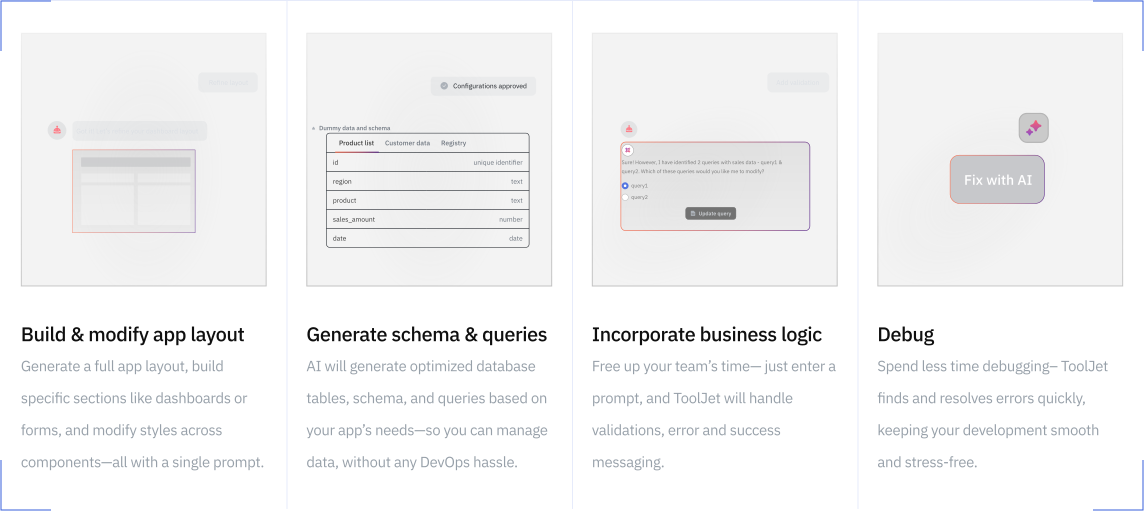
For instance, ToolJet offers an intuitive drag-and-drop interface complemented by AI-assisted features, enabling both technical and non-technical users to build applications efficiently.
- 3. Assess customization and flexibility
Ensure the platform allows for customization to meet unique business processes and workflows. - 4. Examine integration capabilities
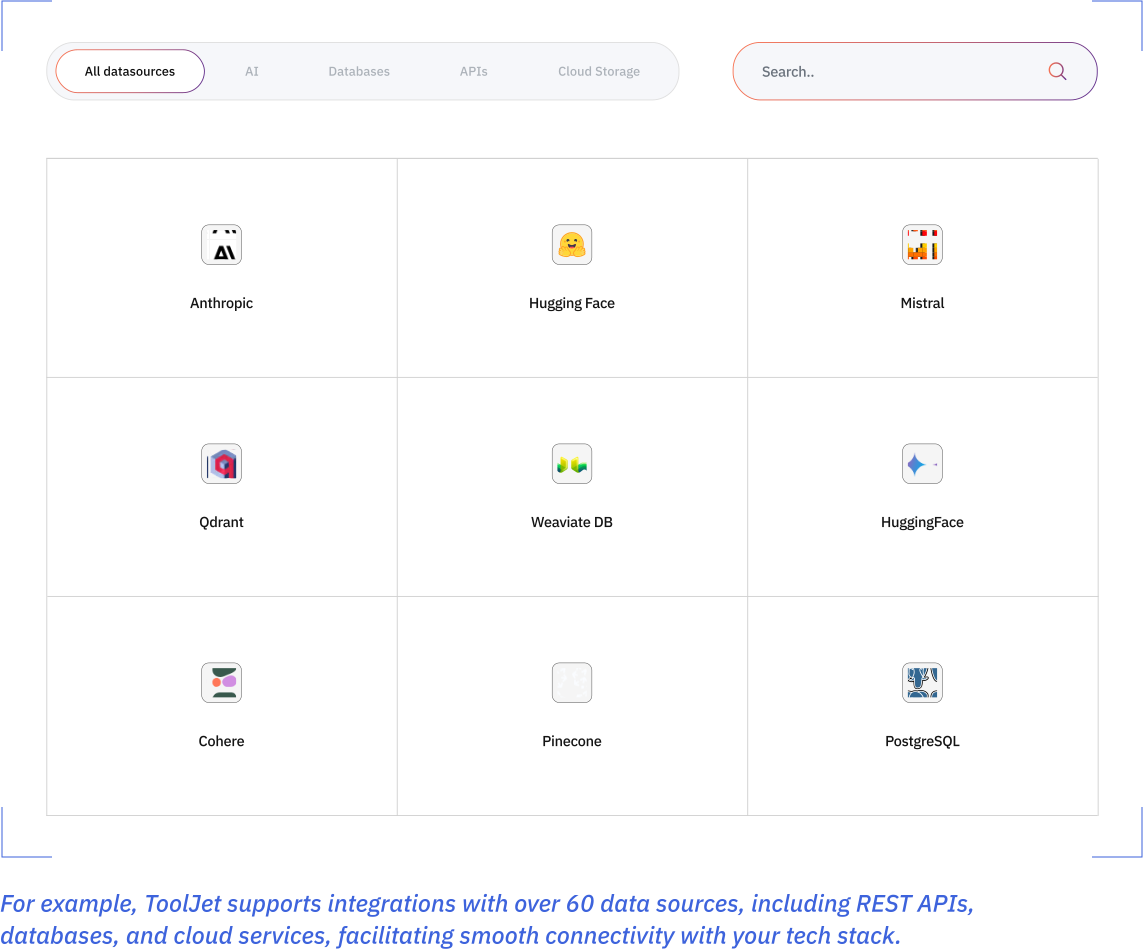
The platform should seamlessly integrate with your existing systems and third-party applications.
- 5. Consider scalability and performance
Choose a platform that can scale with your business and handle increased workloads without compromising performance. - 6. Review security features and compliance
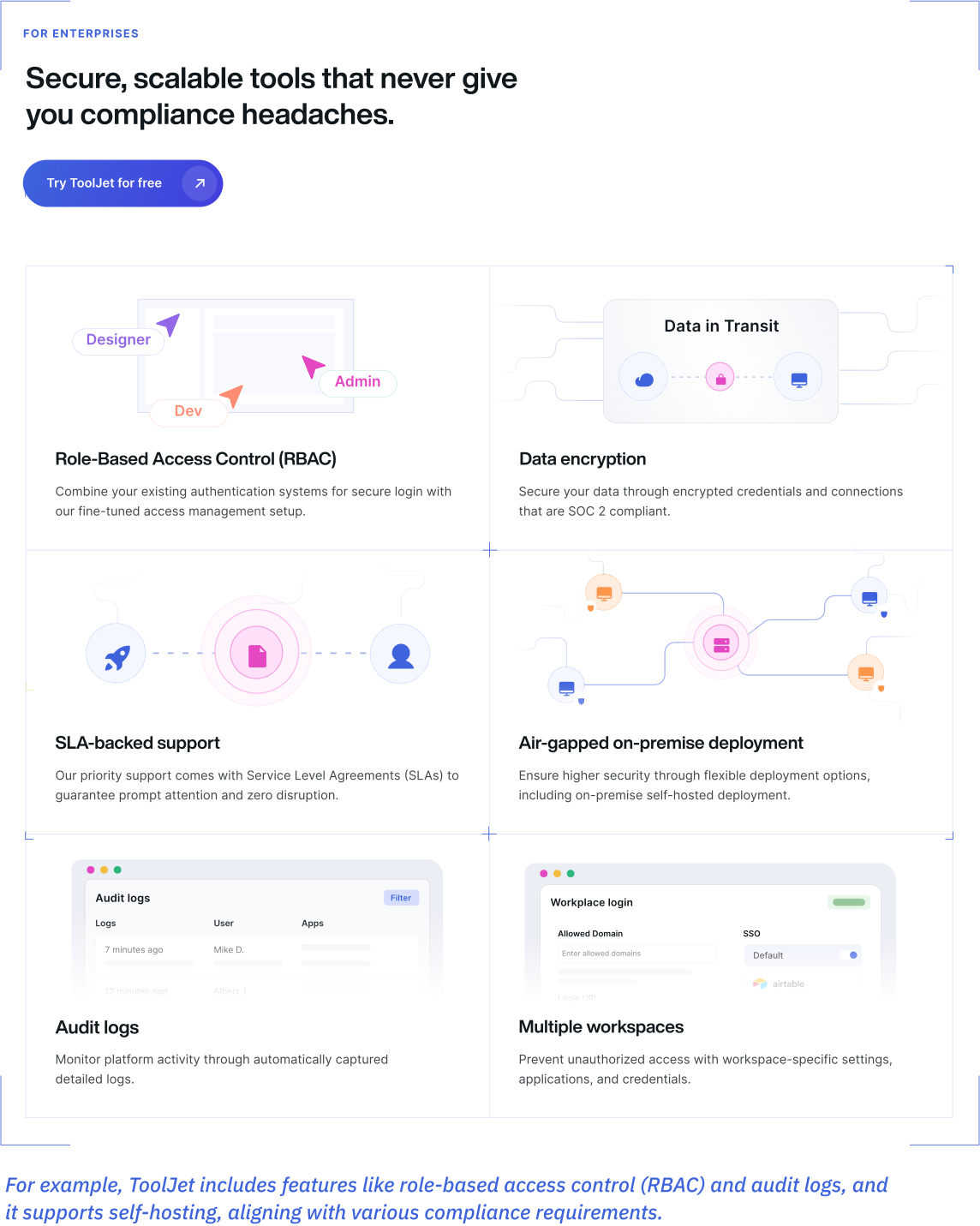
Security is paramount. The platform should offer robust security measures and compliance with industry standards.
- 7. Explore AI and automation capabilities
Modern platforms should leverage AI to enhance development efficiency and user experience. - 8. Analyze support and community engagement
A vibrant community and responsive support can accelerate problem-solving and innovation.
For instance:
ToolJet has a vibrant community.
Explore its open-source code and contributor activity on GitHub. - 9. Understand the development lifecycle support
The platform should support the entire application lifecycle, from development to deployment and maintenance. - 10. Evaluate cost and Licensing models
Consider the platform’s pricing structure to ensure it fits within your budget constraints.
Check out ToolJet’s pricing details here!
Two ways to get started with
low-code and the power of AI
Starting your low-code journey is simple and flexible. You can combine low-code platform solutions with AI to align with your goals, team skills, and urgency.
1. Build applications from scratch
If you have a unique idea or need a fully customized solution, AI-powered low-code platforms like ToolJet let you start from a blank canvas. Using intuitive drag-and-drop builders, pre-configured data connectors, and AI-assisted features, you can:
- Generate app interfaces and connected data queries from natural-language requirements
- Prototype UI components and iterate on their behavior with AI
- Use the ToolJet coding-agent plugin with Claude Code, Codex, or Cursor to build apps
Use the visual editor and custom code to refine the result. Review generated queries, permissions, and error handling before deployment; AI output still requires testing.
2. Customize a ready-made template
For faster results, ToolJet and many other leading platforms offer a rich library of pre-built templates and ready-to-use applications that you can customize to your needs.
Simply choose a template, connect your data sources, and make modifications through the visual editor.
With AI-driven customization support, you can:
- Get intelligent recommendations on layout changes or data mapping
- Iterate on the interface and logic to fit your process
- Use AI to generate code snippets for advanced logic when needed
Templates provide a starting point for dashboards and operational tools. Connect your data and test access permissions, validation, and error handling before treating an app as production-ready.
The future of low-code
AI-assisted development, governance, and integration capabilities are important evaluation areas for enterprise teams. The research below describes dated market forecasts and survey responses, not guaranteed results for an individual project.
Market growth & forecasts
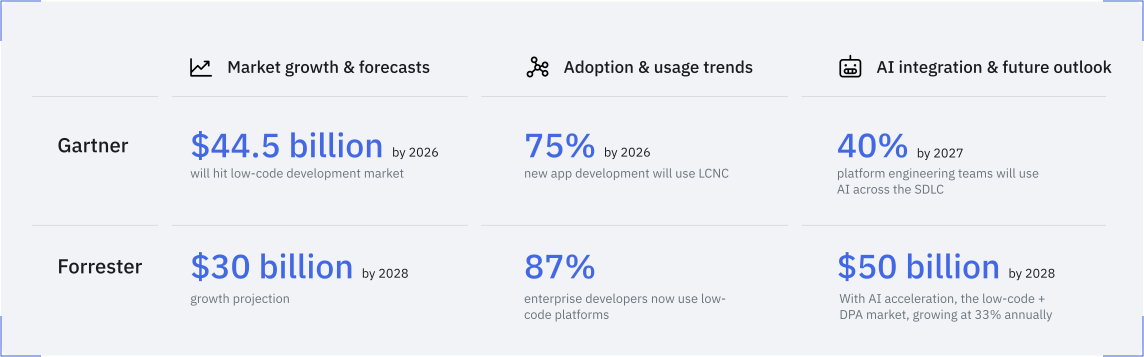
- Gartner, in its November 2025 forecast, projected a $58.2 billion low-code development technologies market by 2029. This is a forecast rather than a measured market result.
- Forrester, writing in January 2024, estimated the 2023 low-code and digital process automation market at $13.2 billion and projected approximately $30 billion by 2028.
Adoption & usage trends
- Enterprise adoption should be evaluated by workload: test a representative internal app, its integrations, and its governance requirements before expanding across teams.
- Forrester cited survey data in its January 2024 article indicating that 87% of enterprise developers used low-code for some development work. This is dated survey evidence, not a current census.
AI integration & future outlook
- When evaluating AI features, check which data reaches the model, how generated code is reviewed, and which deployment and provider choices are supported.
- Forrester also modeled an AI-driven $50 billion market scenario for 2028. It described that scenario as plausible but not its likely outcome; the base projection was approximately $30 billion.
Survey findings from KPMG’s 2024 low-code report, based on 2,000 decision-makers surveyed in May and June 2023
- 81% considered low-code strategically important.
- 31% of European respondents made low-code a key software-strategy component.
- 47% had implemented or planned low-code governance policies.
- 55% had company-wide guidelines for low-code application development.
- 42% identified security risks as a development challenge.
- Customization limits concerned 43% in Europe and 32% in the US.
- 53% cited process efficiency as a benefit.
- 51% cited employee productivity as a benefit.
- 42% cited cost reduction as a benefit.
- 43% cited flexibility and scalability; 40% cited greater automation.
- 47% cited improved offering quality; 38% cited faster solutions; 41% cited digital skills.
- 32% cited shorter release cycles.
- 40% cited an expanded product or service portfolio.
These survey responses identify priorities to test in your own evaluation, especially efficiency, security, customization, and governance. They do not establish the results any platform will deliver for your organization.
How ToolJet’s rapid low-code application development platform works for you?
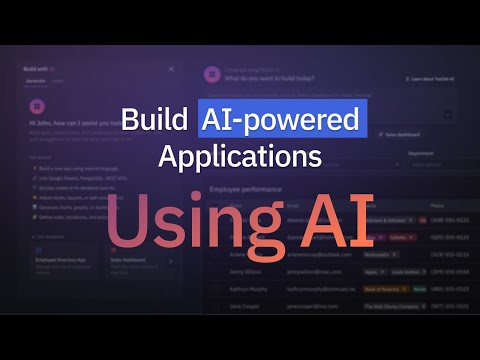
ToolJet is an AI-powered, open-source low-code platform for building internal tools such as dashboards, CRUD apps, and operational interfaces connected to your databases and APIs.
Whether you’re a developer, product manager, or operations leader, ToolJet offers a blend of AI-driven automation and human-centric customization to streamline your development process.
 Build applications with natural language
- UI components and layouts
- Queries connected to your data sources
- Application logic and event wiring
 Visual app builder
- Real-time previews
- Integration with various data sources
- Customizable UI components
 Seamless integrations
- Databases: PostgreSQL, MySQL, MongoDB
- APIs: REST, GraphQL
- Third-party services: Google Sheets, Slack, OpenAI
Enterprise-grade security
- Role-based access controls, with advanced options by plan
- Audit logs on eligible plans
- Enterprise SSO with your identity provider
- Security and compliance documentation in the Trust Center
 Scalability and performance
- Scalable architecture to handle increasing workloads
- Workload testing for queries, concurrency, and integrations
- Support for both cloud and on-premises deployments
 AI Agents and automation
- Integrate with vector databases
- Orchestrate processes with Workflows on Self-hosted deployments
- Connect applications to supported LLM services
 Built-in database management
- Design and manage schemas visually
- Import CSV data and access external sources through connectors
- Execute queries using a user-friendly interface
 Templates and components
- Admin dashboards
- CRM systems
- Inventory management tools
Evaluate ToolJet using an internal app connected to your real data, with the permissions and deployment model you need. Use ToolJet Academy courses and certifications to support team onboarding.
ToolJet’s low-code success stories
1. Pizza Pizza: Accelerating development and enhancing efficiency
Pizza Pizza, a leading Canadian pizza chain with over 750 locations, faced challenges in meeting the increasing demand for internal application development. With a lean team of 10 developers, the company struggled to keep up with requests from various departments, leading to bottlenecks and missed opportunities.
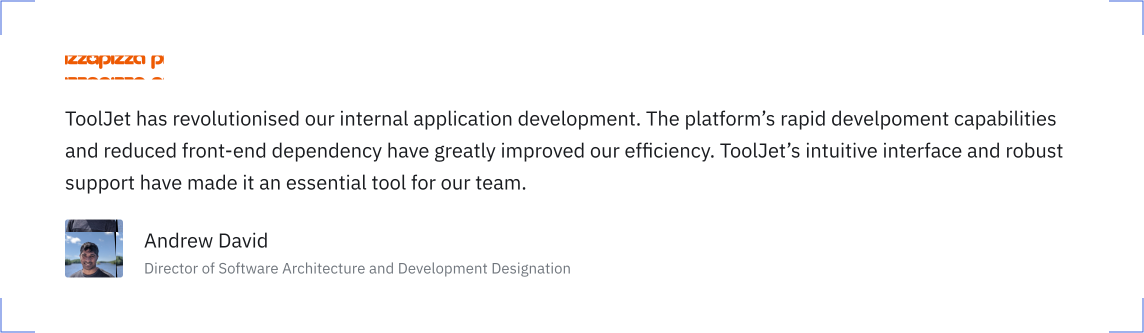
ToolJet’s linked Pizza Pizza case study reports that adopting the platform empowered its backend developers and even non-technical staff to create and manage internal applications independently. This shift reduced the dependency on the frontend team and streamlined the development process. Within six months, the company developed six internal applications, integrated over 20 data sources, and achieved a 50% reduction in application development turnaround time. Additionally, the engineering team saved over 500 hours, and development costs were reduced by 30%.
2. Emeritus: Streamlining operations and reducing costs
Emeritus, a global edtech company, encountered operational inefficiencies due to disconnected systems and suboptimal internal interfaces. These challenges affected productivity and scalability, especially as the company expanded its offerings.
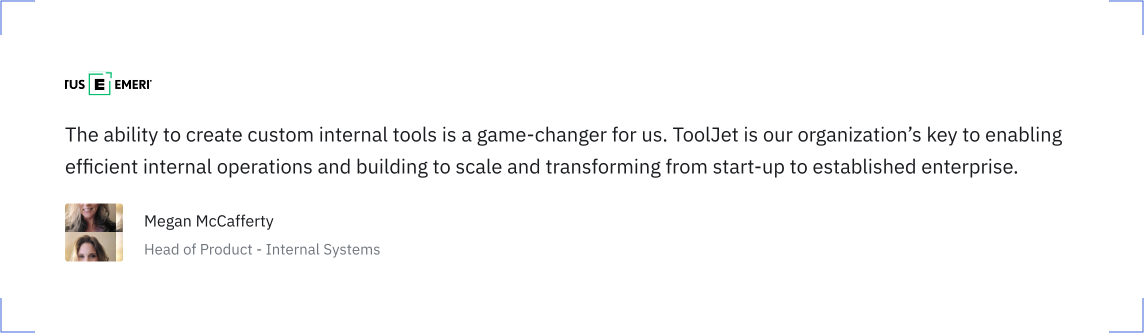
ToolJet’s linked Emeritus case study reports that implementing the platform allowed Emeritus to transform its internal operations. The platform’s user-friendly interface enabled non-technical teams to develop applications swiftly, while seamless integration with existing data sources like BigQuery and Salesforce eliminated data silos. Post-implementation, Emeritus achieved a 50% reduction in development time, improved efficiency by 40% for course delivery teams, and saved over 600 hours. The company also experienced a 30% reduction in errors, facilitating scalable growth.
3. Infear.org: Enhancing impact through efficient tool development
Infear.org, an NGO dedicated to supporting children affected by domestic violence, faced technical challenges with its existing tools, leading to data inconsistencies and system crashes. These issues hindered the organization’s ability to effectively manage its operations and deliver services.
ToolJet’s linked Infear.org case study reports that adopting the platform helped the organization overcome these challenges. The platform’s intuitive interface and robust integration capabilities allowed the organization to develop stable and efficient internal tools. The implementation process was swift, with training completed in just three hours. As a result, Infear.org developed seven applications, integrated nine data sources, and saved over 60 days on product updates, enabling the organization to focus more on its core mission.
FAQ
-
You can start with visual components and AI-generated interfaces in a platform like ToolJet. Custom logic, complex integrations, and production validation may still require coding and technical review.
-
Low-code application development uses visual tools and pre-built components to speed up app creation.
-
Visual software development lets you design and build apps using drag-and-drop interfaces.
-
Low-code platforms enable faster delivery of digital solutions, helping organizations adapt quickly.
-
Low-code allows some coding for customization, while no-code is entirely visual and code-free.
-
Low-code tools support rapid iteration and prototyping, making them ideal for Agile teams.
-
Low-code is a development approach using visual tools and reusable components. High-productivity aPaaS describes a platform category, while RAD is an iterative development method. These concepts can overlap rather than being competing levels of flexibility.
-
Some popular low-code tools include ToolJet, OutSystems, Mendix, and Microsoft Power Apps.
-
Choose based on the apps you need, supported integrations, developer skills, governance, deployment options, and total cost. ToolJet is designed for data-connected internal tools; compare Cloud and Self-hosted feature availability and test a representative app before deciding.