What does low-code
development look like
in 2025?

What is low-code?
Low-code is a software development approach that enables the creation of applications using minimal hand-coding. Instead of writing thousands of lines of code, developers and non-developers use visual interfaces, drag-and-drop tools, and pre-built components to design applications faster and more efficiently.
Low-code platforms aim to bridge the gap between technical and non-technical teams, making app development more accessible without sacrificing functionality or customization.
What is low-code application development?
Low-code application development refers to building applications using low-code platforms for internal use, customer-facing solutions, or automation. This method emphasizes speed, collaboration, and iteration. Developers can focus more on solving business problems rather than spending time on repetitive coding tasks.
By reducing technical complexity, low-code empowers teams to turn ideas into functional apps in days or weeks, instead of months.
Key features of low-code platforms:
- Visual development tools: Drag-and-drop builders for UI design and workflow automation.
- Reusable components: Pre-built templates and modules for faster assembly.
- Integration capabilities: Ready-to-use connectors for APIs, databases, and third-party services.
- Scalability: Ability to support complex business logic, multi-user access, and growth needs. Choose from cloud or self-hosted deployment options for better control and compliance.
- Drag and drop: Simplifies app building by letting users design interfaces and workflows visually without writing complex code.
- Quick: Speed up development cycles, allowing teams to move from idea to deployment in a fraction of the traditional time.
Major benefits:
- Faster time-to-market: Deliver applications 5–10x faster compared to traditional coding.
- Real-time collaboration: Enable real-time collaboration across departments to accelerate decision-making and development cycles.
- Reduced development costs: Minimize reliance on large development teams.
- Greater flexibility: Easily modify apps as business needs change.
- Business-IT collaboration: Non-technical users (citizen developers) can contribute to building apps.
- Enhanced innovation: Frees up technical resources to focus on strategic and complex challenges.
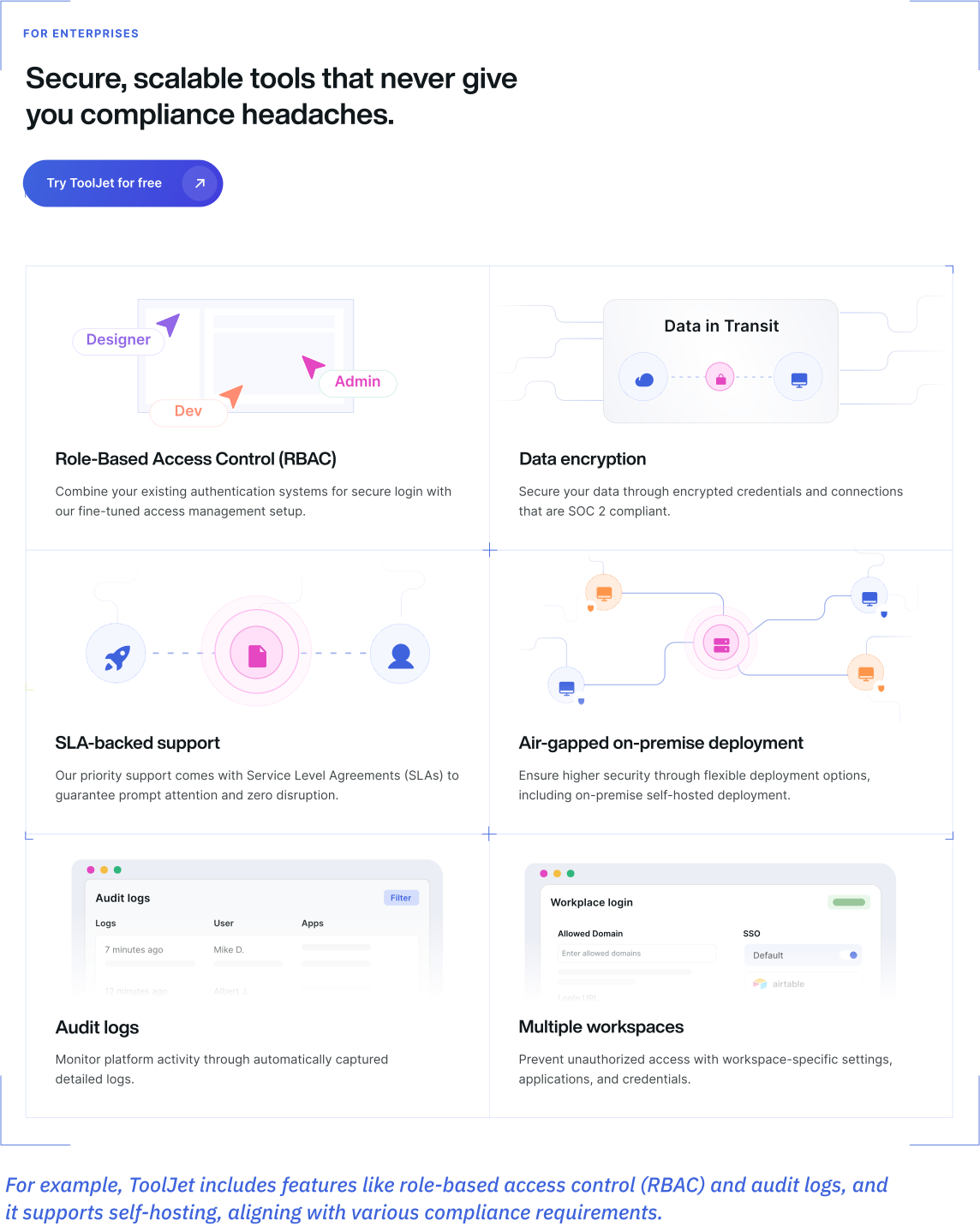
- Robust security and governance: Built-in features like role-based access, data encryption, and audit logs ensure secure and compliant app development.
Understanding the core differences
Low-code vs traditional development
Choosing between low-code and traditional development often comes down to project demands, time constraints, and available resources. Here’s a breakdown of how low-code compares to conventional development practices across critical factors:
| Low-code development | Traditional development | |
|---|---|---|
| What is the development speed? | Rapid (5–10x faster) | Slow (weeks to months) |
| How much will the development cost? | Economical (Small teams can build apps) | Expensive (requires large, specialized teams) |
| What’s the skill requirement? | Moderate (basic coding knowledge) | High (expert developers) |
| Is my data secure? | Low-code platforms automatically provide security features, audit logs, user controls, and threat assessments to protect data completely. | It’s risky and complex, as the developer must modify the code behind each module in every application to implement the required defenses. |
| Do I need to worry about integrations? | Seamlessly integrate with external and existing systems using low-code’s pre-built APIs and advanced integration tools. | Demands intricate scripting and extensive testing of compatible code to integrate with new external applications. |
| What about feature updates and system maintenance? | Seamlessly integrate with external and existing systems using low-code’s pre-built APIs and advanced integration tools. | Demands intricate scripting and extensive testing of compatible code to integrate with new external applications. |
| Is it possible to scale my app? | You can easily collect feedback, implement changes, and update your low-code applications in real-time. | Scaling post-deployment is a complex process that requires the collaboration of multiple teams, including development, testing, production, and more. |
| Do I get any kind of support with the app? | Ongoing support at a fraction of the cost, provided through an AMC, for the low-code platform. | Significant costs are required to obtain comprehensive support for the application. |
Low-code vs. no-code
While both low-code and no-code platforms aim to speed up application development, they serve different audiences and use cases.
Understanding their differences can help you select the right approach based on your project’s complexity, team skillsets, and scalability needs.
| Low-code | No-code | |
|---|---|---|
| Who are the target users? | Developers, technical users | Business users, citizen developers |
| Is coding required? | Minimal (for customization) | None |
| Can I customize my app? | Allows custom scripts and extensions | Limited to the platform’s capabilities |
| What type of app can I build? | Suitable for complex, scalable apps | Best for simple apps and workflows |
What can you build with low-code platforms?
Low-code platforms are incredibly versatile, empowering teams to build various applications quickly and efficiently.
- Forms or data-collection apps (58%)
- Apps that orchestrate business processes and workflows within apps (49%)
- Apps that replace paper, email, or spreadsheets (42%)
- Customizing new app UI for current on-premise applications (22%)
Whether optimizing internal processes or creating customer-facing solutions, low-code can help you achieve your goals without the long development cycles traditionally required.
Here’s what you can build:
Build essential internal analytics tools for real-time data exploration and reporting with low-code platforms. You can create customized admin panels, CRMs, and more, all tailored precisely to your organization’s workflows.
Explore more!Create secure and dynamic portals for employees, customers, or partners with low-code. These portals enable users to interact with your systems, submit requests, track activities, or access personalized content, all without manual intervention.
Explore more!Build forms and URL processing apps to automate data capture and workflows. Use drag-and-drop tools to create anything from simple inputs to advanced data parsing, all integrated with your systems.
Explore more!Build interactive dashboards that consolidate and visualize business metrics. Track KPIs, user behavior, or operational performance using integrated charting tools and filters.
Explore more!Build complex, scalable core systems with low-code platforms to power daily operations. These systems can seamlessly integrate with existing databases, ERPs, and other critical infrastructure.
Explore more!Modernize outdated systems with low-code to rapidly rebuild, extend, and integrate legacy systems, improving performance, user experience, and adaptability—at a fraction of the time and cost of starting from scratch.
Explore more!Design fully functional CRUD (Create, Read, Update, Delete) dashboards to manage records, users, or transactions, backed by real-time data from SQL, APIs, or cloud databases.
Automate complex scheduling workflows using AI-backed forms, real-time availability logic, and integrations with calendars or CRMs. Ideal for healthcare, services, or internal operations.
Use-case: Who can build with low-code?
One of the biggest strengths of low-code platforms is their accessibility. You don’t have to be a professional engineer to create powerful applications. Low-code helps a wide range of users across industries, roles, and departments to turn ideas into real, working solutions.
Industries benefiting from low-code
Low-code development is transforming how industries approach digital innovation.
-
 Financial services: Build secure customer portals, automate compliance tracking, and streamline financial operations.
 -
 Logistics: Optimize inventory management, shipment tracking, and warehouse operations with custom apps.
 -
 Healthcare: Improve patient intake processes, manage records securely, and build appointment scheduling tools.
 -
 Retail: Personalize shopping experiences, manage product catalogs, and automate supply chain operations.
 -
 Telecom: Enhance customer service portals, automate issue tracking, and streamline account management.
 -
 Education: Create personalized learning platforms, manage student records, and automate administrative tasks to enhance the learning experience.
 -
 SaaS: Build scalable, multi-tenant applications, manage subscriptions, and automate customer support workflows.
Who are the key users (ICP) of low-code?
Low-code isn’t just for "citizen developers"; it’s becoming a critical tool for many technical roles:
Departments using low-code for everyday innovation
Low-code development is enabling departments across organizations to move faster and innovate more independently:
- Marketing: Build campaign trackers, event registration apps, and lead-gen forms.
- Human Resources (HR): Manage employee onboarding, feedback collection, and performance tracking applications.
- Sales: Create deal pipelines, client management tools, and commission tracking systems.
- Operations: Streamline logistics, manage vendor relationships, and automate daily operational tasks.
- Finance: Automate budgeting, expense reporting, and real-time financial dashboards.
How do you choose the right low-code development platform?
Selecting the ideal low-code platform is a strategic decision that can significantly impact your organization’s agility, efficiency, and innovation capacity. Here’s a comprehensive guide to help you make an informed choice:
1. Define your project requirements and goals
Begin by clearly outlining your project’s objectives, scope, and desired outcomes. Understanding your specific needs will guide you in selecting a platform that aligns with your business goals.
2. Evaluate ease of use and user interface
A user-friendly interface is crucial for rapid development and adoption across teams.
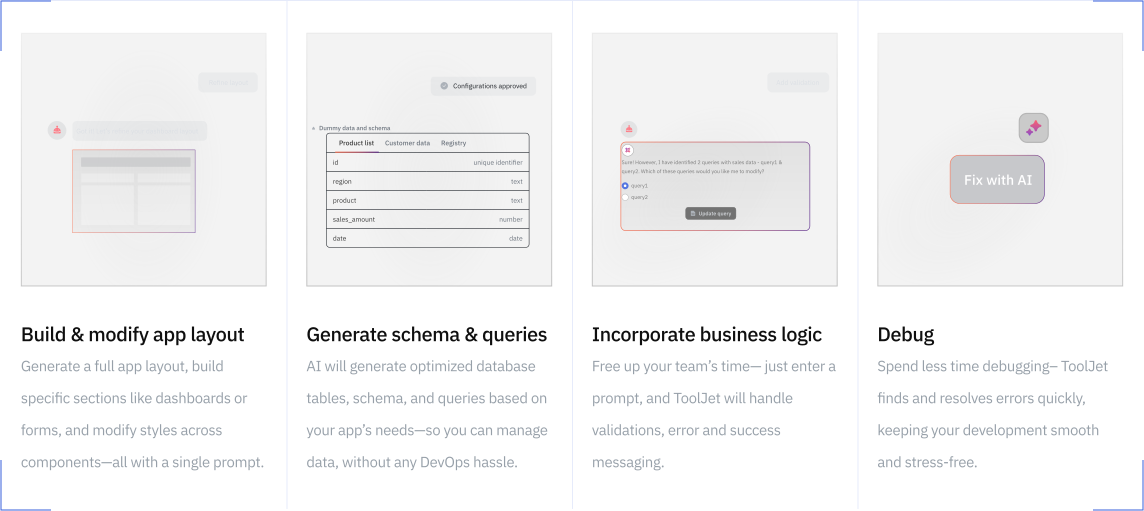
For instance, ToolJet offers an intuitive drag-and-drop interface complemented by AI-assisted features, enabling both technical and non-technical users to build applications efficiently.
- 3. Assess customization and flexibility
Ensure the platform allows for customization to meet unique business processes and workflows. - 4. Examine integration capabilities
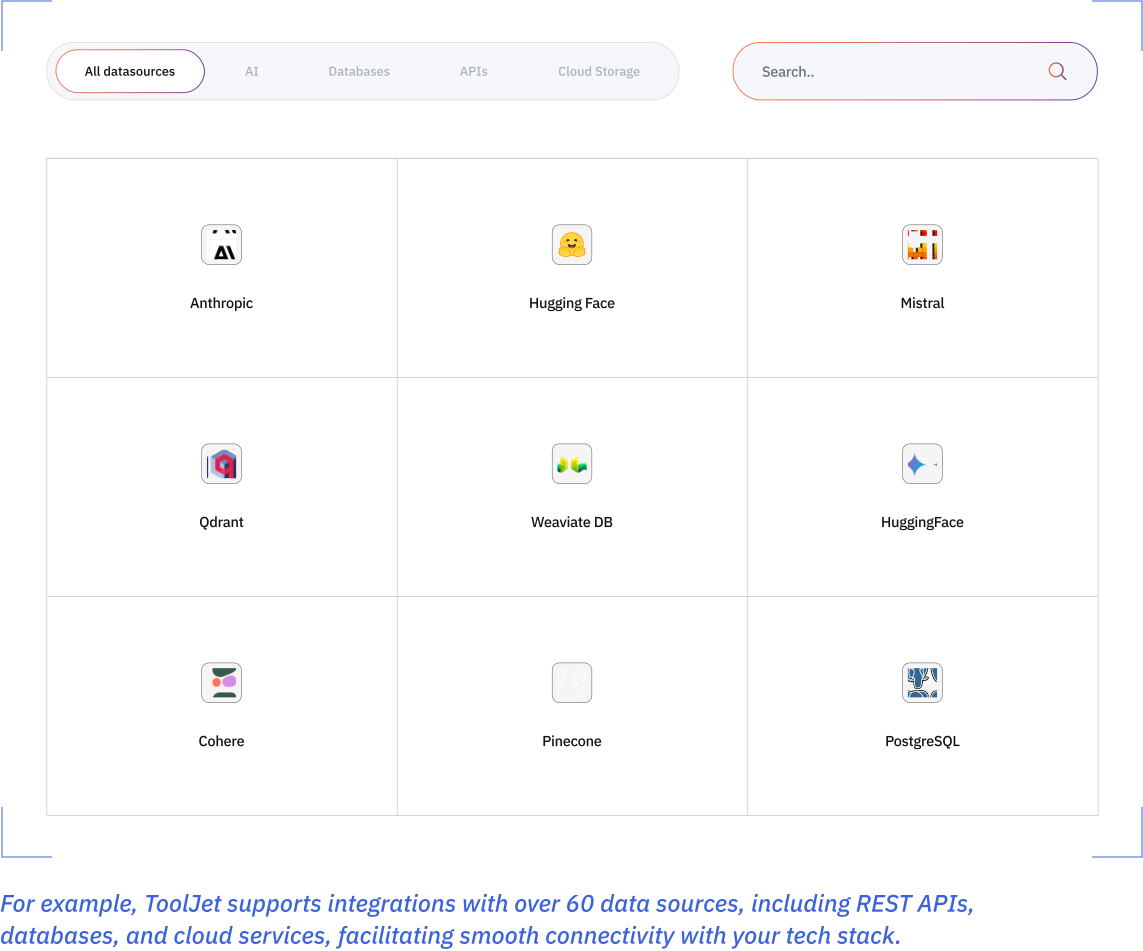
The platform should seamlessly integrate with your existing systems and third-party applications.
- 5. Consider scalability and performance
Choose a platform that can scale with your business and handle increased workloads without compromising performance. - 6. Review security features and compliance
Security is paramount. The platform should offer robust security measures and compliance with industry standards.
- 7. Explore AI and automation capabilities
Modern platforms should leverage AI to enhance development efficiency and user experience. - 8. Analyze support and community engagement
A vibrant community and responsive support can accelerate problem-solving and innovation.
For instance:
ToolJet has a vibrant community.
It has got 35,000 stars on GitHub. - 9. Understand the development lifecycle support
The platform should support the entire application lifecycle, from development to deployment and maintenance. - 10. Evaluate cost and Licensing models
Consider the platform’s pricing structure to ensure it fits within your budget constraints.
Check out ToolJet’s pricing details here!
Two ways to get started with
low-code and the power of AI
Starting your low-code journey is simple and flexible. You can combine low-code platform solutions with AI to align with your goals, team skills, and urgency.
1. Build applications from scratch
If you have a unique idea or need a fully customized solution, AI-powered low-code platforms like ToolJet let you start from a blank canvas. Using intuitive drag-and-drop builders, pre-configured data connectors, and AI-assisted features, you can:
- Autogenerate forms, workflows, and data queries with natural language
- Instantly prototype UI components using AI suggestions
- Speed up debugging and logic creation through AI copilots
This option gives you maximum flexibility to build exactly what you need, without the constraints of pre-built models, and still at a fraction of the time and cost compared to traditional development.
2. Use 60+ pre-built templates
For faster results, ToolJet and many other leading platforms offer a rich library of pre-built templates and ready-to-use applications that you can customize to your needs.
Simply choose a template, connect your data sources, and make modifications through the visual editor.
With AI-driven customization support, you can:
- Get intelligent recommendations on layout changes or data mapping
- Automatically adapt templates to fit your existing workflows
- Use AI to generate code snippets for advanced logic when needed
This approach allows you to launch production-ready apps within hours or days, not weeks, perfect for internal tools, MVPs, and quick operational fixes.
The future of low-code
As we look ahead to 2025, the trajectory for low-code is marked by exponential growth, deeper integration of emerging technologies, and a fundamental shift in who builds software.
Market growth & forecasts
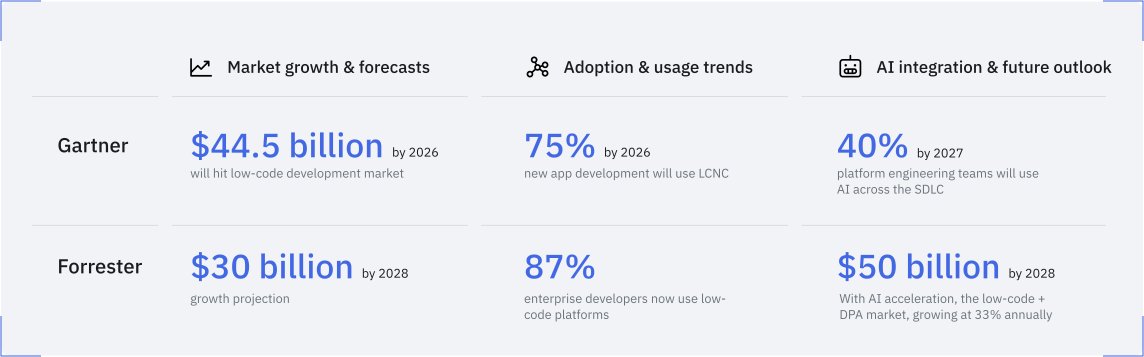
- Gartner projects that by 2026, the low-code development technologies market will reach $44.5 billion, driven by hyperautomation and the need for rapid application delivery.
- Forrester estimates that the combined low-code and digital process automation (DPA) market reached $13.2 billion by the end of 2023, with a projected growth to approximately $30 billion by 2028.
Adoption & usage trends
- Gartner predicts that by 2026, 75% of new application development will utilize low-code or no-code technologies, up from 40% in 2021.
- Forrester reports that 87% of enterprise developers are using low-code development platforms for at least some of their development work.
AI integration & future outlook
- Gartner foresees that by 2027, 40% of platform engineering teams will use AI to augment every phase of the software development lifecycle, compared to 5% in 2023.
- Forrester suggests that the rise of AI could drive the low-code and DPA market to $50 billion by 2028, assuming a 33% annual growth fueled by AI-infused platforms.
Overall stats by KPMG in its 2024 report, “Low-code adoption as a driver of digital transformation”
- 81% of surveyed companies consider low-code development strategically crucial.
- 31% of European companies use low-code as a critical component of their software development strategy.
- 47% of organizations are implementing or planning to implement low-code policies and defined governance.
- 55% of companies have company-wide guidelines on which apps are developed with low-code.
- 42% of companies identify security risks as the biggest challenge in low-code development.
- 43% of European companies cite the lack of customization options in low-code as a challenge, compared to 32% in the US.
- 53% of companies report increased process efficiency due to low-code adoption.
- 51% experience higher employee productivity as a result of low-code platforms.
- 36% achieve notable cost reduction through low-code solutions.
- 33% see high flexibility, scalability, and greater automation with low-code platforms.
- 30% benefit from enhanced service/product quality, faster time to solutions, and improved digital skills.
- 29% enjoy shorter release cycles with low-code development.
- 26% expand their product/service portfolios through low-code initiatives.
These statistics highlight the growing importance and impact of low-code platforms in driving digital transformation across industries.
How ToolJet’s rapid low-code application development platform works for you?
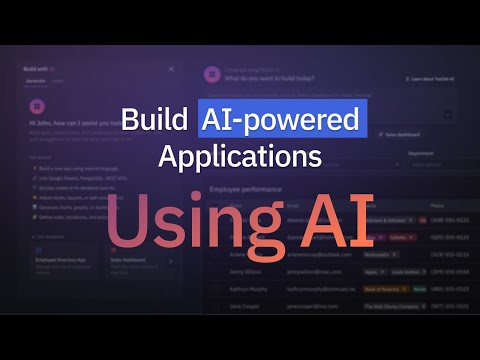
ToolJet is an AI-powered, open-source low-code platform designed to help teams rapidly simplify the building of CRUD internal tools and business applications.
Whether you’re a developer, product manager, or operations leader, ToolJet offers a blend of AI-driven automation and human-centric customization to streamline your development process.
 Build applications with natural language
- Product requirement documents
- Database schemas
- Business logic
 Visual app builder
- Real-time previews
- Integration with various data sources
- Customizable UI components
 Seamless integrations
- Databases: PostgreSQL, MySQL, MongoDB
- APIs: REST, GraphQL
- Third-party services: Google Sheets, Slack, OpenAI
Enterprise-grade security
- Role-based access control (RBAC)
- Audit logging
- Multi-factor authentication (MFA)
- Compliance with SOC 2, GDPR, and ISO standards
 Scalability and performance
- Scalable architecture to handle increasing workloads
- Performance optimization tools
- Support for both cloud and on-premises deployments
 AI Agents and automation
- Integrate with vector databases
- Automate workflows across various services
- Interact with large language models (LLMs)
 Built-in database management
- Design and manage schemas visually
- Import data from sources like CSVs and Google Sheets
- Execute queries using a user-friendly interface
 Templates and components
- Admin dashboards
- CRM systems
- Inventory management tools
ToolJet’s combination of AI-driven development, visual design tools, robust integrations, and enterprise-grade security makes it a versatile platform for building internal tools and applications efficiently.
ToolJet’s low-code success stories
1. Pizza Pizza: Accelerating development and enhancing efficiency
Pizza Pizza, a leading Canadian pizza chain with over 750 locations, faced challenges in meeting the increasing demand for internal application development. With a lean team of 10 developers, the company struggled to keep up with requests from various departments, leading to bottlenecks and missed opportunities.
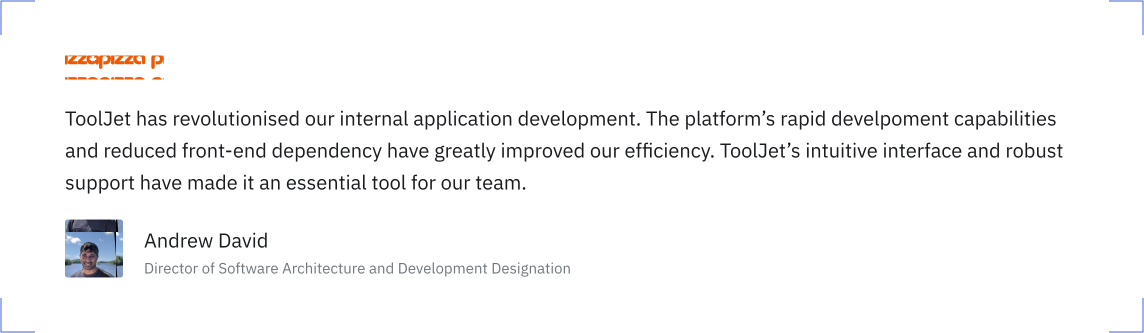
By adopting ToolJet’s low-code platform, Pizza Pizza empowered its backend developers and even non-technical staff to create and manage internal applications independently. This shift reduced the dependency on the frontend team and streamlined the development process. Within six months, the company developed six internal applications, integrated over 20 data sources, and achieved a 50% reduction in application development turnaround time. Additionally, the engineering team saved over 500 hours, and development costs were reduced by 30%.
2. Emeritus: Streamlining operations and reducing costs
Emeritus, a global edtech company, encountered operational inefficiencies due to disconnected systems and suboptimal internal interfaces. These challenges affected productivity and scalability, especially as the company expanded its offerings.
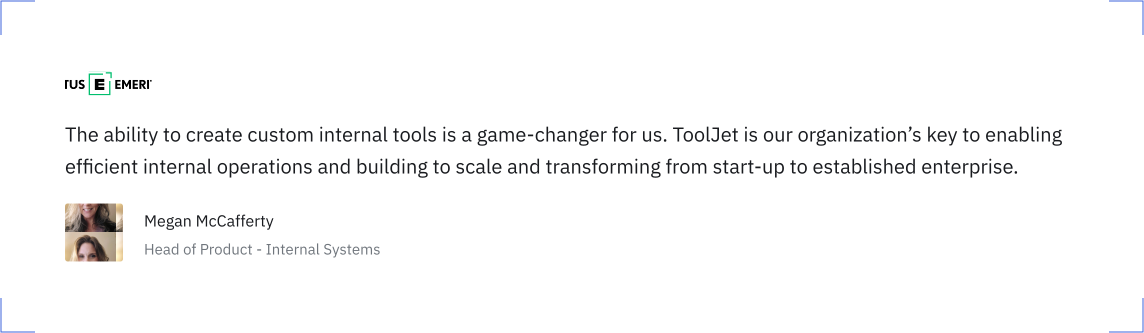
Implementing ToolJet allowed Emeritus to transform its internal operations. The platform’s user-friendly interface enabled non-technical teams to develop applications swiftly, while seamless integration with existing data sources like BigQuery and Salesforce eliminated data silos. Post-implementation, Emeritus achieved a 50% reduction in development time, improved efficiency by 40% for course delivery teams, and saved over 600 hours. The company also experienced a 30% reduction in errors, facilitating scalable growth.
3. Infear.org: Enhancing impact through efficient tool development
Infear.org, an NGO dedicated to supporting children affected by domestic violence, faced technical challenges with its existing tools, leading to data inconsistencies and system crashes. These issues hindered the organization’s ability to effectively manage its operations and deliver services.
By transitioning to ToolJet, Infear.org overcame these challenges. The platform’s intuitive interface and robust integration capabilities allowed the organization to develop stable and efficient internal tools. The implementation process was swift, with training completed in just three hours. As a result, Infear.org developed seven applications, integrated nine data sources, and saved over 60 days on product updates, enabling the organization to focus more on its core mission.
FAQ
-
You can use a low-code platform like ToolJet to build apps visually, without writing code.
-
Low-code application development uses visual tools and pre-built components to speed up app creation.
-
Visual software development lets you design and build apps using drag-and-drop interfaces.
-
Low-code platforms enable faster delivery of digital solutions, helping organizations adapt quickly.
-
Low-code allows some coding for customization, while no-code is entirely visual and code-free.
-
Low-code tools support rapid iteration and prototyping, making them ideal for Agile teams.
-
Low-code, hpaPaaS, and RAD all aim to speed up app delivery, but low-code offers more flexibility and integration options.
-
Some popular low-code tools include ToolJet, OutSystems, Mendix, and Microsoft Power Apps.
-
The best platform depends on your needs, but ToolJet is a top choice for open-source, flexibility, and integrations.