
Chapter 1: Internal tools in 2026
Internal tools are applications employees use to work with business data and carry out an organization’s processes. A support console, refund approval app, inventory dashboard or onboarding system turns a task into an interface people can use under defined access rules.
This guide explains what to build, how AI and visual development fit together, and what an enterprise team should check before production. Use the ten chapters to work from a business problem to a governed pilot and an operating plan.
What are internal tools?
An internal app combines an interface, data connections, business logic and access controls for a specific team. It often sits over existing systems of record, rather than replacing them. The app should make a permitted action easier while keeping the underlying data and approval rules intact.
Public customer portals are related business applications, but have additional external identity, tenancy and exposure requirements. Treat them as a separate security scope rather than assume an employee app can simply be made public.
Why internal tools matter in 2026
Teams often work across a database, CRM, ticketing system and spreadsheet to complete one task. A focused internal app can bring the relevant information and actions together. Its value comes from solving that specific process, not from the number of screens or the presence of AI.
AI can help draft applications and queries. It does not remove the need to review data access, business rules, errors and release readiness.
Measure the problem before choosing a platform
Record the current process: who performs it, how often, which systems it touches and where errors or delays occur. Agree on one primary outcome, such as approval cycle time, duplicate entry or time spent locating a record.
Build a pilot around representative tasks and data. Compare the full effort of integration, testing, access review, release and maintenance. Market forecasts and another company’s savings do not establish your app’s return on investment.
From scripts to governed internal applications
Internal tools can be scripts, custom web apps or applications built on a visual platform. These approaches continue to coexist. The right choice depends on the process, runtime requirements, development skills and how the application will be operated.
For historical context, see our low-code evolution article. Here the focus is the practical decision: who can safely build, review and maintain the application your team needs.
Chapter 2: Common types of internal applications
Choose an app type from the work it needs to support. Start with one bounded process and name its users, systems of record, permitted actions and exception paths.
1. Admin panels and CRUD interfaces
Search, create and update business records through a controlled interface. For example, support staff can inspect an order and request a refund. Separate read access from write authority, validate inputs and record sensitive actions.
2. Dashboards and reporting
Bring operational metrics and drill-down views together for a defined audience. Agree on the metric definitions and data freshness. Use pagination and appropriately scoped queries rather than pull every row into the browser.
3. Data entry and validation
Capture information with required fields, validation and clear ownership. A vendor onboarding form can check completeness before a reviewer approves a record. Keep authoritative validation in the relevant service or database as well as the interface.
4. Approvals and workflow automation
Coordinate a request, decision and follow-up action. Define who can approve, what happens on failure and how retries avoid duplicate changes. ToolJet Workflows and Agent Builder are available on Self-hosted deployments, not ToolJet Cloud.
5. Employee apps and external portals
An employee service app may expose a different set of records and actions from a customer portal. External portals need explicit tenant isolation, authentication, rate limits and data-sharing rules. Evaluate those requirements independently from internal access.
6. Database operations interfaces
Give authorized users a focused way to inspect or change data without sharing unrestricted database credentials. Prefer service accounts and views with the minimum permissions the app needs. Plan for transactions, concurrency and recovery from incorrect writes.
7. Operations and logistics consoles
Combine status, exceptions and actions for tasks such as fulfillment or stock reconciliation. Make failed integrations and partially completed operations visible. Operators need to know which system is authoritative before retrying a change.
8. Migration and reconciliation tools
Help a team map records, check differences or manage a transition between systems. Validate identifiers, preserve audit evidence and agree a rollback plan. An internal app can support migration work; it does not make every schema or business rule portable.
9. Employee management applications
Support onboarding, access requests or staffing processes with role-specific views. Employee information requires careful retention and visibility rules. Offboarding should remove both application access and any related system permissions.
10. Contract and document operations
Track requests, metadata, approvals and document status. Define where originals are stored and who can view them. AI extraction or summarization should be reviewed before it changes a contractual record or triggers an action.
Chapter 3: Building internal apps with AI
Distinguish AI used to build an app from AI running inside the finished app. An app generated with AI does not necessarily call a model when employees use it. A ticket summarizer or assistant does, and needs its own data, cost and review policies.
Choose the authoring path and runtime boundaries
Teams can work with an AI app builder, edit directly in a visual builder, or use a coding agent connected to platform tools. These paths can produce the same application artifacts, but differ in permissions, models and billing.
ToolJet documents its built-in AI and coding-agent entry points. Choose the path that fits your team’s review process.
1. Describe the process and its limits
Write a prompt that names the users, data source, required screens, permitted actions and failure behavior. Include acceptance criteria rather than only a visual description. Start with test data and read-only access where practical.
2. Generate a draft, then inspect it
AI can help create components, queries and bindings. Check that each generated action matches the business requirement and uses the correct environment. Test empty results, invalid inputs, permission failures and slow or unavailable services.
3. Refine in the visual builder
Use the visual editor to inspect the layout, interactions and data bindings. Make targeted changes to the draft rather than accept an opaque result. Preview the experience with the roles and devices that will use the app.
4. Extend logic and connect a coding agent
Use custom code when the process needs logic beyond the available components. ToolJet MCP connects compatible coding agents to a ToolJet instance using a personal access token. Choose a workspace you are comfortable exposing to the agent and verify the token’s permissions; review changes before release.
See ToolJet MCP for the supported workflow. Agent requests can include context or data that the token permits the agent to read.
5. Add AI features to the running app deliberately
For summarization, extraction or assistance, decide which records may reach the model, which provider processes them and whether outputs need approval. Keep deterministic authorization outside model output. A model suggestion should not grant itself permission to write a record.
6. Track model choice and cost separately
Built-in ToolJet AI uses ToolJet credits. MCP-based building uses the coding agent’s model provider and billing arrangement. AI features inside an app can have their own provider costs. Record these separately when comparing total cost.
Supported model choice depends on the configured authoring path. The model-selection guide covers managed provider choice and compatible OpenRouter models under configured BYOK. Enterprise BYOK is available on both ToolJet Cloud and Self-hosted deployments.
7. Keep a human release decision
AI-generated work should enter the same review and release process as other changes. Assign an owner, inspect queries and permissions, run representative tests and document recovery steps. Generation speed alone is not a production-readiness test.
Chapter 4: Build, buy or use an app platform?
The decision is often a combination: keep core systems of record, buy standardized capabilities, and build a focused interface for the process that does not fit. Compare the options against the same requirements.
Custom development
Custom development gives the team control over the application stack and behavior. It also makes the team responsible for the UI, authentication, integrations, tests and runtime. Choose it when requirements or infrastructure constraints justify that responsibility.
Buying a standard application
A ready-made application can fit a common process and reduce custom development. Check whether its permissions, data export, APIs and configuration meet your requirements. Include the cost of integrations and workarounds, not only subscription prices.
Building on a visual or AI-assisted platform
An app platform supplies reusable components and integration tooling while your team defines the process. AI can accelerate drafting, and visual or code editing can refine the result. Evaluate extensibility, app export, runtime ownership and release controls before adopting the platform broadly.
Chapter 5: Ownership and the delivery team
More people can participate in building an internal app, but someone must own its correctness and operation. Agree who defines the process, implements changes, reviews access and supports users.
Developers: integration and correctness
Developers design queries and APIs, review custom code, handle edge cases and test data-changing operations. They should know where logic executes and which credentials it uses, whether the first draft was manual or AI-generated.
Product managers: requirements and acceptance
Product managers translate the workflow into clear requirements and acceptance criteria. They can help prototype screens and verify that the app solves the intended problem, while coordinating changes with technical and process owners.
Operations leads: process expertise
Operations teams identify exceptions, approval rules and the information users need to act. Involve them in pilot testing. Give builders appropriate training and access rather than grant broad production permissions by default.
AI owners: provider and model boundaries
The AI owner reviews supported providers, data handling, model configuration and usage budgets. Distinguish app-generation requests from runtime model calls. Agree how generated output is evaluated and when a human must approve an action.
IT and security: identity and platform operation
IT and security teams define identity integration, provisioning, network access, audit retention and incident processes. For customer-operated deployments, they also own the platform’s infrastructure responsibilities or agree them with a managed-hosting provider.
Engineering leadership: a maintainable app portfolio
Engineering leaders set standards for ownership, reusable integrations, tests and releases. Track maintenance effort and adoption alongside delivery time. A larger number of apps is useful only when the team can operate and retire them responsibly.
Department-specific requirements
Finance apps need authorization and reconciliation; support apps need customer-data boundaries; HR apps need employee-data controls; operations apps need reliable exception handling. Use the relevant department’s real workflow to define the pilot.
Industry-specific requirements
Regulated or security-sensitive organizations may require private network access, separate deployments, evidence of controls or approved model providers. Identify contractual and regulatory requirements before choosing a deployment or AI configuration.
Cross-functional review and training
Name an app owner, technical reviewer and support contact before release. Train builders on data access and change review. ToolJet Academy provides courses and certification assessments; check the current catalog for their scope and requirements.
Chapter 6: Comparing platform approaches
Choose a platform category before comparing vendor features. A spreadsheet app, an operations console and a core business process may need different capabilities. The questions below help narrow the shortlist.
For a separate vendor-by-vendor comparison, see our internal tool builders guide. This chapter focuses on evaluation criteria rather than a second ranking.
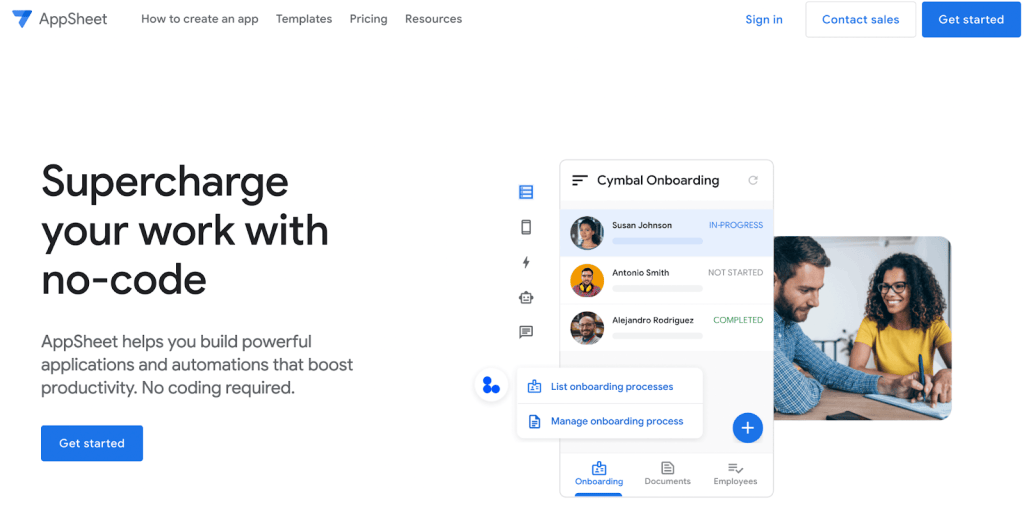
The retained homepage screenshots illustrate platform interfaces. They do not establish current pricing or feature availability; verify those against current product documentation.
1. AI-assisted visual app platforms
Consider this approach when you want prompts to create app drafts while retaining visual editing, query inspection and custom logic. Check what the AI produces and whether ordinary platform permissions continue to govern the generated app.

2. Developer-oriented application builders
Check how the platform connects to existing services and how developers write, debug and reuse logic. Evaluate the actual app and workflow runtimes separately. Familiar programming languages do not imply identical execution or deployment behavior.
3. Open-source and extensible platforms
Inspect the relevant edition’s source license and supported extension points. Separate source availability from paid governance and hosting services. Check how custom components or connectors are built, tested and upgraded.
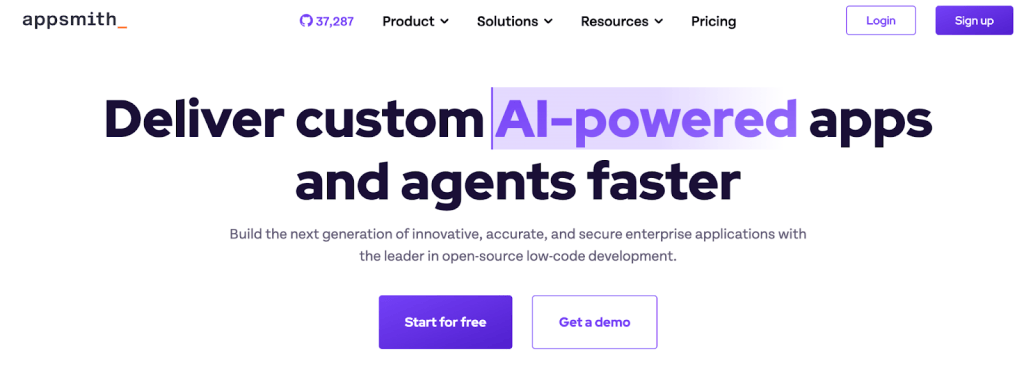
4. Data-driven departmental app platforms
A platform built around records, forms and automations may fit a departmental process well. Test the data model, permission rules and limits with representative data before selecting it for more complex operational workflows.
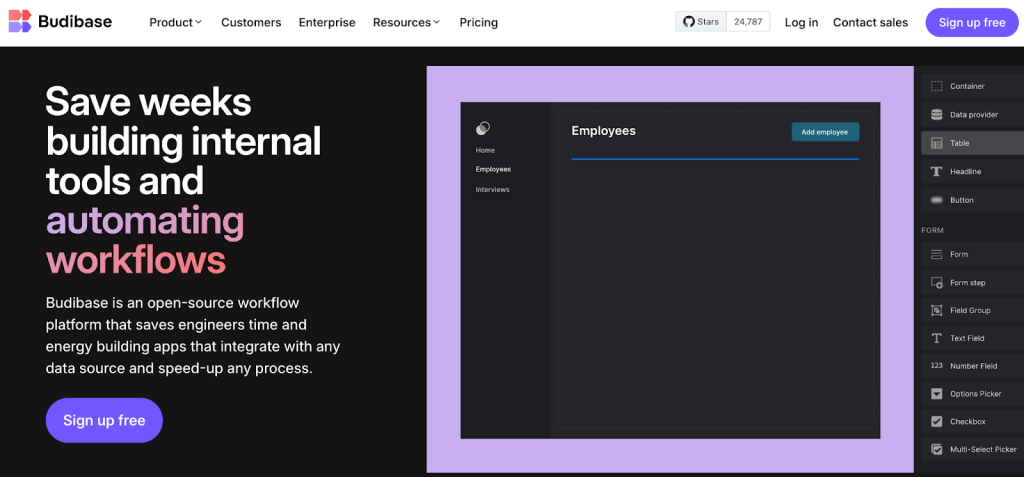
5. Form and approval platforms
Use this category for structured submissions and human decisions. Evaluate escalation, audit evidence, integrations and exception paths. A form builder and a general application platform are not automatically interchangeable.
6. Custom-code application stacks
Consider a custom stack when the required user experience, runtime or integration cannot be expressed well in a platform. Budget for the reusable foundations the team must implement and maintain.
7. Spreadsheet and no-code approaches
These can be useful for a bounded team process. Check sharing, concurrency, validation and data-change history. Decide when the process requires stronger controls or a different application architecture.
8. Existing enterprise-suite tools
An existing suite may align with your identity system and data estate. Check connectors, environment management, licensing and portability for the exact app. Existing procurement alone does not establish technical fit.
9. Process and enterprise application platforms
A broad process platform can support complex lifecycle requirements, but may involve more platform-specific skills and operating effort. Evaluate it against the portfolio you need, rather than compare only the first screen-building experience.
10. Mobile and field applications
If users work away from a desk, test device support, connectivity loss, synchronization and sensitive data stored on devices. Verify offline and automation capabilities for the selected plan instead of assuming all internal app builders include them.
Chapter 7: Governance, data and deployment
Treat the platform as part of the application’s operating architecture. These checks should be included in a pilot and documented before production approval.
1. Skills and ownership
Confirm who can maintain the app after the original builder leaves. Document custom logic, dependencies and the support process. Test whether another trained builder can understand and safely change the application.
2. Data connections and read/write authority
Use database accounts and API credentials with the minimum required permissions. Read-only interfaces should not need unrestricted write credentials. Platform access controls and source-system authorization are complementary; hiding a button is not database authorization.
Review ToolJet’s data source permissions and validate allowed and denied operations with representative user roles.
3. Cloud, self-hosted and managed hosting
ToolJet Cloud is operated by ToolJet. With customer-operated self-hosting, your team runs the platform on its infrastructure. ToolJet also offers managed hosting in the customer’s AWS, Azure or Google Cloud account; agree access, upgrades, backups and support responsibilities for that service.
Use the self-hosting guide to plan a deployment. Evaluation setup and production sizing, availability and recovery requirements are different decisions.
4. Identity, permissions and audit evidence
Define how users sign in, how access is provisioned and removed, and which actions require stronger permissions. Verify audit events and retention against your incident and compliance requirements. Product certifications do not replace configuration or app-specific access review.
Review the security architecture and audit-log documentation alongside the current plan entitlements.
5. Capacity and failure behavior
Test realistic query sizes, simultaneous users and external service limits. Measure loading, pagination, retries and failures. Decide what users see when a write fails or a downstream system is unavailable, and test recovery from partial completion.
6. Versioning, release and recovery
Use version control and reviewed promotion to separate development from production changes. GitSync supports app-definition versioning on eligible plans; database, configuration and infrastructure backups require their own recovery plan.
Test restore procedures and keep environment credentials separate. A repository of app definitions is not a complete backup of the running deployment or its connected business data.
7. AI, network and model boundaries
Draw the flow between the builder, AI gateway, model provider and connected data sources. BYOK chooses a key and provider; it does not by itself make inference local. A customer-hosted gateway with an external provider still sends requests to that provider.
Customer-hosted AI gateway and air-gapped operation are Self-hosted Enterprise add-ons. Enterprise BYOK is available on both ToolJet Cloud and Self-hosted deployments. Fully local AI requires a compatible local model endpoint. Separate development, staging and production deployments can isolate access and keep AI enabled only where your policy allows.
8. Support and operational responsibility
Agree escalation contacts, support coverage, training and upgrade responsibilities. For Enterprise, confirm the contracted support and SLA options with ToolJet. Distinguish assistance from responsibility for your application logic and connected systems.
9. Total cost of ownership
Compare the same app, builders, end users, hosting model and control requirements. Include platform licenses, AI usage, infrastructure, integration work, testing, maintenance, upgrades, training and support.
Measure these during the pilot. Do not apply another vendor’s user definition or a customer’s reported savings to your budget without checking the same scope.
Chapter 8: How ToolJet fits the architecture
ToolJet combines an AI app builder, a visual editor, custom logic and integrations for business applications. Choose the deployment and plan that match your access, lifecycle and operating requirements.
AI generation with visual and code editing
Use built-in AI to draft an app, then review and refine it on the canvas. You can also build from a compatible coding agent through MCP. The generated application still needs appropriate data connections, permissions and testing.
Community Edition and licensed capabilities
ToolJet’s Community Edition is open source under its license and can be self-hosted. Paid plans add separately licensed team and Enterprise capabilities. Review edition and plan differences rather than assume source availability includes every paid feature.
Inspect the ToolJet repository and compare current plans.
Reusable UI and explicit app logic
Use visual components for tables, forms and interactions, and custom code where needed. Inspect where each query or script executes and how it accesses data. Browser-side code should not contain secrets or be treated as a trusted authorization boundary.
Connections to existing systems
ToolJet advertises 100+ integrations across databases, APIs and SaaS tools. Browse the integration catalog for a specific source and its documentation.
The integrations are open source and can be extended using the connector tooling. Private/custom connectors are available on eligible Self-hosted plans, not ToolJet Cloud.
Governance with plan-specific controls
Team includes SSO, custom groups, audit logs and GitSync. Enterprise adds controls such as SCIM and advanced lifecycle permissions, plus deployment and support options. Verify the exact hosting-specific entitlements in the pricing comparison.
Environments and deployment isolation
Self-hosted Team and Cloud Enterprise support built-in environments. Self-hosted Enterprise includes multiple deployments, allowing separate development, staging and production instances. Configure credentials independently and promote reviewed changes through the supported lifecycle tooling.
A customer-hosted AI gateway requires a Self-hosted Enterprise add-on. Enterprise BYOK is available on both ToolJet Cloud and Self-hosted deployments. Air-gapped operation, including offline licensing, requires the air-gapped add-on. Keep the model endpoint and external network dependencies within the approved architecture.
Components and starting points
Start from a blank app or a suitable existing example, then adapt its queries, permissions and data model. Reusable components can reduce repeated interface work. A starting point still needs validation for the process and environment where it will be used.
Documentation, Academy and support
Use documentation for setup and feature behavior and Academy for structured courses and certification assessments. Confirm available courses and assessment requirements in the current catalog.
For a larger rollout, agree training, escalation and operational support with the Enterprise team.
Pricing and AI consumption
Cloud and Self-hosted Free plans include two builders, up to 50 end users and up to 10 apps, with no page limit. Team includes 3,000 monthly AI credits per builder. Hosting-specific entitlements differ, and optional Enterprise add-ons should be included in the budget.
ToolJet Cloud does not include Workflows, Agent Builder or private connectors. Enterprise BYOK is available on both ToolJet Cloud and Self-hosted deployments. Compare the current Cloud and Self-hosted tables for the full scope.
Chapter 9: Customer evidence and its limits
A customer story can show how a platform was introduced and used. It is evidence about that deployment, not a promised outcome for another team. Look for the problem, implementation process and reported scope before applying a figure to a business case.
What Pizza Pizza reported
ToolJet’s published Pizza Pizza case study describes an engineering bottleneck and a rollout using training, integrations, pilot projects and feedback. It reports reduced front-end dependency and wider participation in internal app development.
The table below summarizes reported outcomes from that case study. These are vendor-published customer results, not independently reproduced measurements or guarantees for a new deployment.

| Metric | Outcome reported in the Pizza Pizza case study |
|---|---|
| Internal applications | 6 developed and deployed within 6 months |
| Development turnaround | 50% reduction |
| Engineering time | More than 500 hours saved |
| Development cost | 30% reduction |
| Connected sources | 20+ sources |
What to learn from the rollout
The useful pattern is to involve process owners, connect existing systems, train builders and validate a pilot before expanding. Apply that process to your own requirements and record the baseline so the team can judge the result.
Use evidence in your own pilot
Track delivery effort, task completion, error rates, support requests and operating costs for your own app. Report the measurement period, users and assumptions with any claimed improvement. Keep customer examples separate from your team’s measured results.
Chapter 10: Run a governed pilot
Choose one process with a clear owner and a measurable baseline. Use test data and restricted credentials first. The goal is a working, reviewed app and an operating plan, not simply a generated demo.
A practical first-app sequence
Use this checklist to take one app from a requirement to an authorized pilot:
- Define the process. Name the users, allowed actions, app owner and measurable acceptance criteria.
- Choose deployment and plan. Check the required controls for Cloud, customer-operated Self-hosted or managed hosting in your cloud account.
- Connect test data. Start with restricted credentials and a development data source; avoid production secrets or personal data in the prompt.
- Draft and inspect. Use ToolJet AI, the visual builder or an MCP-connected agent. Review components, queries, bindings and custom logic.
- Test exceptions and access. Check denied operations, bad inputs, empty results, failed integrations and recovery from writes.
- Release and measure. Approve access for a small pilot group, name its support contact, monitor the agreed outcome and verify restore procedures before expansion.
Example app-generation prompt
I have orders and order_items in a PostgreSQL test database. Build an order-review app with searchable orders, a status filter and a detail view.
Start read-only. Use paginated queries and handle empty results, permission failures and connection errors.
Show me the generated queries and bindings for review before we add refund actions.
Follow the Quickstart Guide, deployment documentation and current Academy courses as needed.
Decide whether to expand
Compare the pilot with its baseline and the full operating cost. Expand when users can complete the process reliably and the team can maintain it. Rework or stop the app when it adds complexity without solving the original problem.
Ready to try a focused pilot? Create a ToolJet account or review self-hosted deployment options. For security or private AI requirements, use the security page and discuss the required Enterprise add-ons.